Use visit date filters
Plan person visits and connect business properties with companies.
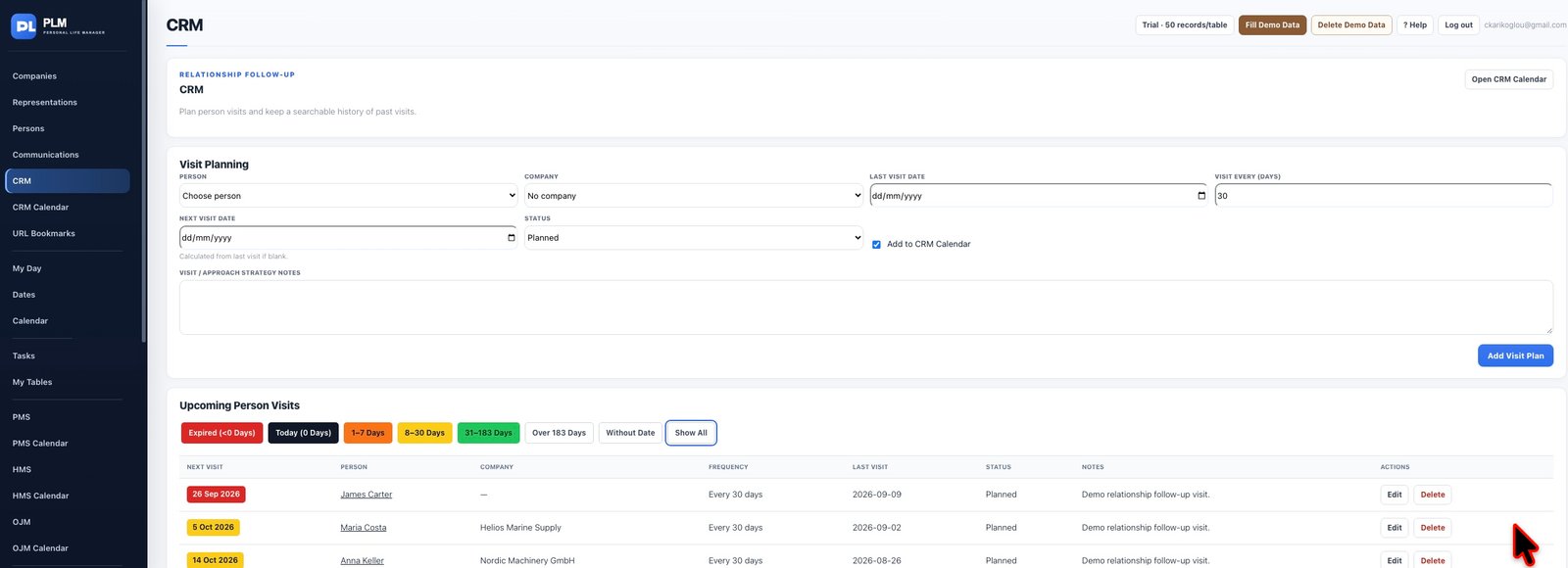
- Read the coloured day-range controls above upcoming visits.
- Choose the range you want to review.
- Use Show All to restore the complete sorted upcoming list.
Example
Choose the 1–7 day band to prepare near-term visits. Show All restores the other planned dates and retains earliest-first ordering.
Check the result: Use Show All to restore the complete sorted upcoming list.