

0
Zero Learning Curve
Clear forms, familiar tables and consistent buttons make every module immediately understandable.










 PsyCatherine Psychologist, Journal & Psychology InsightsPsyCatherine Advice Ask Questions & Explore Professional Psychological Guidance

 Trenscope Multiple WebSite Analytics In One Place
 Sphedora Social Media SchedulingAdverosa Advertising Management
 ClassPilot Student Management & Organisation
 Togertherly Family Planning & Communication
 PLM-Pet-Organiser Organise And Manage Your Pets
 PLM Organiser Personal & Business Organisation
 Saywise Articulate Speech & Communication

PLM gives you flexible tables, powerful task management, calendar planning and saved views in one private, professional workspace built around the way you work.
Try up to 50 records per table. No payment required to explore. General document storage is not included; supported profile and CRM image fields are separate.

Start with familiar pages, add only the information you need and shape PLM around your life—without coding or database training.
Clear forms, familiar tables and consistent buttons make every module immediately understandable.
Create useful personal or business databases without programming, technical setup or building software.
Add unlimited fields to every custom table and name them in language that suits the way you work.
Switch individual sidebar buttons on or off so your workspace shows only the modules that matter to you.
Create the information system you need without being forced into somebody else’s fixed template.
Paid subscribers can create unlimited tables with unlimited records and unlimited owner-named custom fields.
Fill existing cells down or up, drag the fill handle to repeat values or extend numeric sequences, and reverse recent value edits with Undo.
Add notes to individual cells without changing their values. A small red corner marks each comment; hover to read it or open it to edit.
Calculate amounts, percentages and dates with named fields. Build IF conditions with AND/OR, and summarise displayed records with totals and grouped subtotals.
Link related records across your tables with single or multiple relationships. Look up matching stored values, such as a product price or customer name, from another table.
Use up to four simultaneous groupings, customer-defined filters, sorting and visible columns.
Save custom views and return later with the same filters, sorting, groupings and columns ready to use.
Create tasks, subtasks, priorities, due dates, recurring work and links back to database records.
Dates automatically display urgency colours and day counts as deadlines approach or expire.
Show tasks, table records, both, or a chosen table group. Calendar dates expand so matching entries remain visible.
Duplicate only a table’s structure or duplicate the structure together with all of its records and data.
Add demonstration tables, records and tasks to explore PLM immediately, then remove the demo content safely.
Import structured CSV records, export your information and create organised printable reports.
Group consecutive columns and expand or collapse them with an arrow, just like in Excel. Keep related fields together and show only what you need.
Open the toolbar tab you need and close it when you are finished. Compact menus keep actions organised and leave more space for your records.
Give each table its own form layout. Arrange fields, add section titles and dividers, choose 1–10 columns per section, and adjust field sizes to suit your work.
See due and overdue tasks, dated table records and maintenance items together. Colour-coded urgency helps you spot what needs attention across your workspace.
Choose which app tabs appear in your sidebar from Settings. Hide sections you do not use and show them again whenever you need them.
Find matching items in live search fields as you type. Narrow down long lists quickly and reach the record or saved link you need.
Keep key rows and columns visible while you scroll through a large table. Stay oriented with the details that matter always in view.
Save and group SharePoint, Google Sheets, Google Drive and OneDrive links. Preview inside PLM when access and embedding are allowed, or open the original directly without searching through folders.
PLM uses a familiar Excel-style tabular presentation with easy formatting. Create separate databases for home, family, school, shopping, business, customers, assets or projects—all in one account and available from your devices. Use calculated fields for arithmetic, IF conditions and date calculations, and connect tables with relationships and lookups. When a full database is unnecessary, simply use Tasks.
Begin small, organise what matters and expand your workspace as your needs grow.
Register and begin with a private trial workspace prepared for your records and tasks.
Create tables and custom fields, then arrange your information with views, filters and groupings.
Use My Day, Tasks, Calendar and Dates to keep work visible and follow-ups under control.
Explore the complete PLM suite free, then unlock unlimited use of the entire current application for one monthly subscription at the price shown below.
The complete suite at no cost while you explore.
One complete suite. One remarkably low monthly price.
Customers who subscribe during the original launch period receive the complete future PLM module bundle at their original subscription price while their subscription remains continuously active. Customers joining after tiered plans are introduced receive the modules included in their selected tier and remain subject to the pricing terms applying to that tier. Cancelling an original subscription ends the automatic founding-price guarantee.
Explore the complete PLM module suite below. Each module includes a description and a preview. Select any image to view it at full size.
Screenshots are illustrative and may differ from the current version as we continually improve PLM for a better user experience.


Start every working day with clarity and purpose.
My Day brings together your active responsibilities, approaching deadlines and time-sensitive information in one focused overview. Instead of opening multiple modules to discover what needs attention, you can review relevant tasks and dated database records from a central location.
Information is organised into practical date groups, making it easier to distinguish immediate priorities from upcoming commitments. Tasks and database follow-ups are brought into a common daily review while retaining their individual identities and record connections.
With PLM's consistent date and urgency indicators, important deadlines become easier to recognise. Open the relevant underlying records when you need more information or want to take action.
**Key capabilities:** Consolidated daily overview, task monitoring, dated database records, approaching deadlines, urgency indicators, date-group organisation and direct access to related work.
**The benefit:** Less time searching for what needs attention and more time completing what matters.

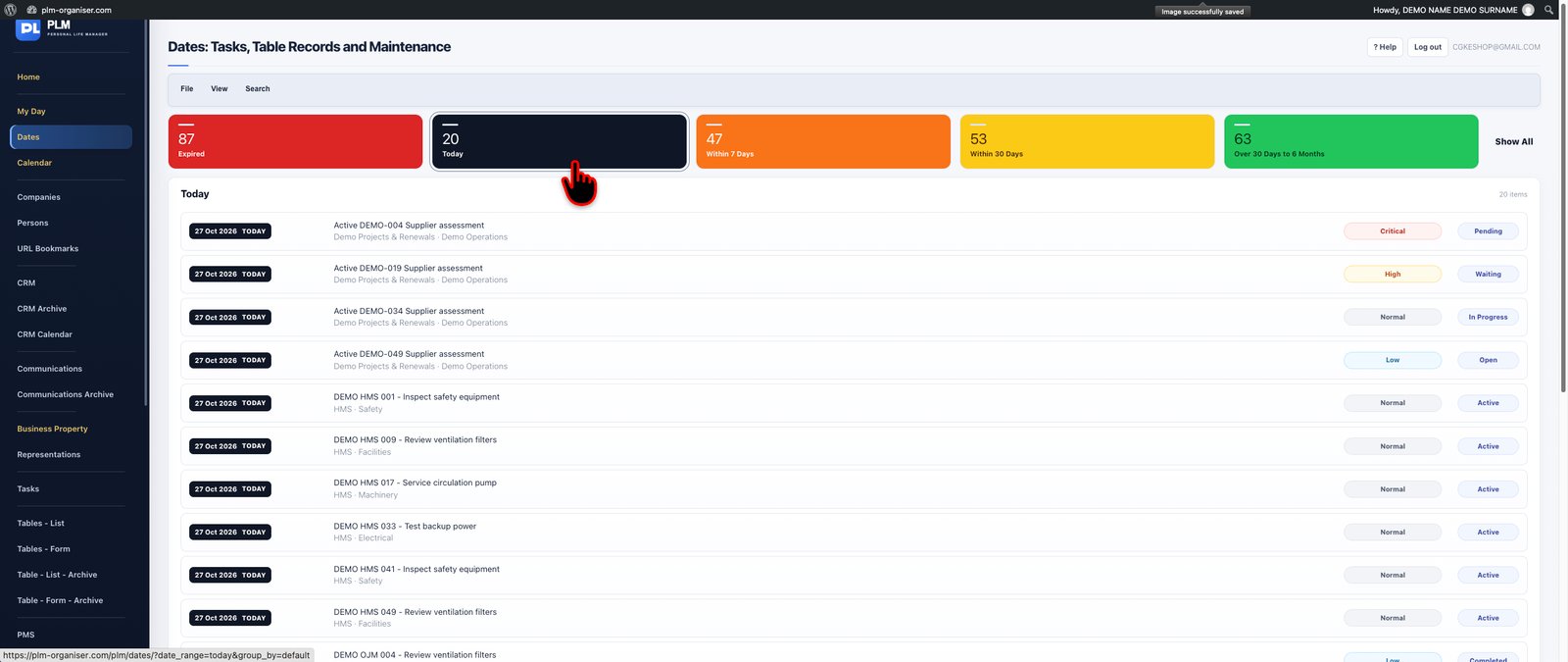
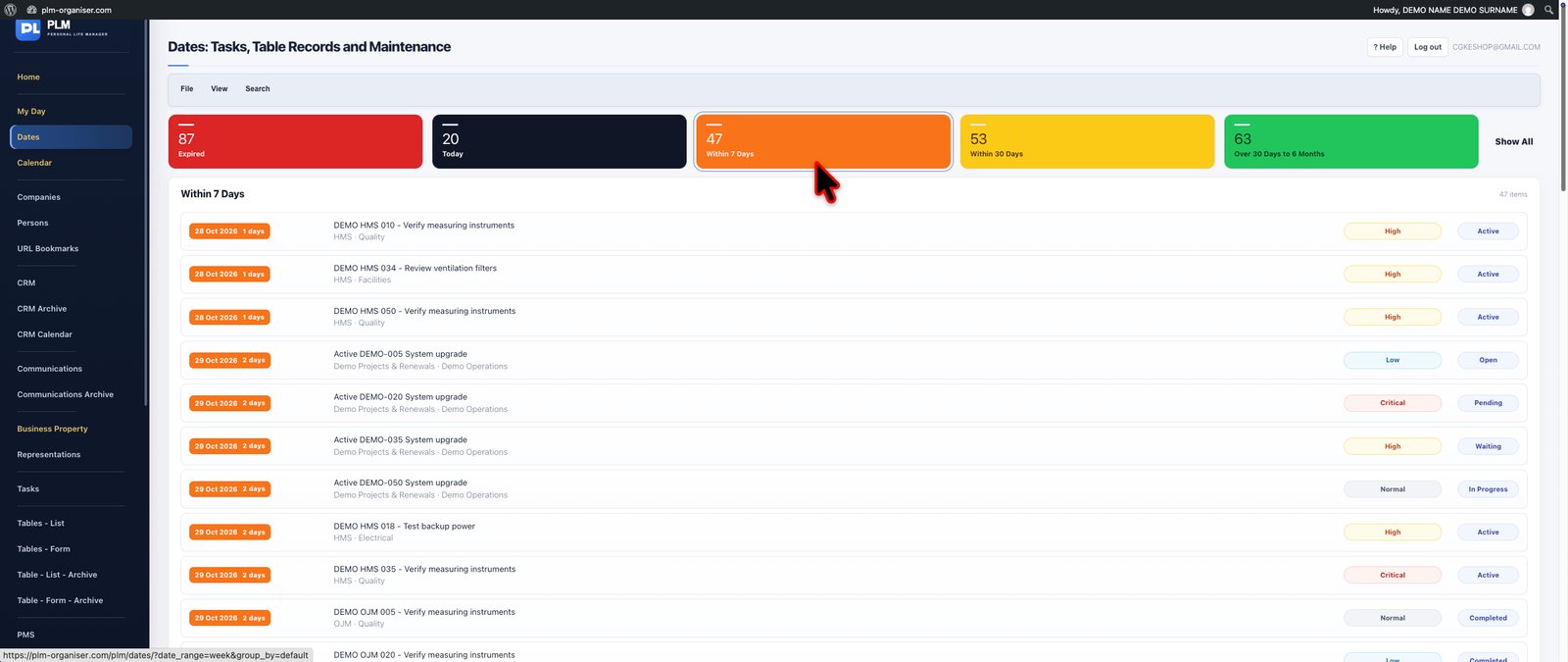
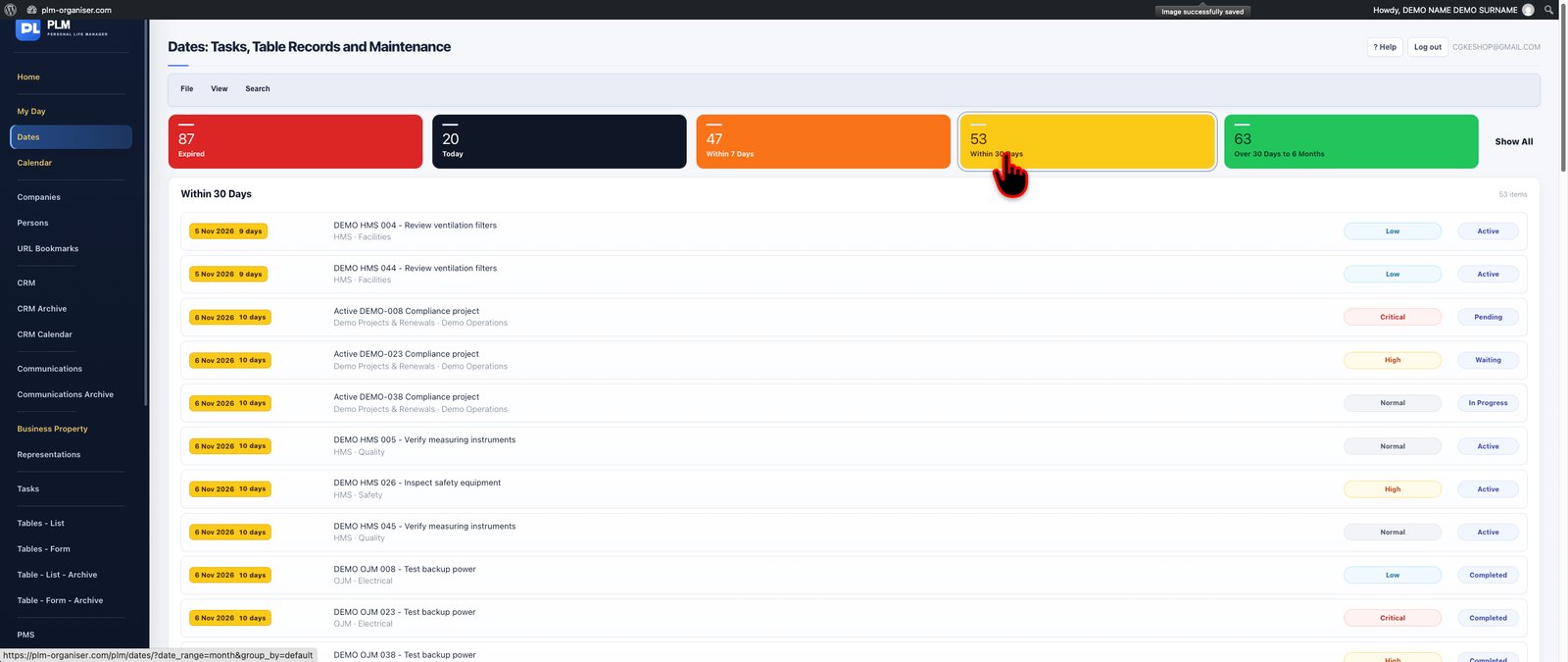
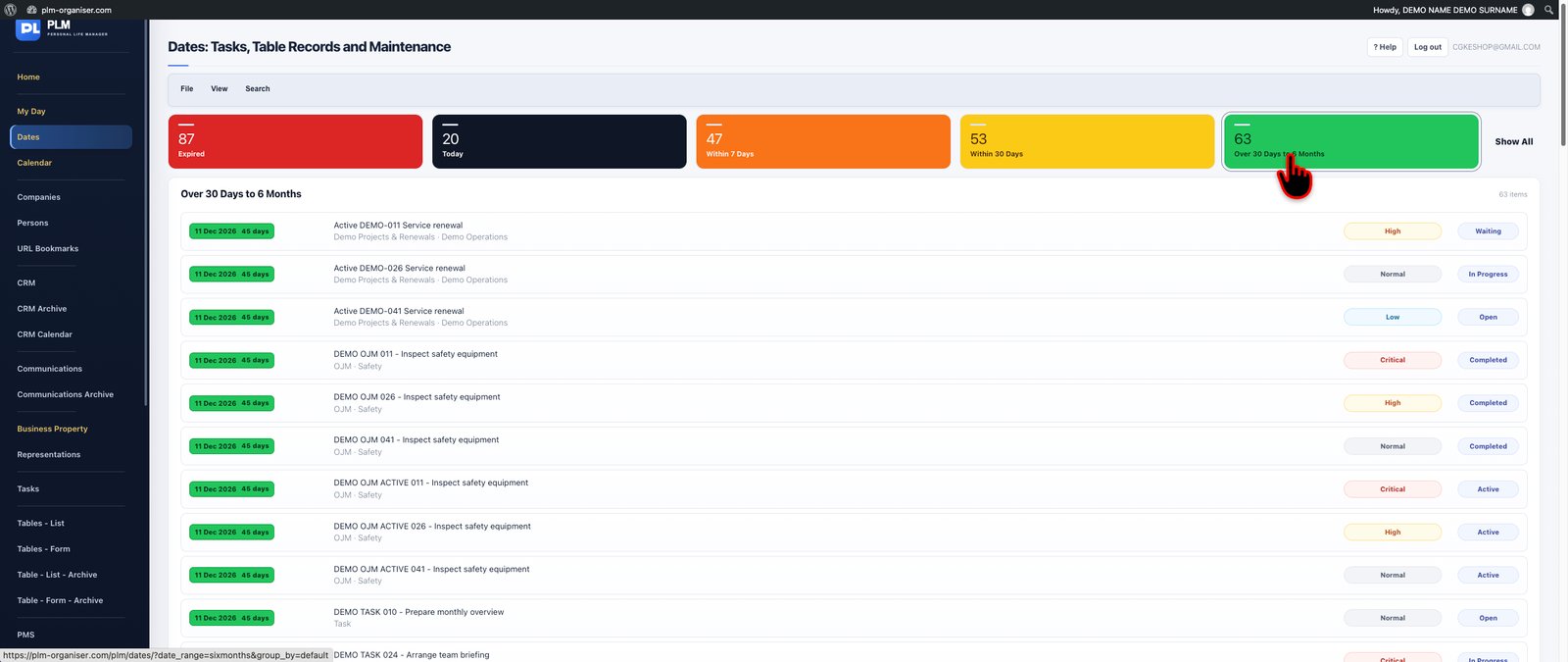


Stay ahead of important dates across your PLM workspace.
The Dates module provides a dedicated view of time-sensitive information, consolidating dated tasks and eligible database records into one structured place. It is designed for people who need to monitor deadlines, reference dates and upcoming obligations without the distraction of unrelated information.
Use focused date ranges and urgency filters to concentrate on the period that matters. PLM's consistent colour-coded date indicators make it easier to identify overdue, imminent and future items, while links back to the original records preserve the context behind every date.
This is particularly valuable when managing large collections of records where important dates could otherwise remain buried inside individual tables.
**Key capabilities:** Consolidated date monitoring, urgency-based colours, focused date ranges, date filtering, linked database records and deadline reviews.
**The benefit:** A reliable way to keep important dates visible and prepare for upcoming responsibilities.
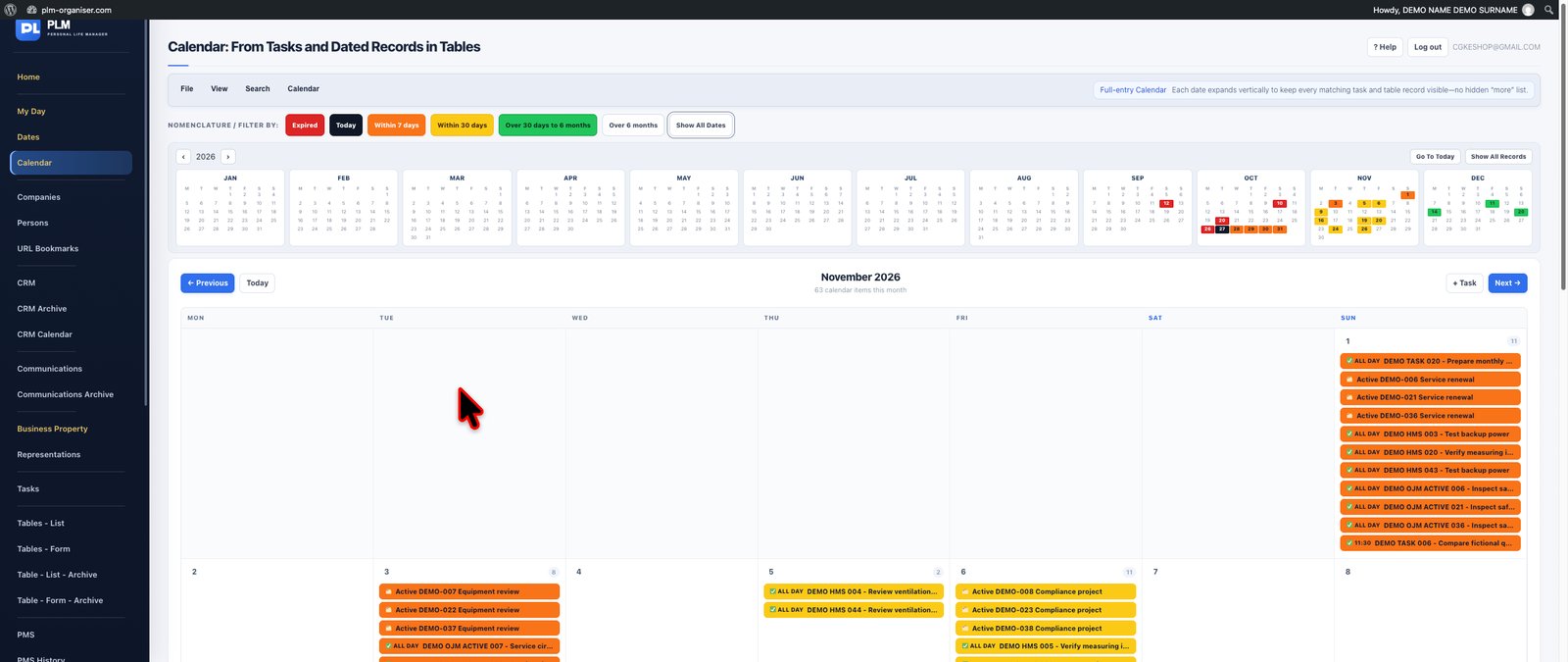


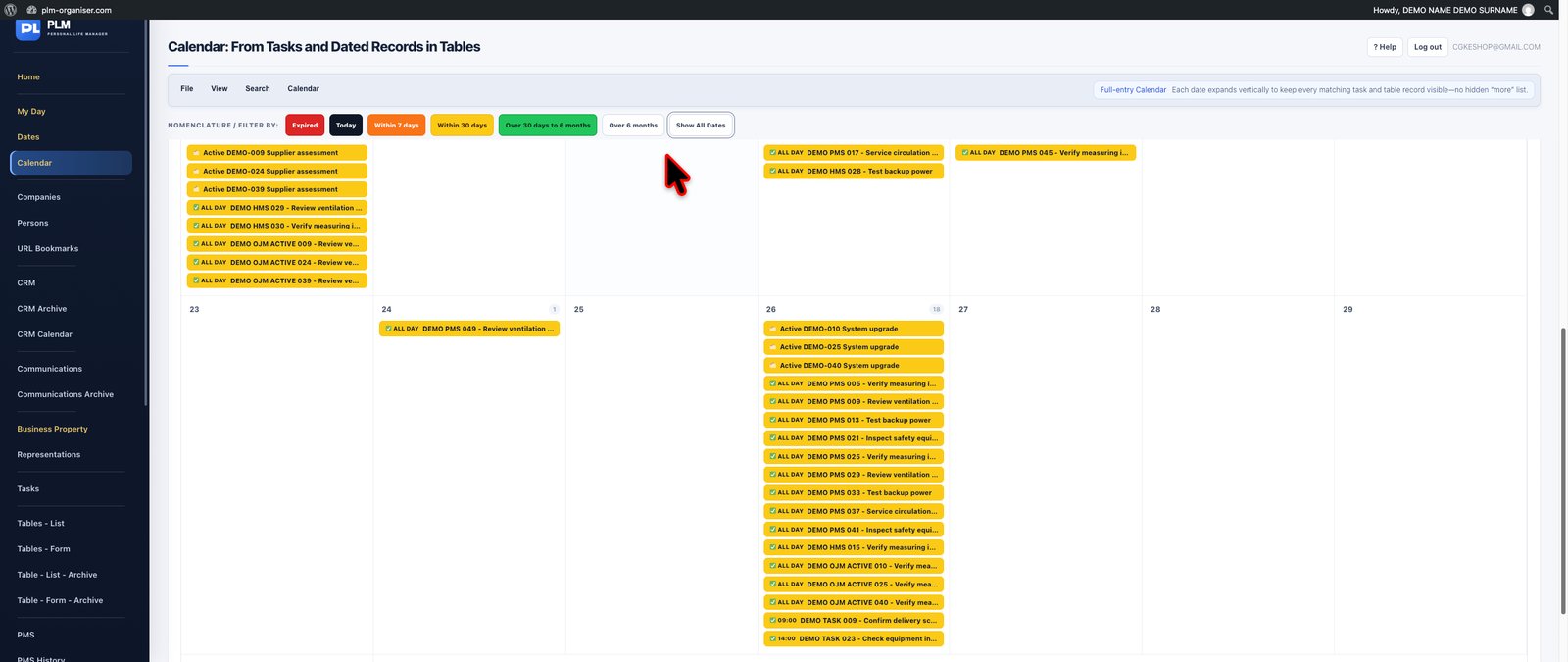


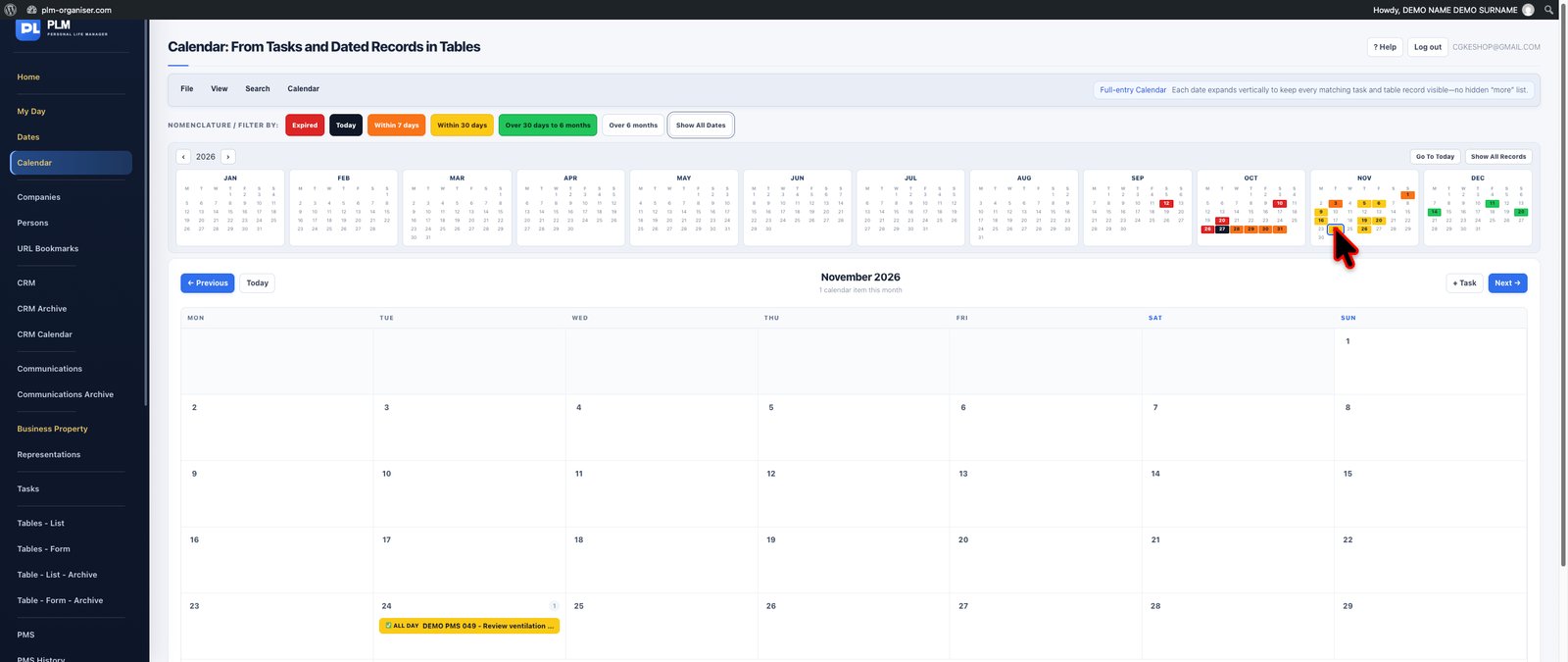
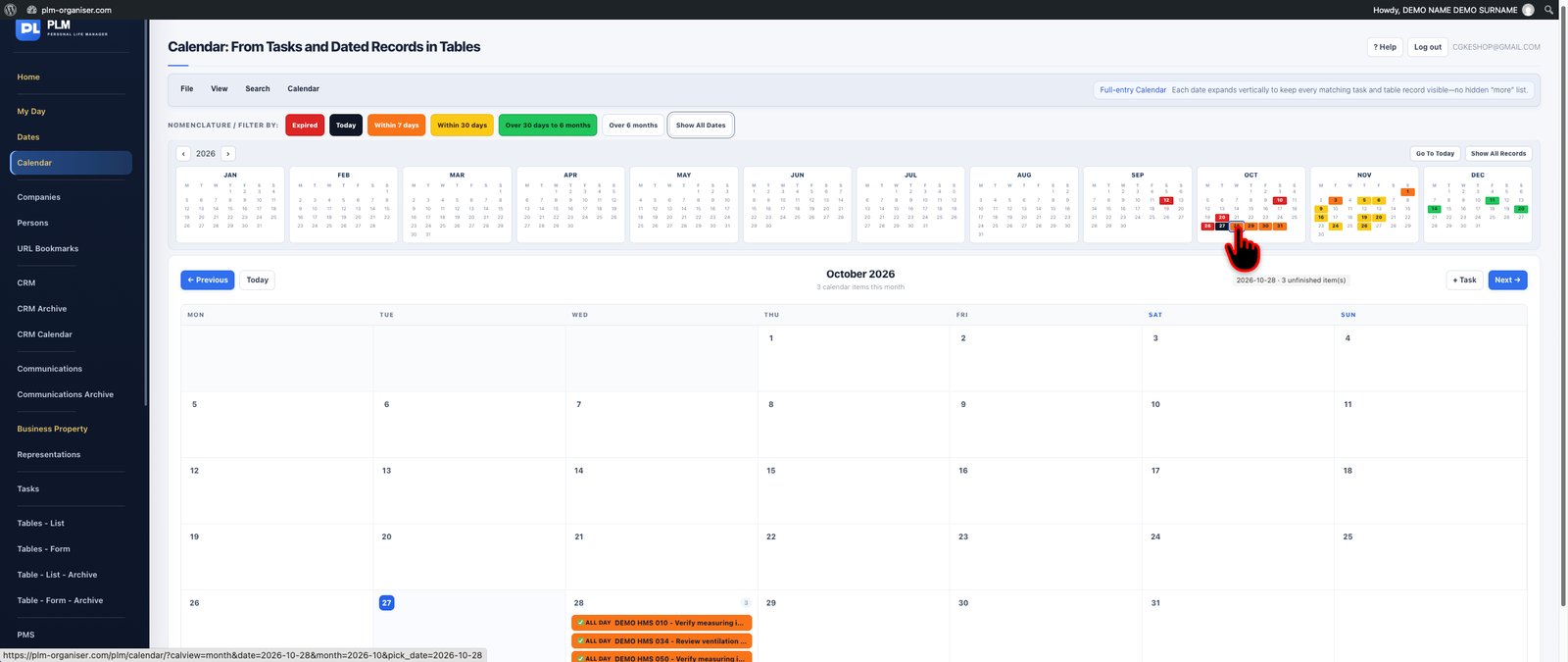
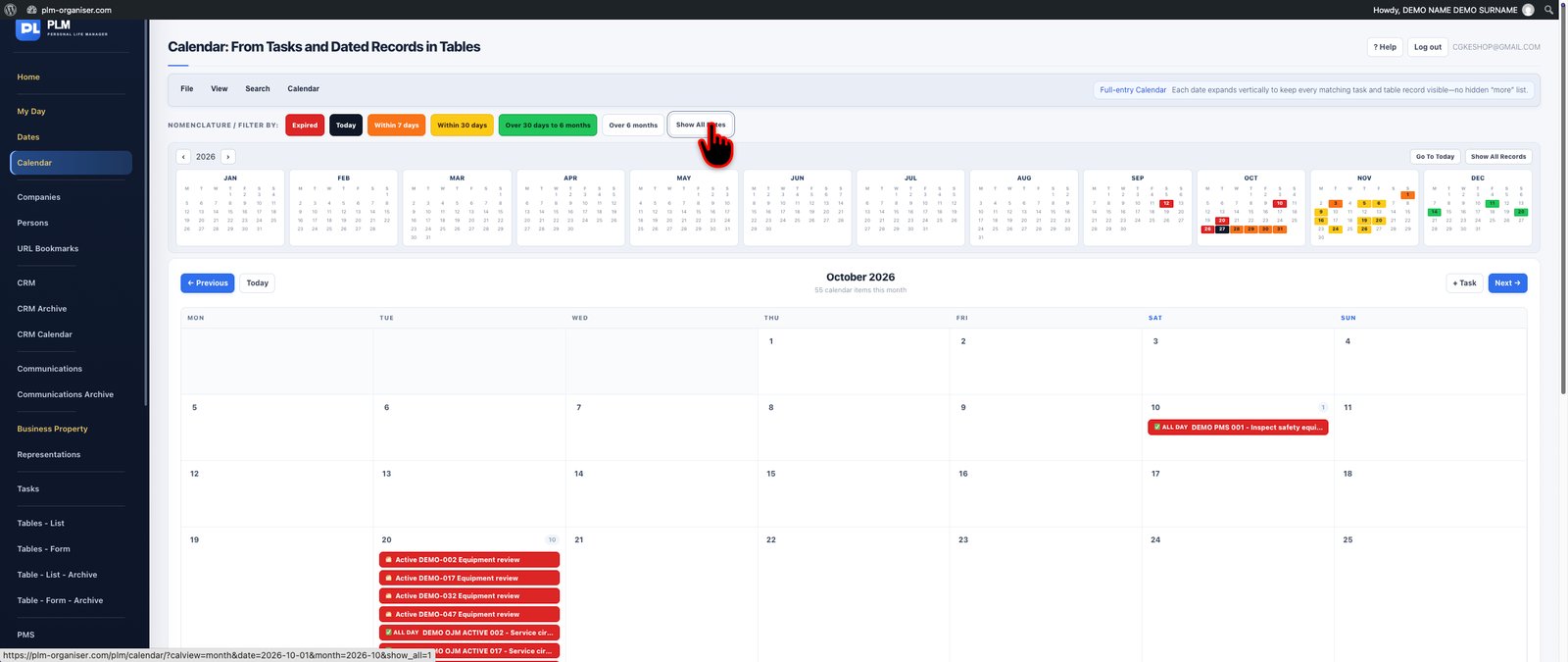
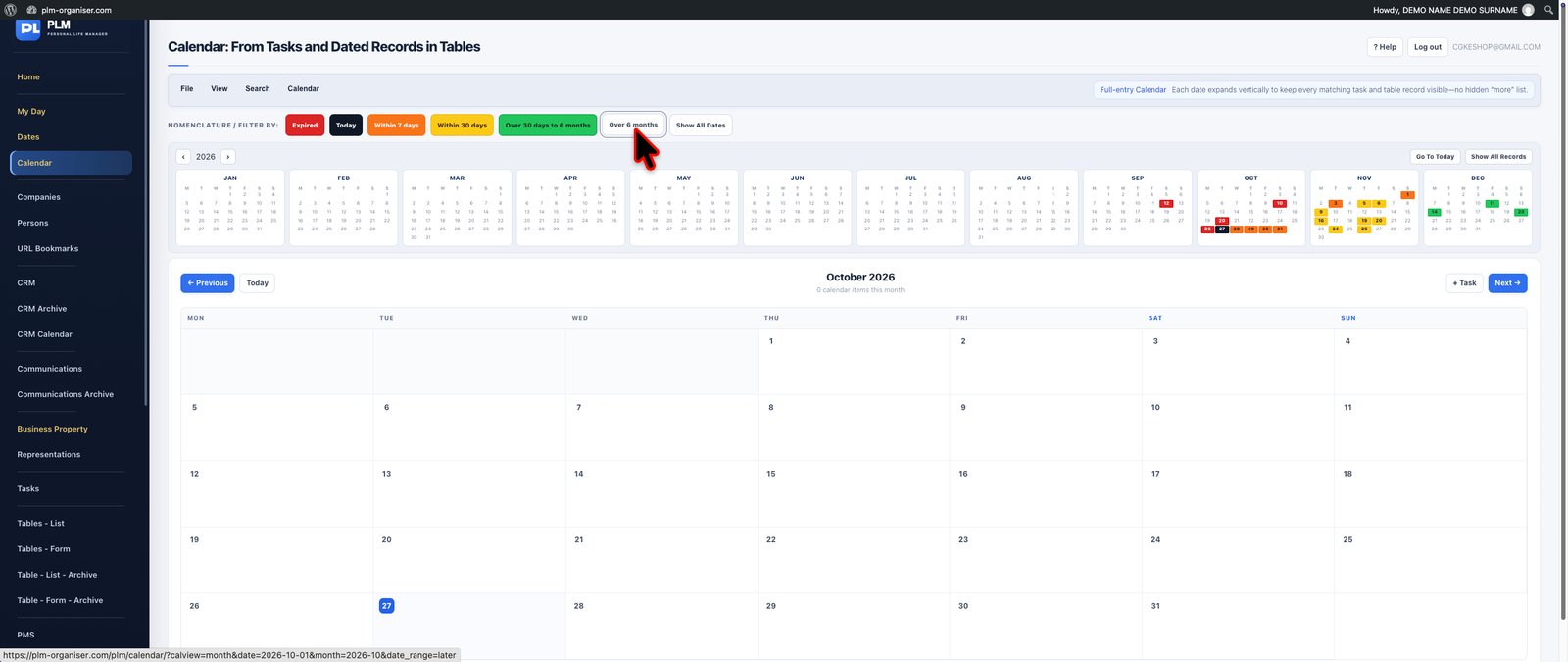
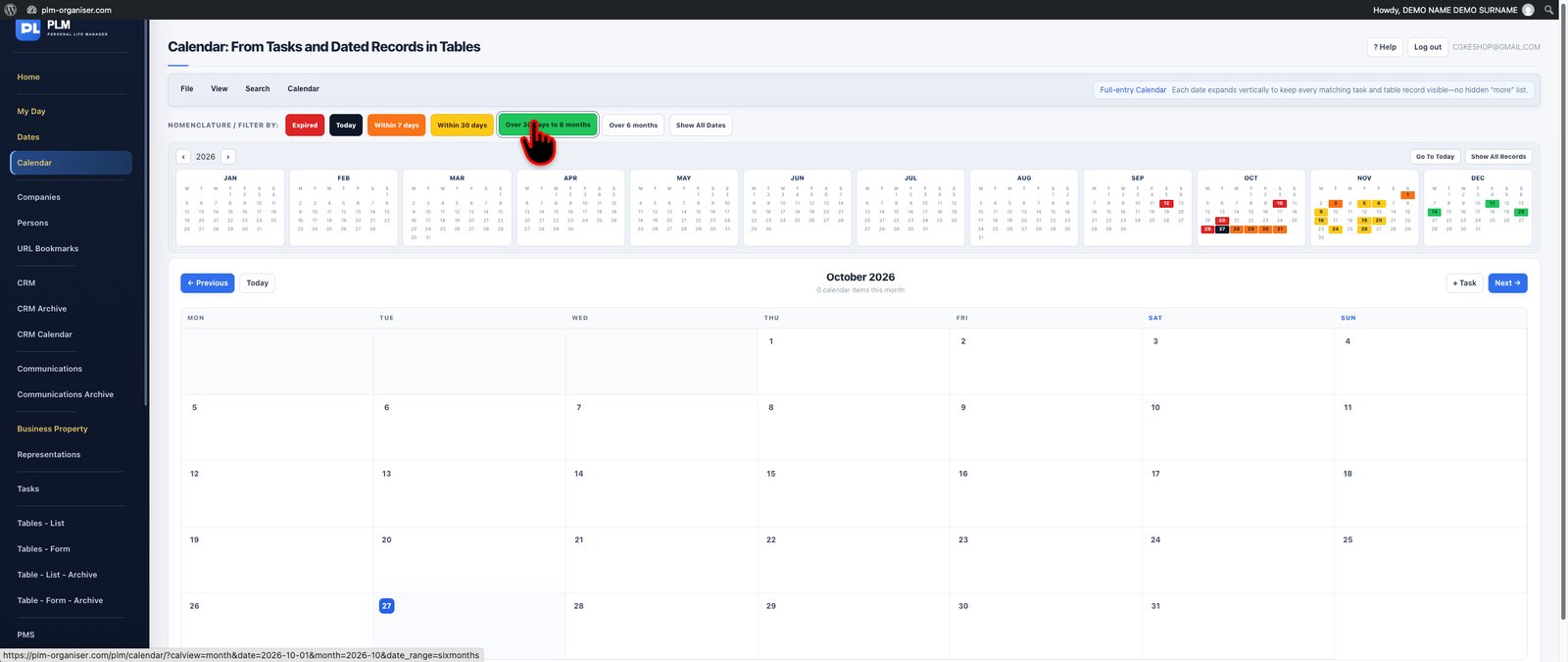

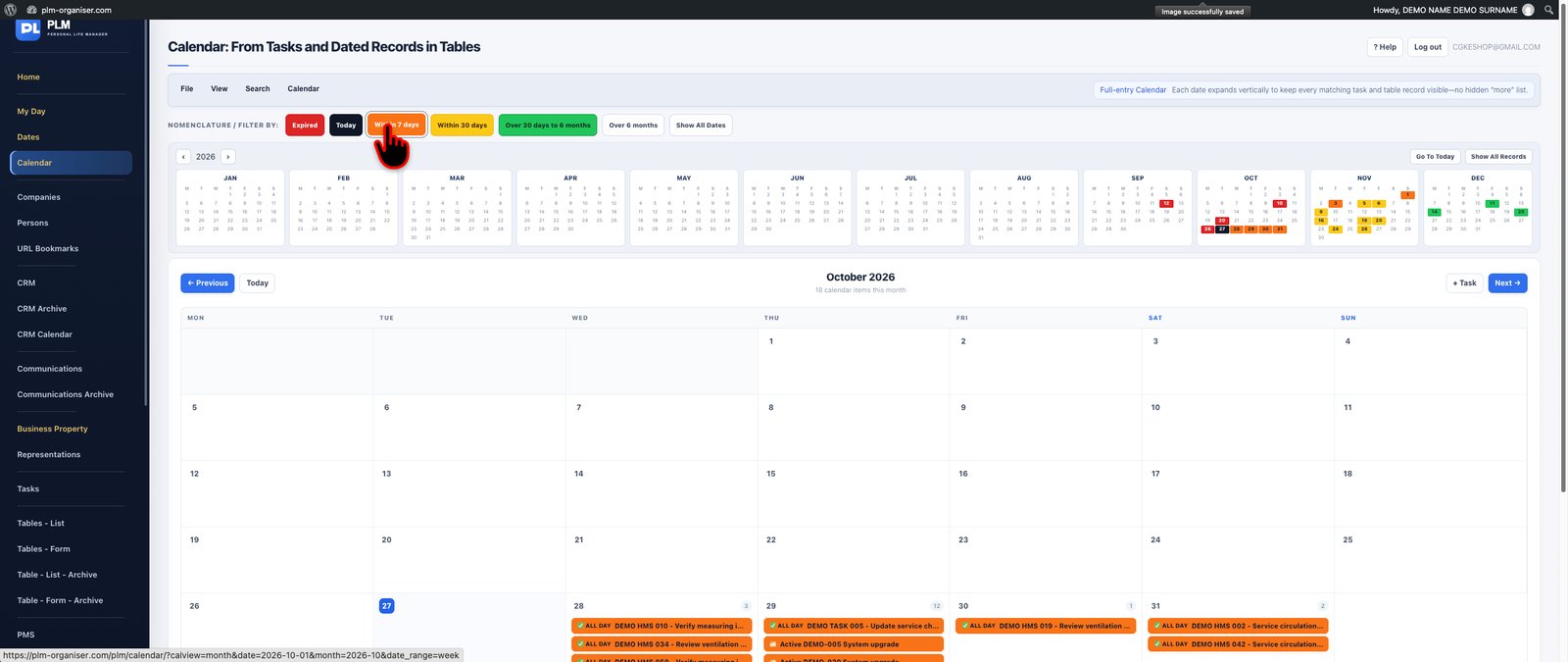

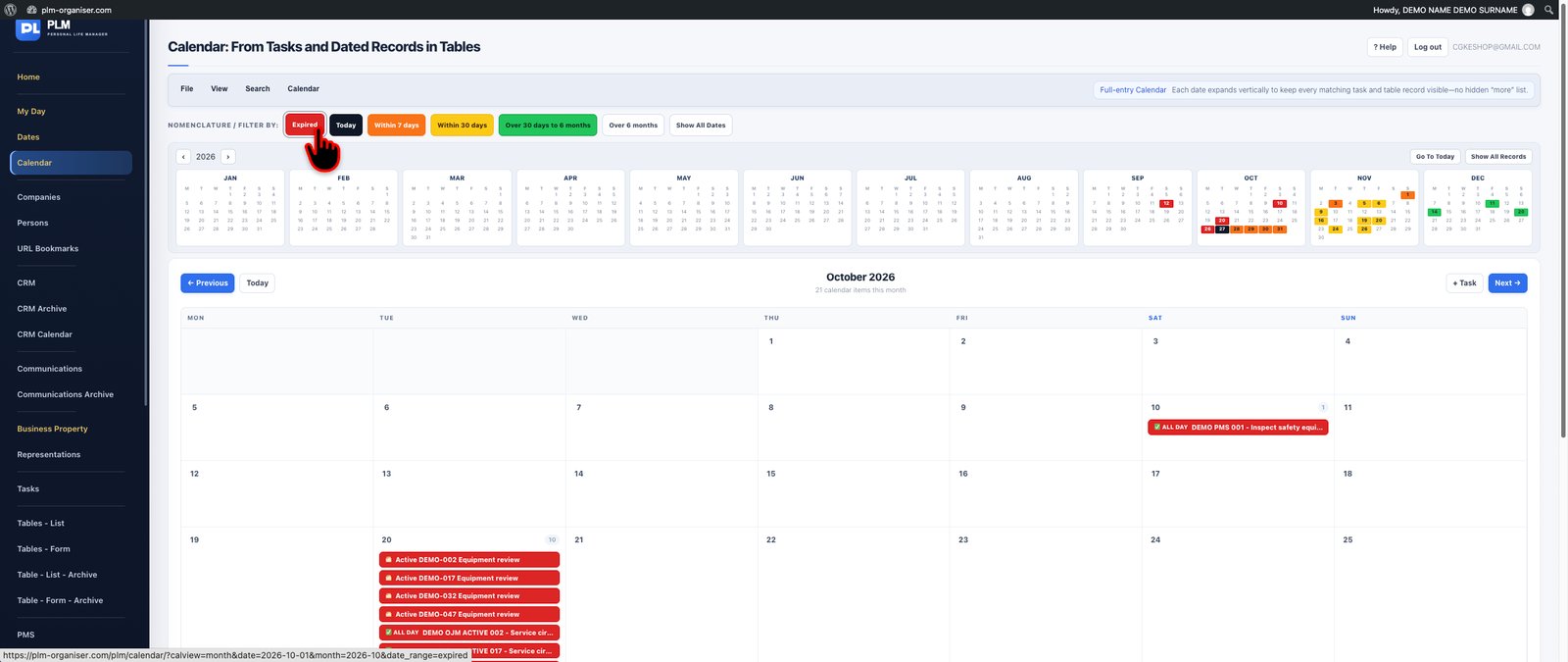
Turn your schedules and important dates into a clear visual picture.
PLM's main Calendar provides multiple ways to review dated work, with day, week, month, year and list views. Move from a detailed daily schedule to a broader overview of your commitments without losing the connection to the information behind each entry.
Display dated tasks and eligible records from your custom tables, using available source filters to concentrate on relevant activities. The calendar distinguishes between all-day and time-specific entries and uses PLM's familiar date colour system to communicate urgency.
Its flexible viewing scales help you plan individual working days, review an approaching week, understand monthly commitments or examine a longer planning horizon.
**Key capabilities:** Day, week, month, year and list views; source filtering; all-day and timed entries; urgency colour indicators; and navigation to underlying records.
**The benefit:** Better visibility across your schedule, from immediate appointments to long-term planning.

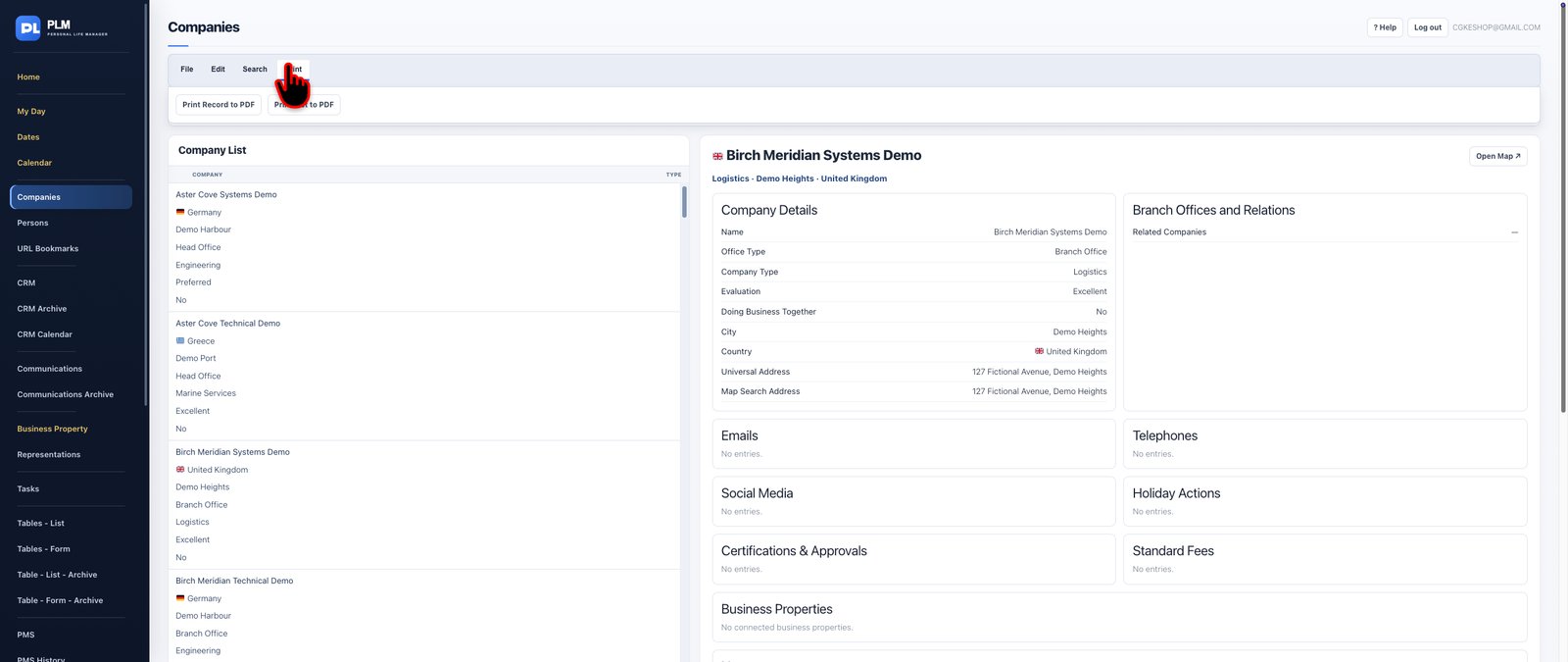
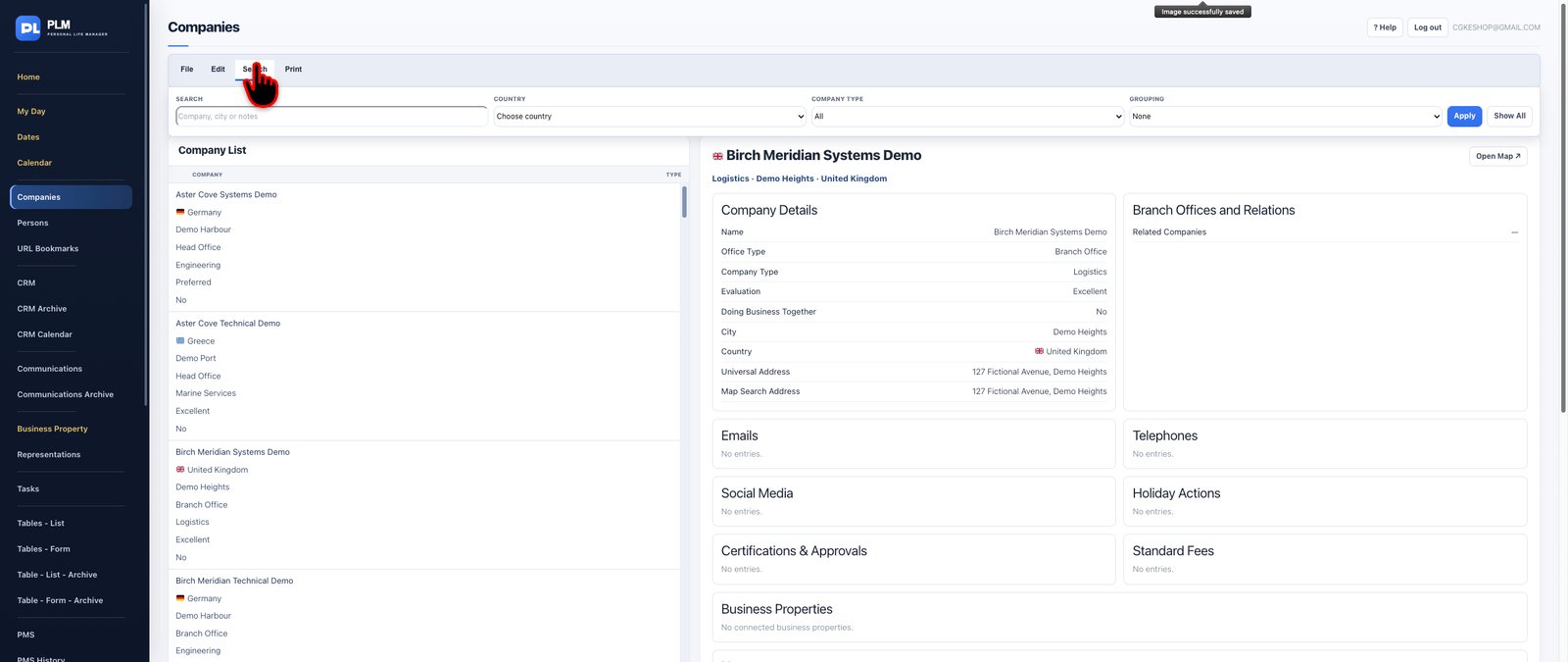
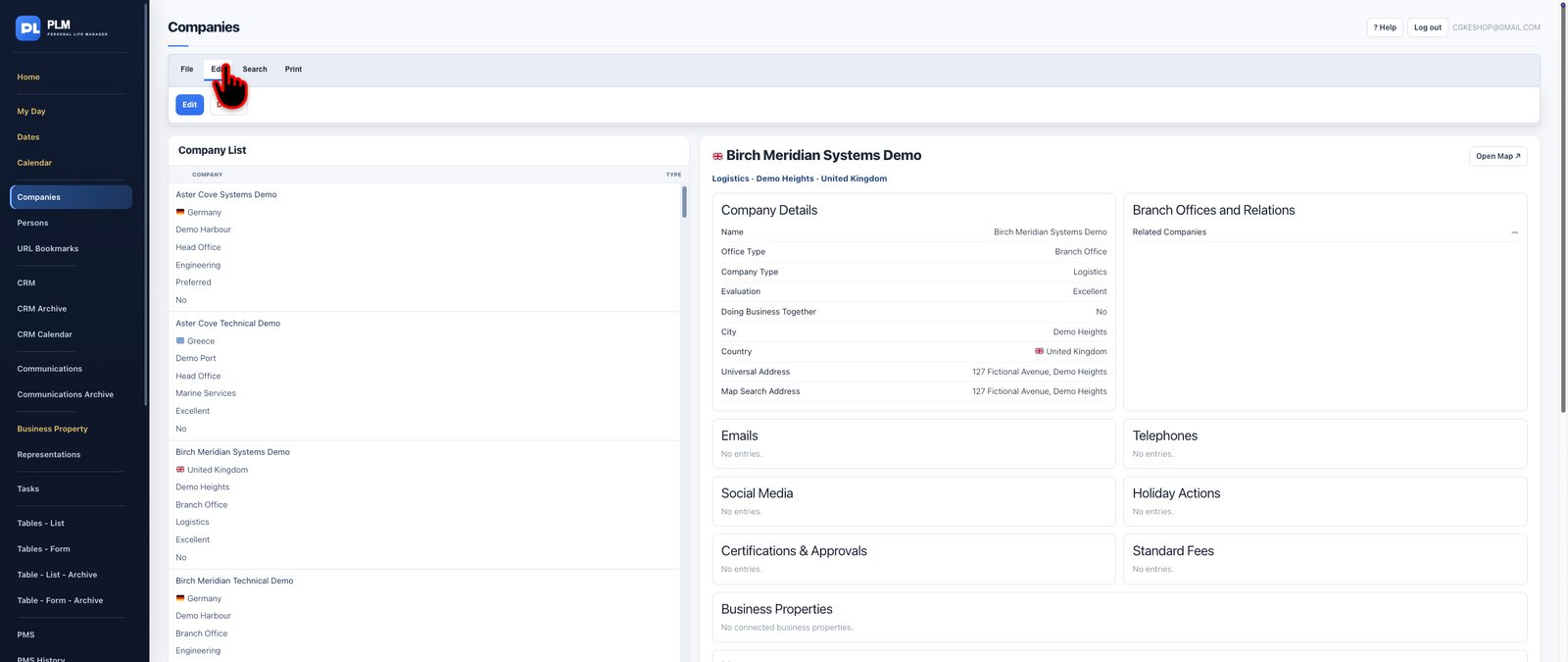
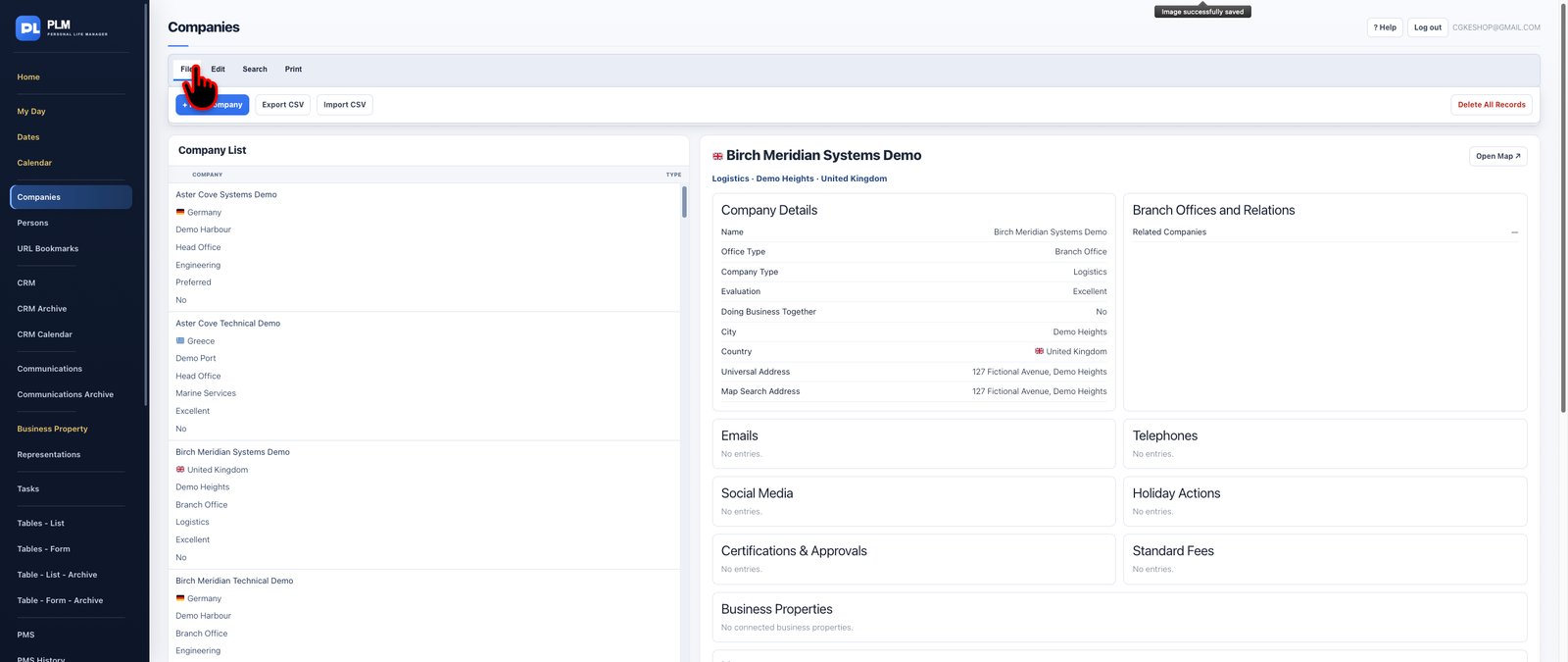
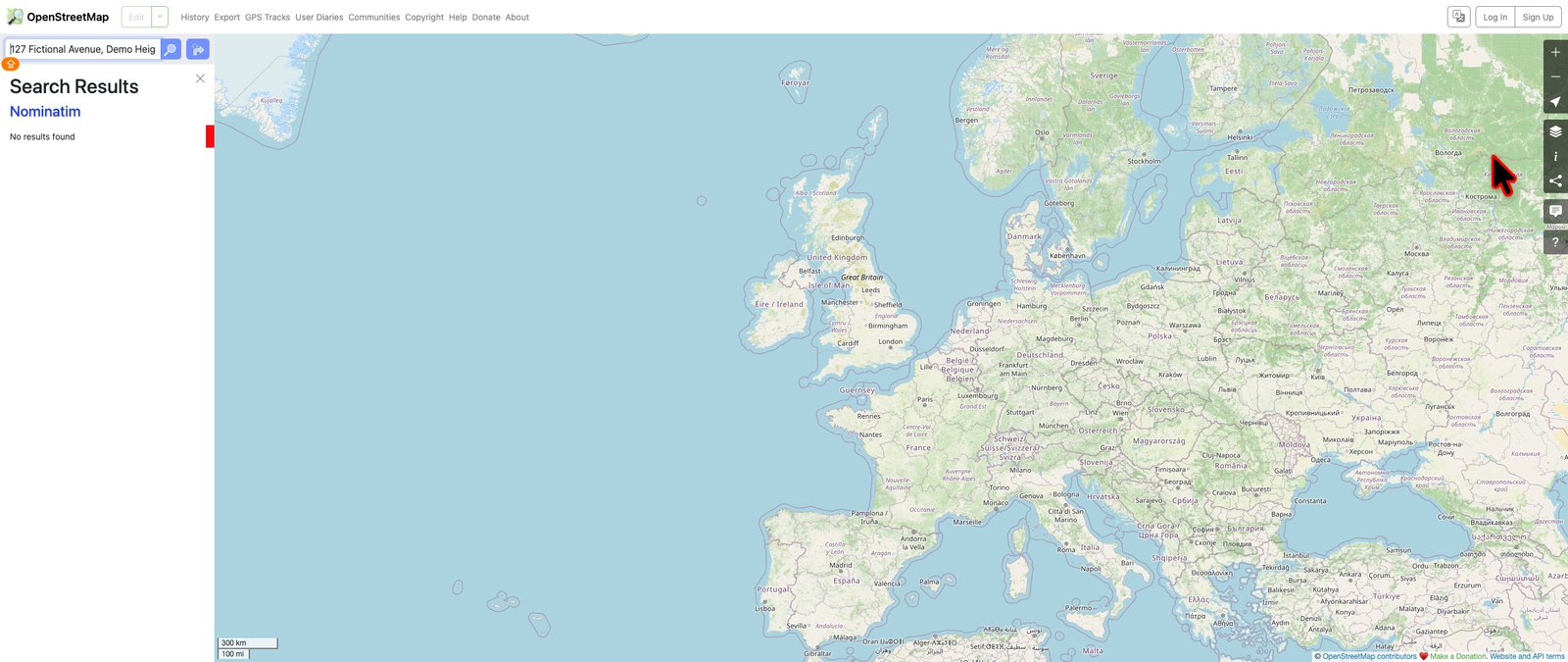
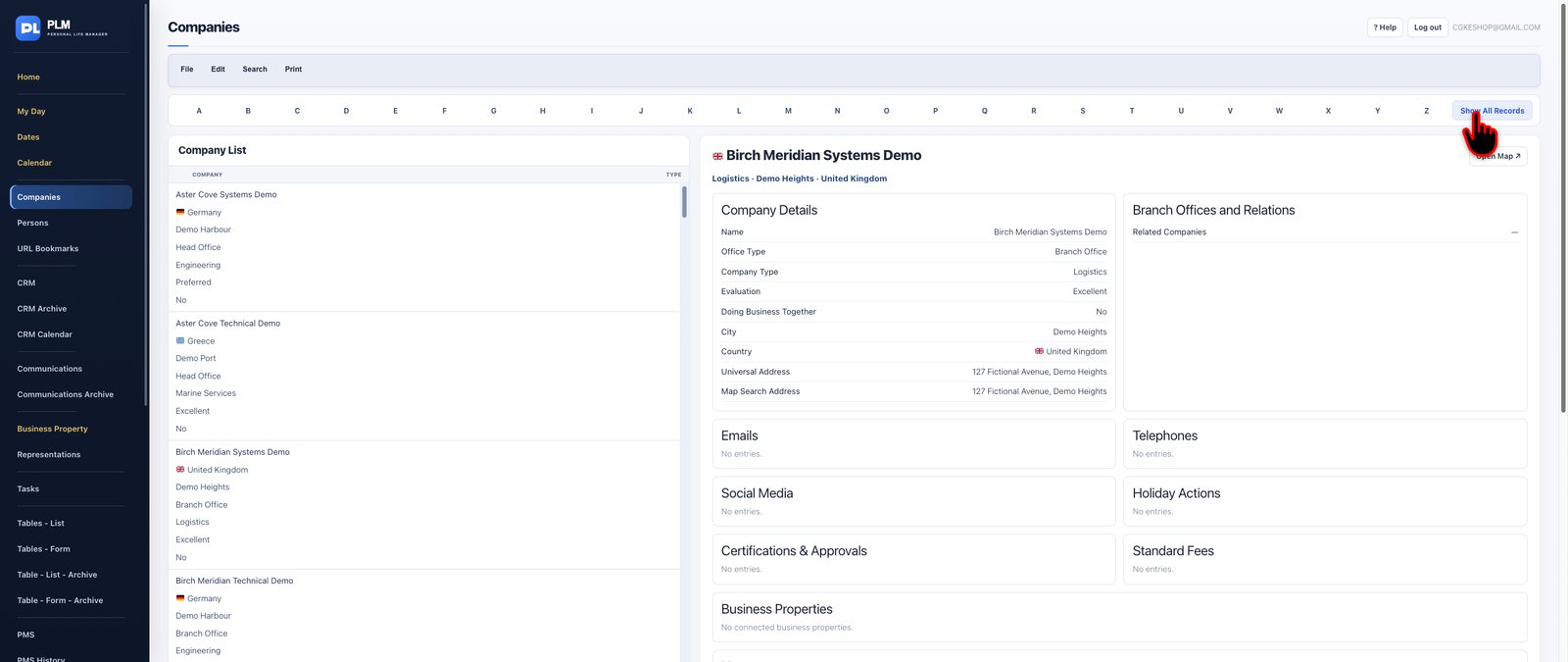
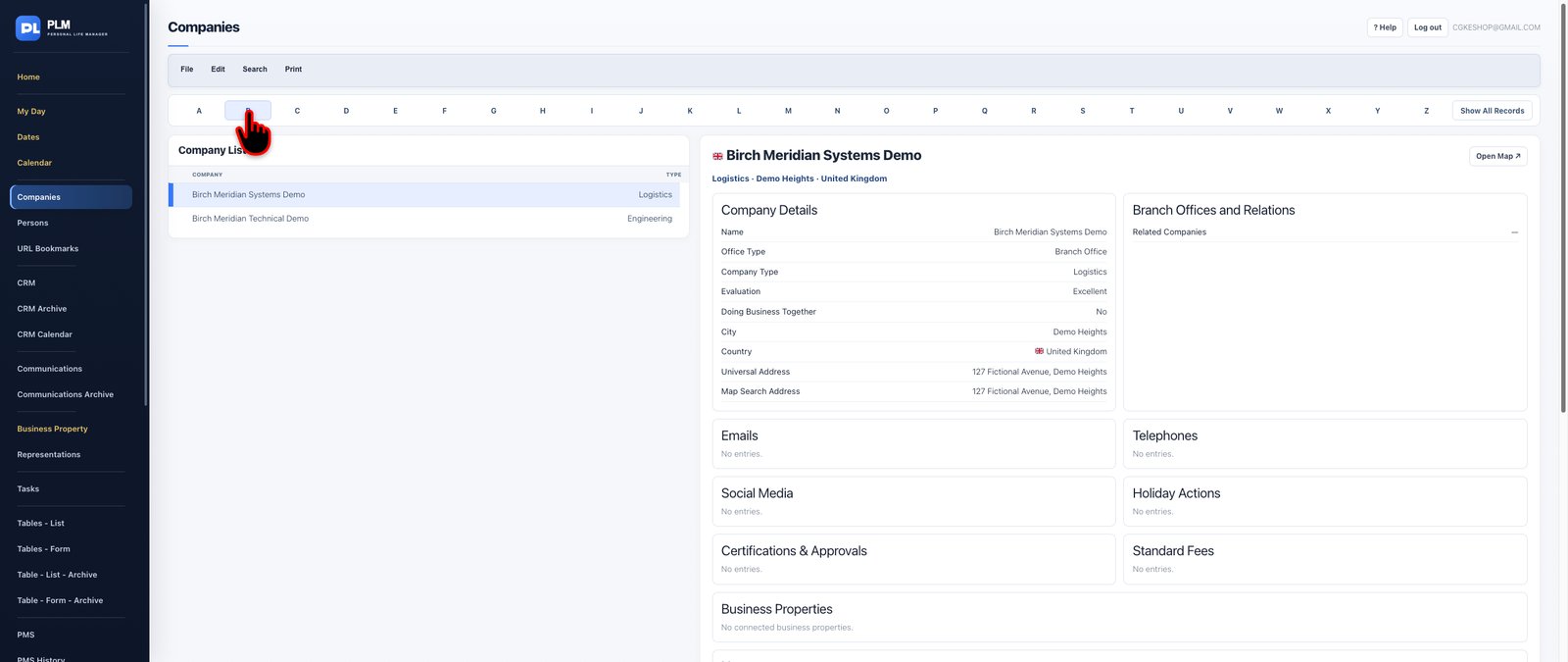
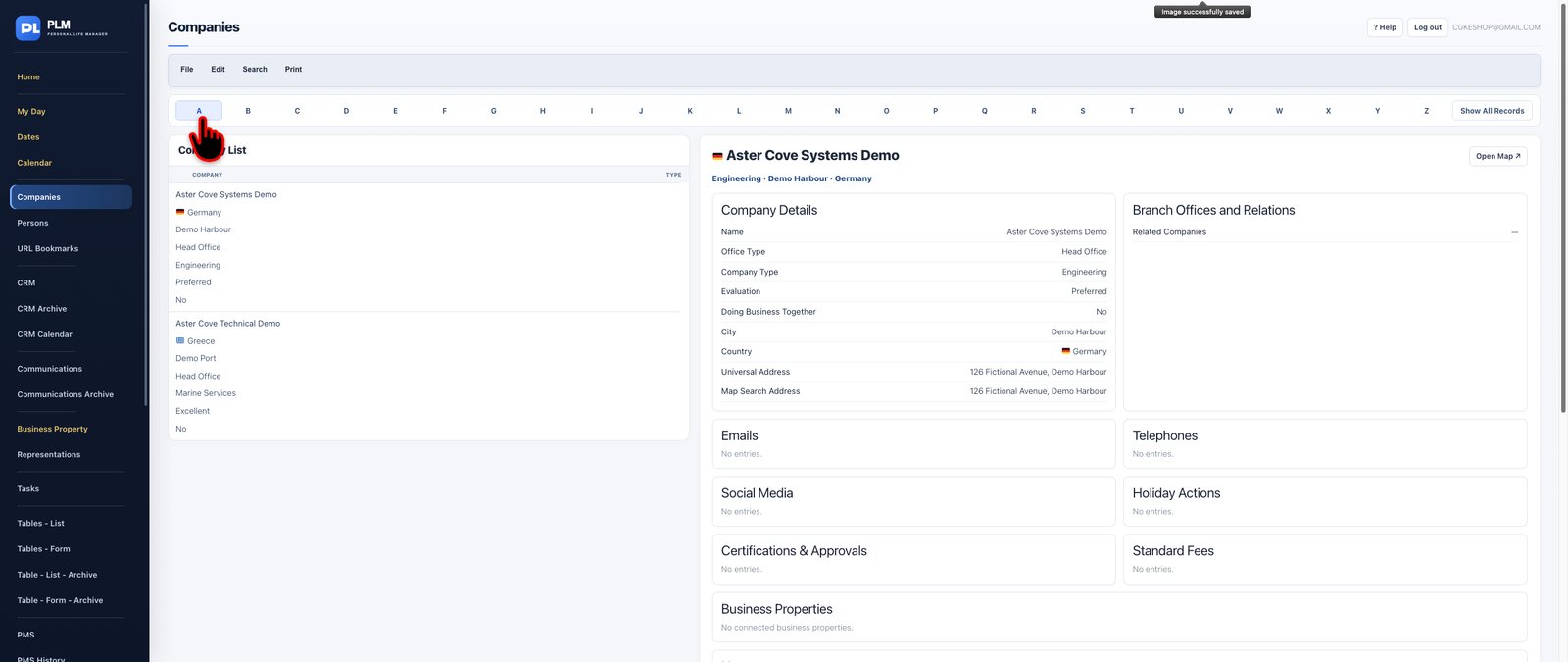
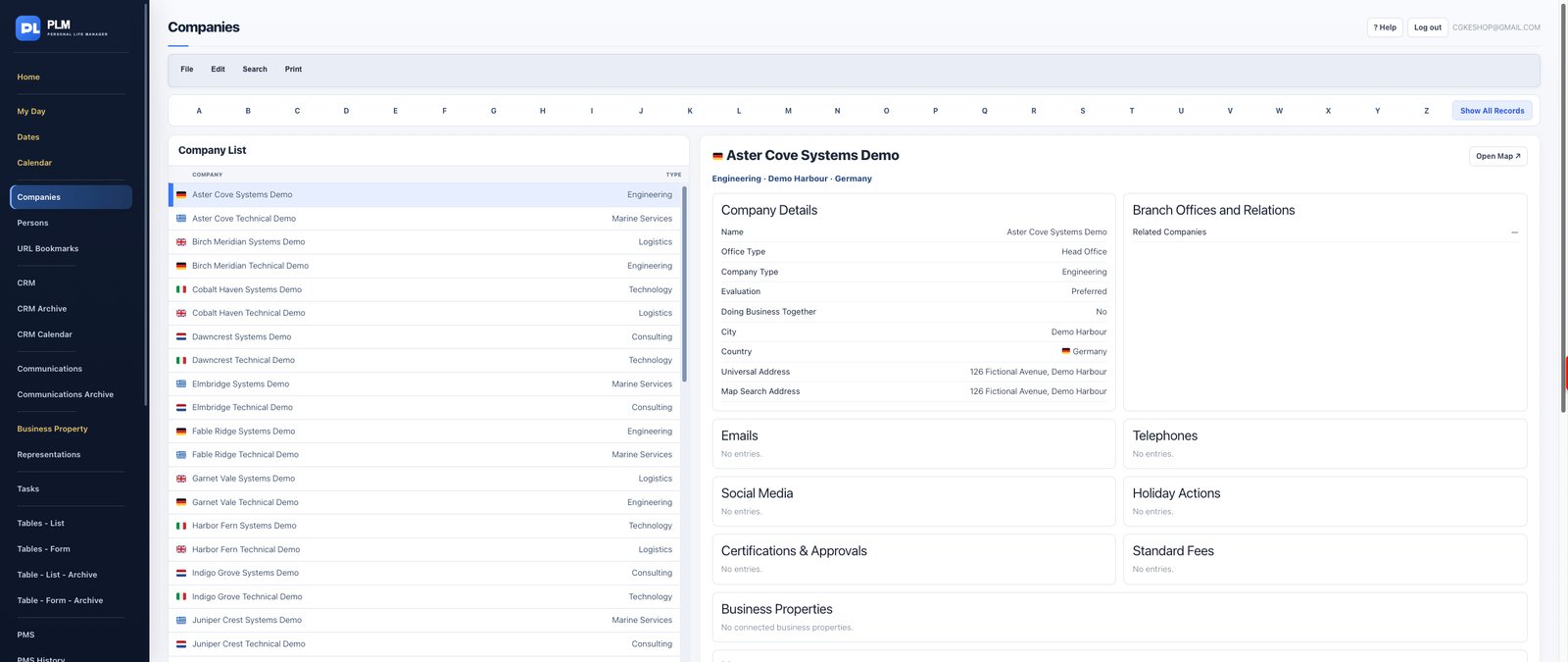
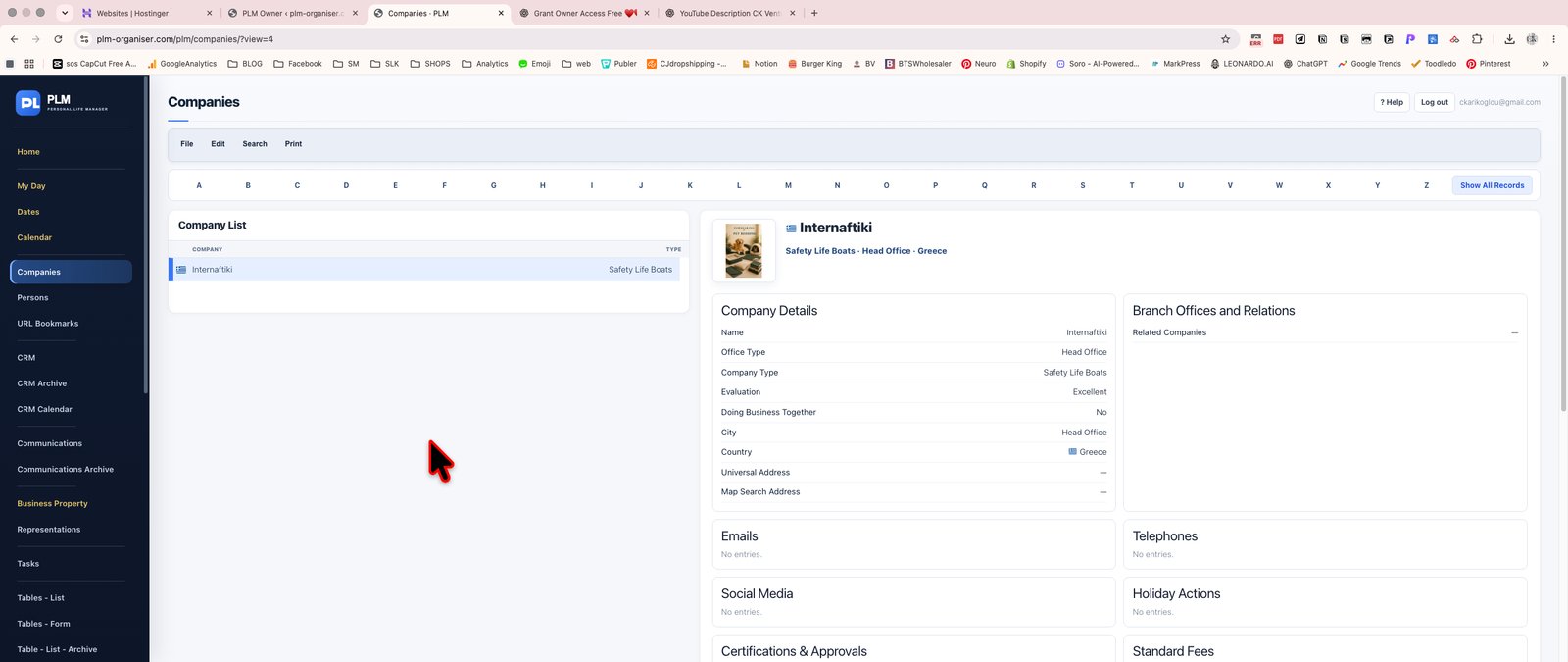
Build a comprehensive, structured directory of the organisations that matter to your business.
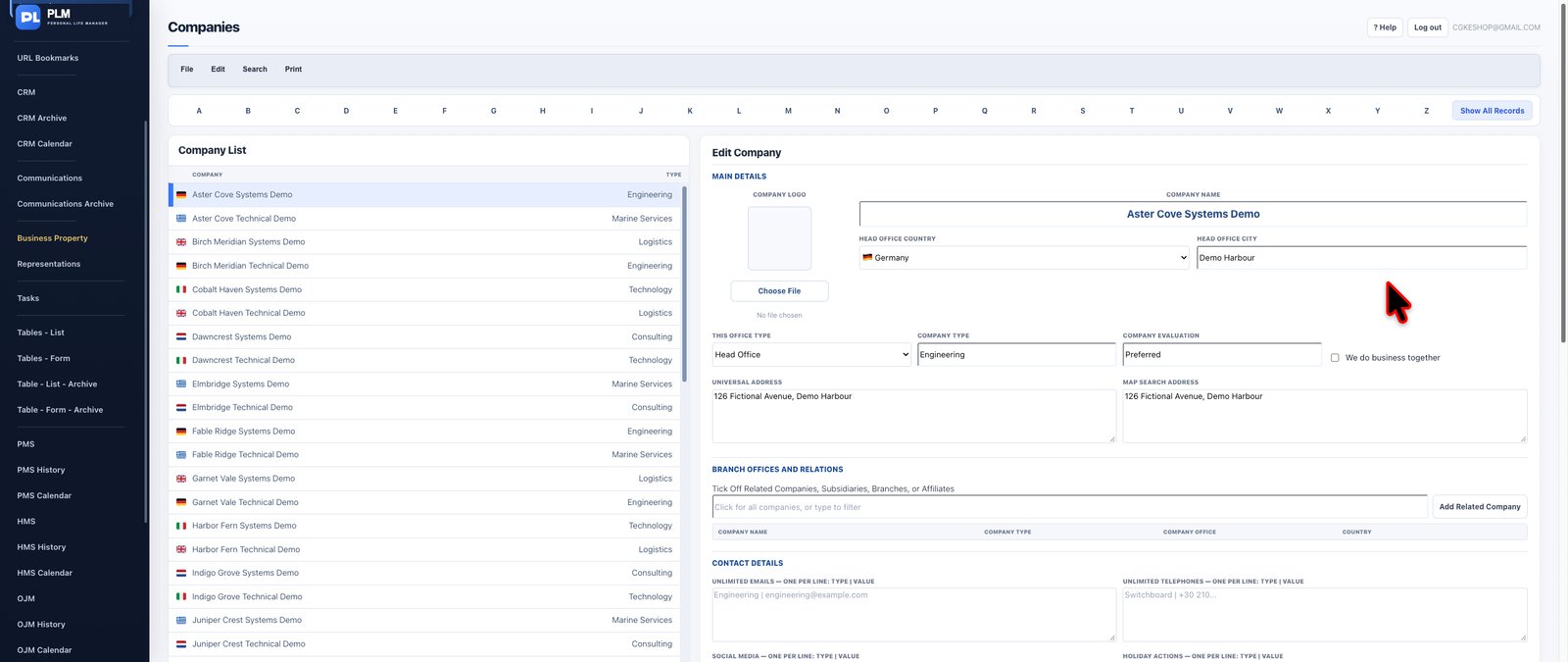
The Companies module goes far beyond a basic address book. Maintain detailed company profiles containing business information, office and contact details, relationship information, certifications, applicable fees and other relevant organisational data.
Associate people with their respective companies to create meaningful connections between organisations and individual contacts. Keep company imagery and supporting profile information together, making records easier to recognise and review.
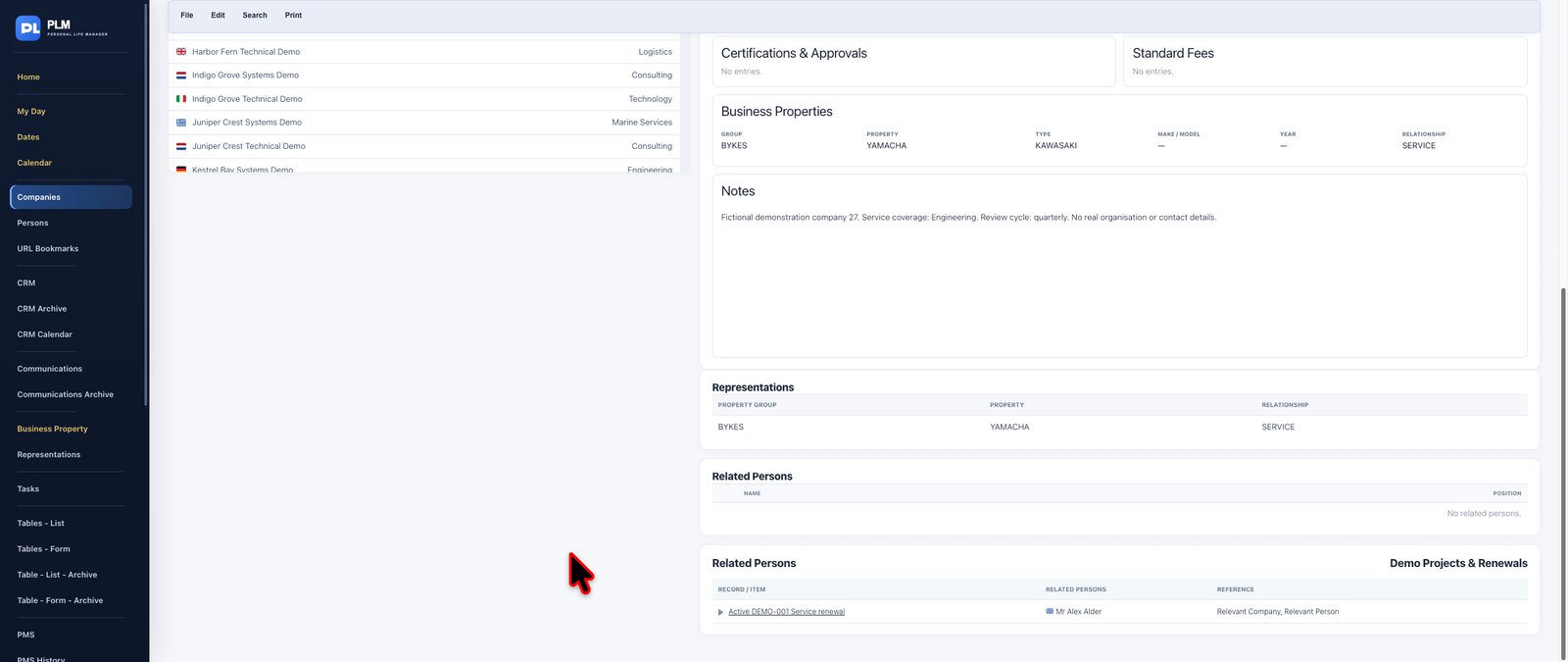
For businesses dealing with technical products, equipment, manufacturers or service providers, PLM also connects company records with business properties and representations. Review the relevant property groups, individual properties and relationship classifications associated with a company.
Import company information, review individual profiles and produce printable records when needed.
**Key capabilities:** Detailed company profiles, contact channels, office information, company images, linked people, certifications, business relationships, associated properties and representations, importing and printing.
**The benefit:** A dependable company knowledge base that preserves relationships and makes essential business information immediately accessible.
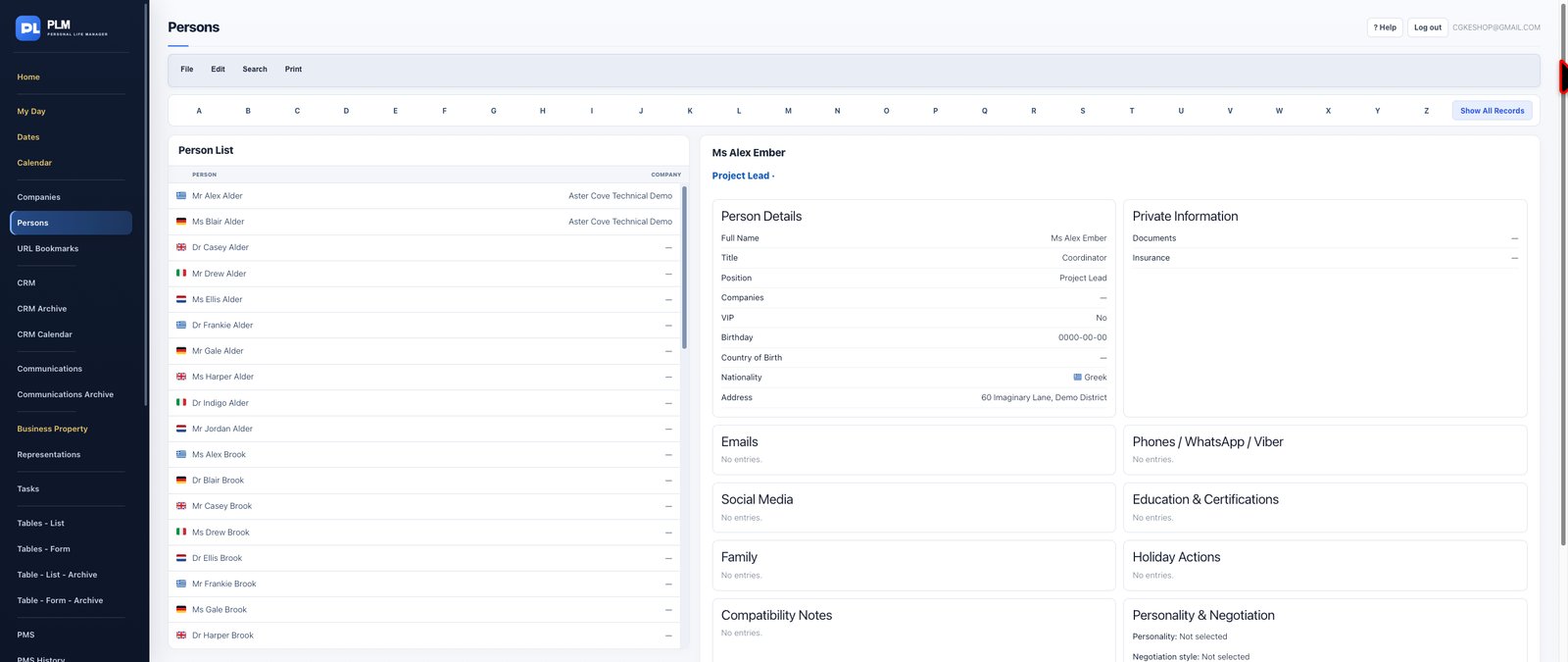
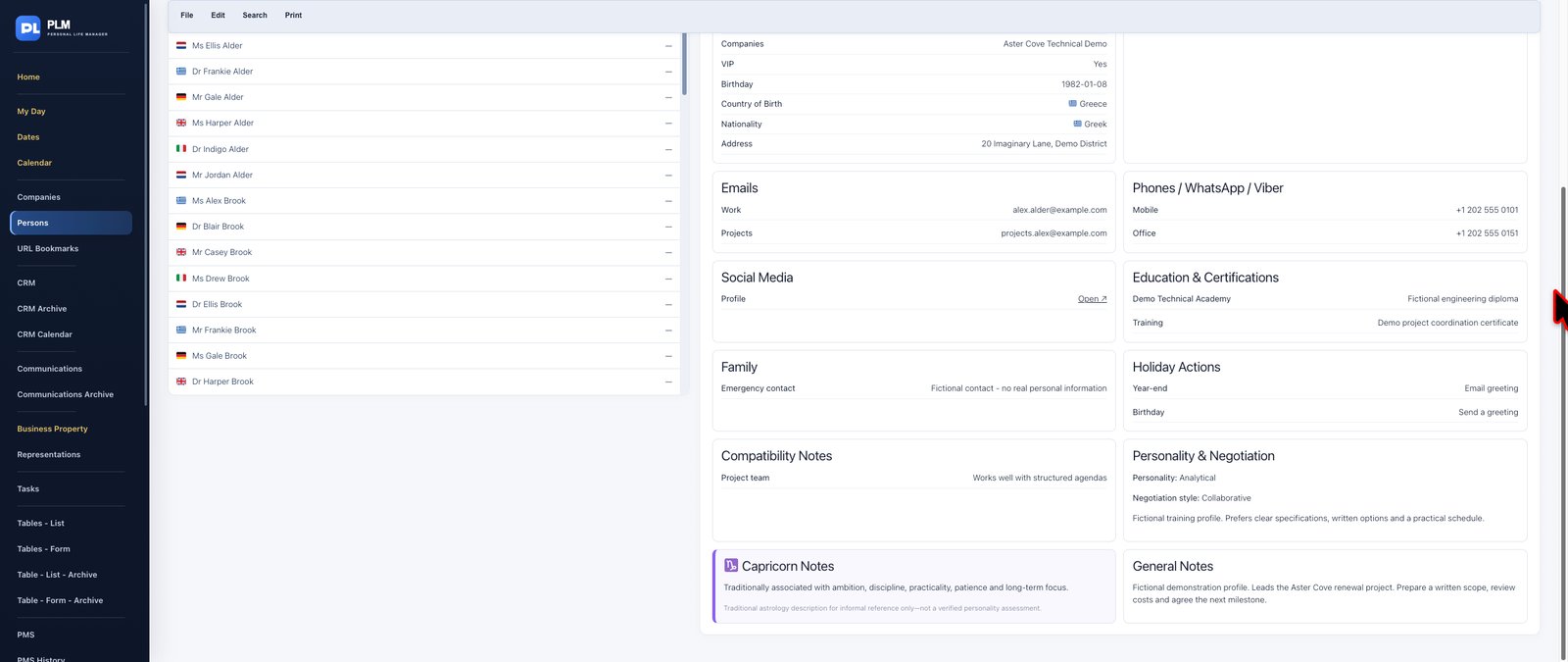


Develop a richer and more useful understanding of your professional and personal contacts.
Persons is a detailed contact management system for recording the information that helps build, maintain and strengthen relationships. In addition to standard contact details, PLM supports company connections, relationship notes, nationality information, VIP identification and relevant family details.
Record useful insights about an individual's preferred communication approach, negotiation style and personal characteristics. Identify contacts for holiday greetings, gifts or other relationship-building activities, and organise information into practical lists.
Optional traditional zodiac character references provide an additional personal-reference feature for users who choose to maintain that type of information.
Connections with company and communications records help preserve professional context rather than keeping contact information in isolation. Import people records with duplicate awareness and produce printable contact information.
**Key capabilities:** Detailed personal profiles, company associations, relationship notes, VIP classification, family information, nationality details, holiday and gift lists, negotiation preferences, optional zodiac references, importing and printing.
**The benefit:** More informed, personal and consistent relationship management, supported by organised information.

Keep valuable online resources organised and easy to retrieve.
URL Bookmarks offers a structured home for websites, portals, business resources, supplier platforms and other frequently used links.
Instead of searching through a cluttered browser bookmark collection, organise resources into meaningful groups and maintain descriptions explaining why each website is important or how it is used.
Where relevant, record associated login usernames, email addresses and protected password information alongside the corresponding URL. This keeps useful reference details connected to the website they belong to.
Update outdated links and maintain a practical directory of the online tools and resources you use regularly.
**Key capabilities:** Website link storage, custom grouping, descriptive notes, associated username and login-email fields, protected password storage, and bookmark maintenance.
**The benefit:** Faster access to essential online resources with the relevant information kept together in one organised location.


Transform contact information into an active relationship management process.
PLM's Customer Relationship Management module helps you plan, monitor and document interactions with the people and organisations important to your work.
Schedule future visits, organise recurring contact activities and maintain a clear view of relationship follow-up responsibilities. Record completed visits and use date-based filters to identify upcoming appointments or review previously completed activities.
The CRM also connects relationship planning with PLM's company and business-property information, allowing you to work with relevant organisational and commercial context.
Maintain approach strategies and relationship information that help you prepare for future interactions. Use the dedicated CRM Calendar for a focused visual overview of scheduled visits.
**Key capabilities:** Visit planning, recurring visits, follow-up scheduling, completed-visit records, date filters, relationship strategies, company and property connections, and dedicated calendar integration.
**The benefit:** Maintain consistent contact, prepare more effectively for meetings and build stronger professional relationships.

Keep past customer relationship activities separate from your active planning workspace.
CRM Archive provides a dedicated location for historical CRM records, helping reduce clutter in current workflows while preserving information that may be useful for future reference.
Use your relationship history to understand previous activities, revisit earlier engagements and retain continuity when preparing future customer interactions.
**Key capabilities:** Dedicated historical CRM view, separation of archived and active activities, and access to previous relationship records.
**The benefit:** A cleaner active CRM workspace without losing the value of your historical information.
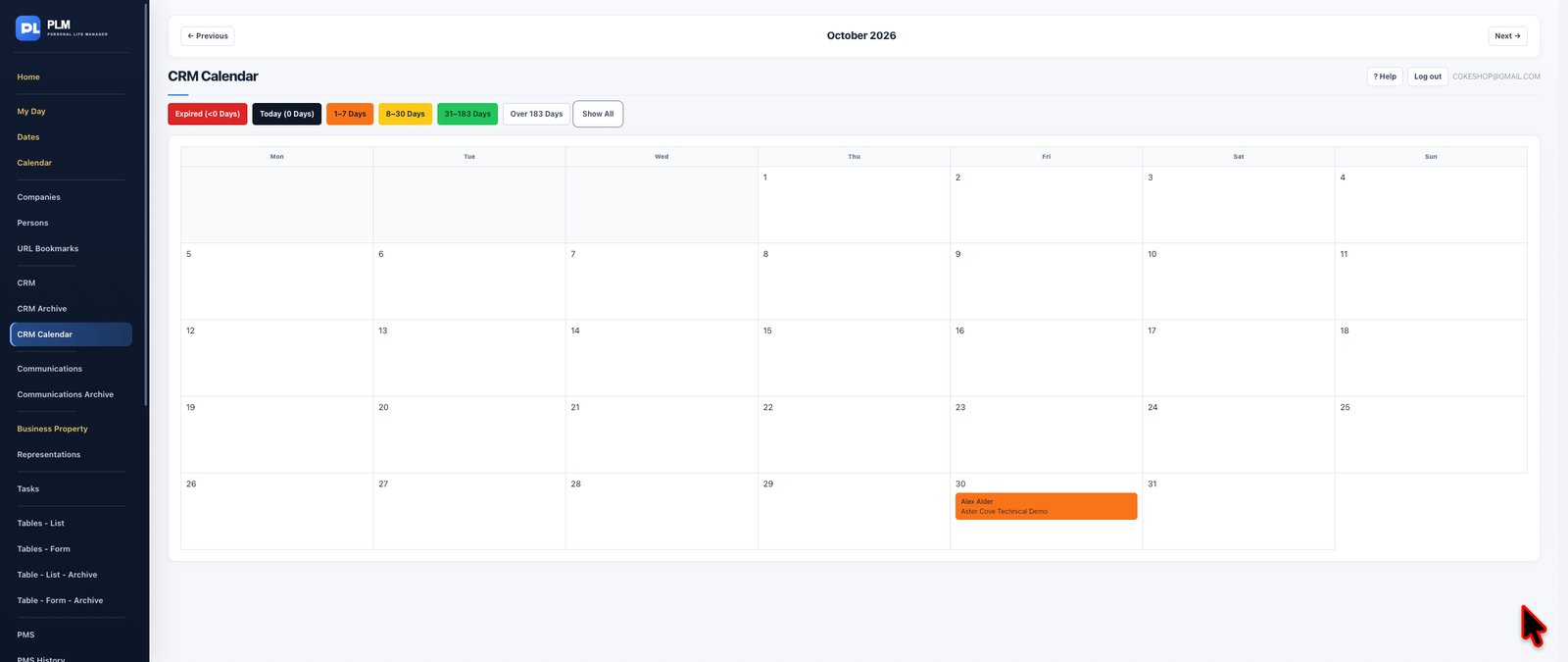
Give customer relationship planning the dedicated scheduling space it deserves.
CRM Calendar displays scheduled CRM visits in a focused calendar environment, separate from your general tasks and technical maintenance calendars.
Review planned relationship activities by date, identify approaching visits and coordinate customer-facing commitments without unrelated work competing for attention.
Because the calendar is connected to CRM records, it provides an organised visual perspective on activities managed through the relationship management system.
**Key capabilities:** Dedicated CRM visit calendar, date-based planning, visual scheduling and linked relationship activities.
**The benefit:** Greater clarity over customer engagements and improved preparation for scheduled visits.
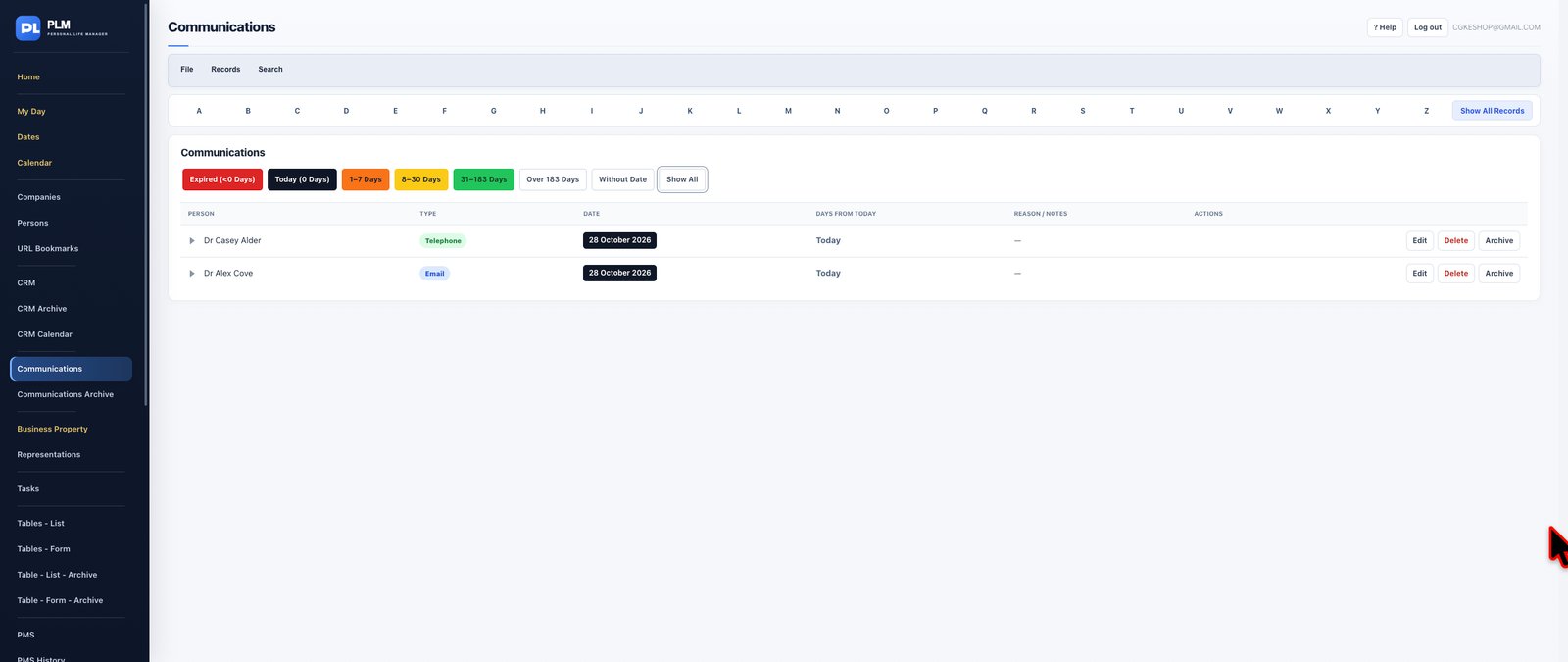
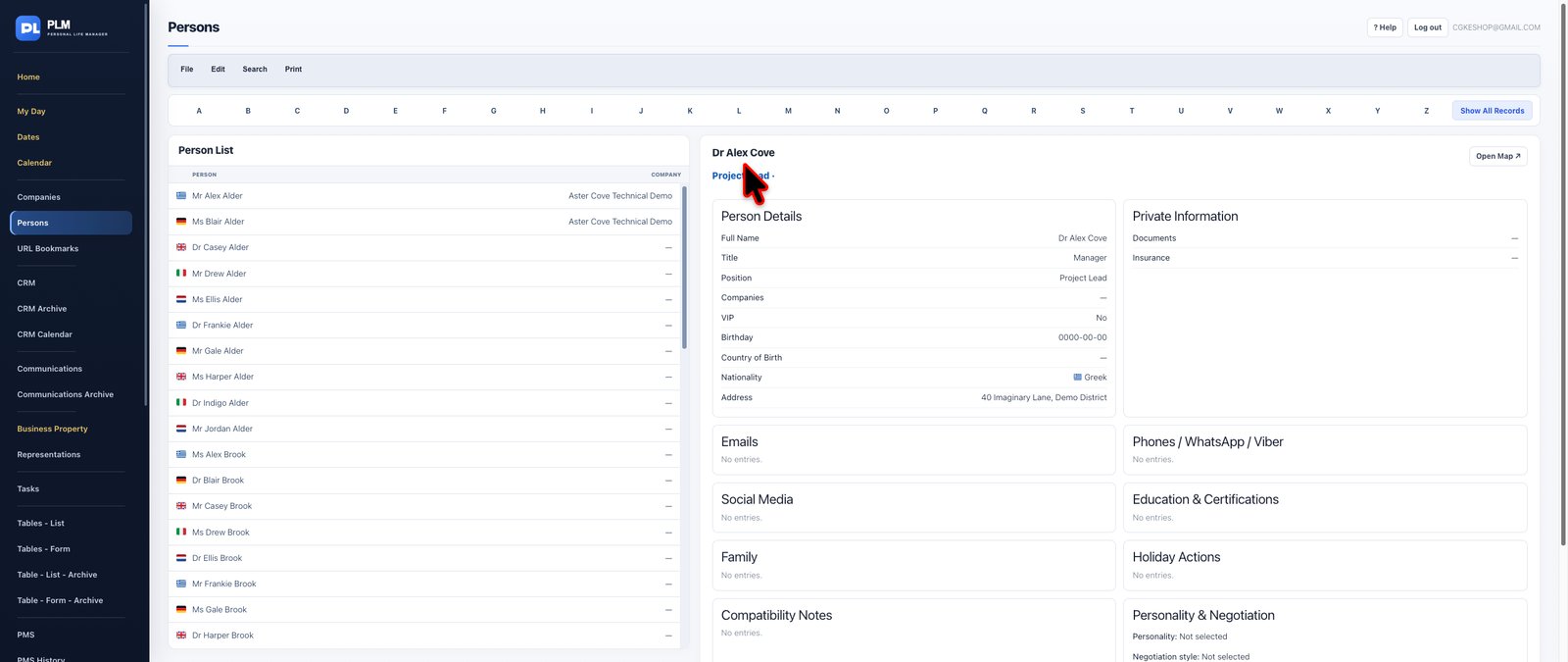
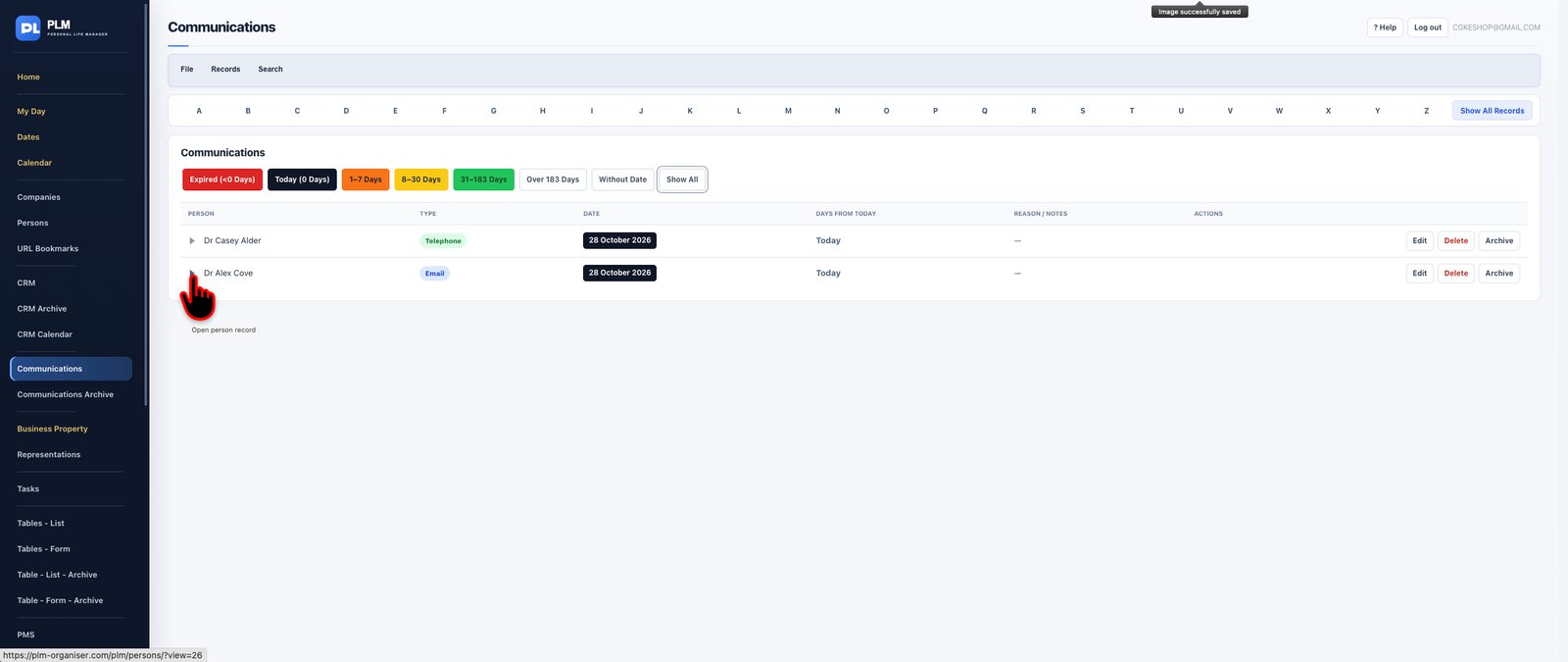
Keep a structured record of your professional communications and ensure that valuable information from conversations is never lost.
PLM Communications provides a dedicated environment for documenting interactions with customers, suppliers, business partners and other important contacts.
Record telephone conversations, meetings, messages and other forms of contact, including when the communication occurred, who was involved and what was discussed. Maintain meaningful notes that capture important subjects, decisions, commitments and follow-up information.
By connecting communications with your existing Persons records, PLM makes it easier to understand the background of a professional relationship and retrieve relevant information before a future conversation.
Rather than depending on memory, scattered notes or disconnected communication logs, build an organised history of your interactions.
**Special features and capabilities:**
- Date-based communication records and documented contact history.
- Different communication types, including telephone calls, meetings and messages.
- Connections with person records.
- Descriptive notes and conversation information.
- Search and retrieval of previously recorded interactions.
- Printable communication reviews.
**The benefit:** Maintain continuity in professional relationships, avoid losing important conversation details and approach every new interaction better informed.

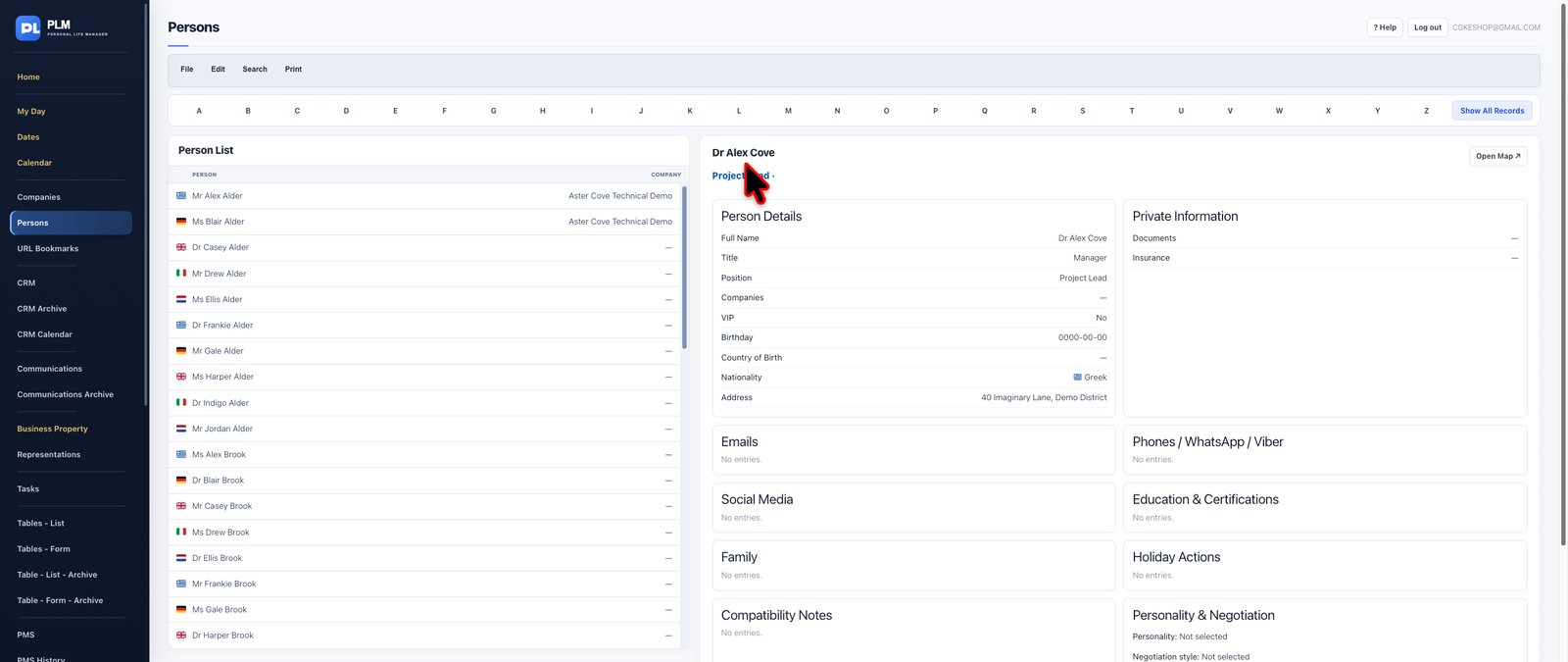
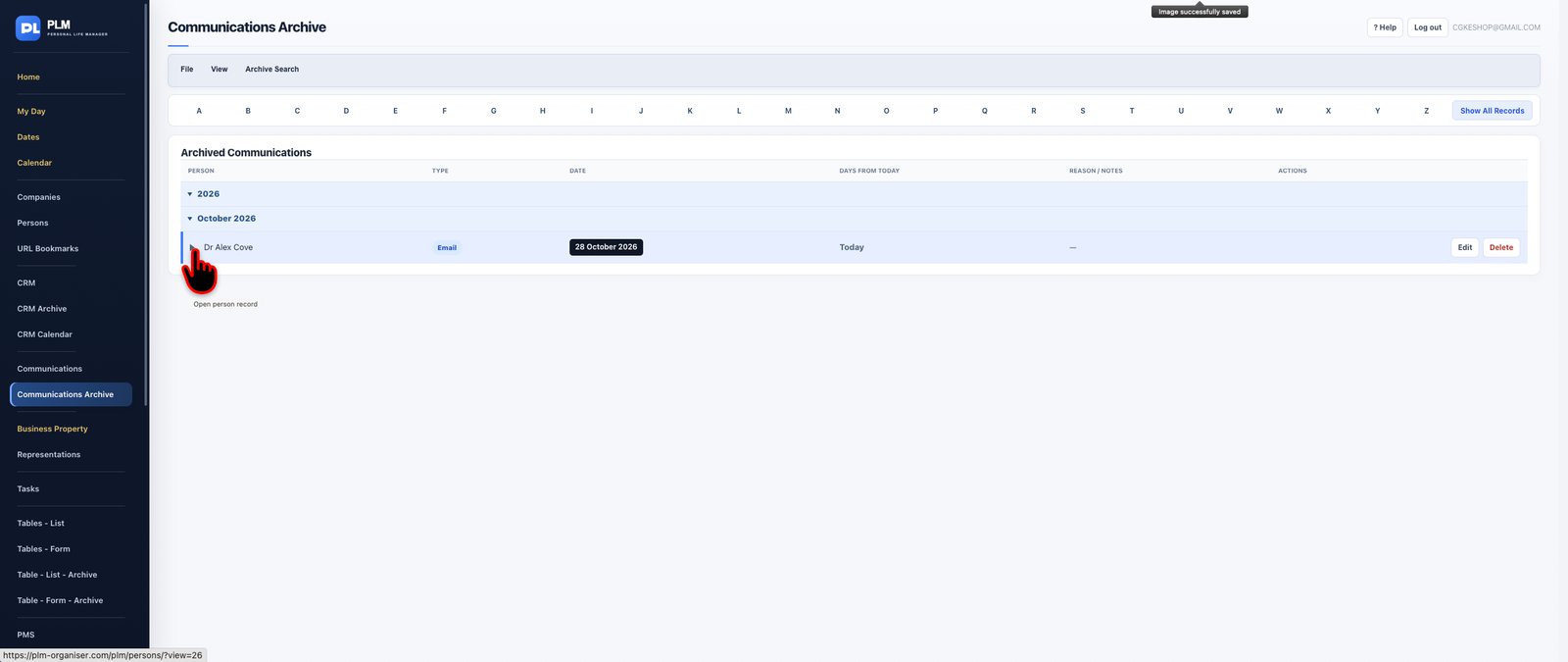
Preserve valuable communication history in a dedicated, organised reference environment.
The Communications Archive provides a historical view of recorded interactions, allowing you to revisit previous conversations and understand the development of professional relationships over time.
Search earlier communication records and review previous discussions to recover details, confirm what was communicated and prepare for future engagement.
Whether you need to remember what was discussed during an earlier telephone call, review an important meeting or locate information from a previous exchange, the archive keeps communication history accessible.
**Special features and capabilities:** Historical communications, searchable interaction records, contact-related information, dated entries and printable communication reviews.
**The benefit:** Your professional knowledge remains available long after individual conversations have ended.

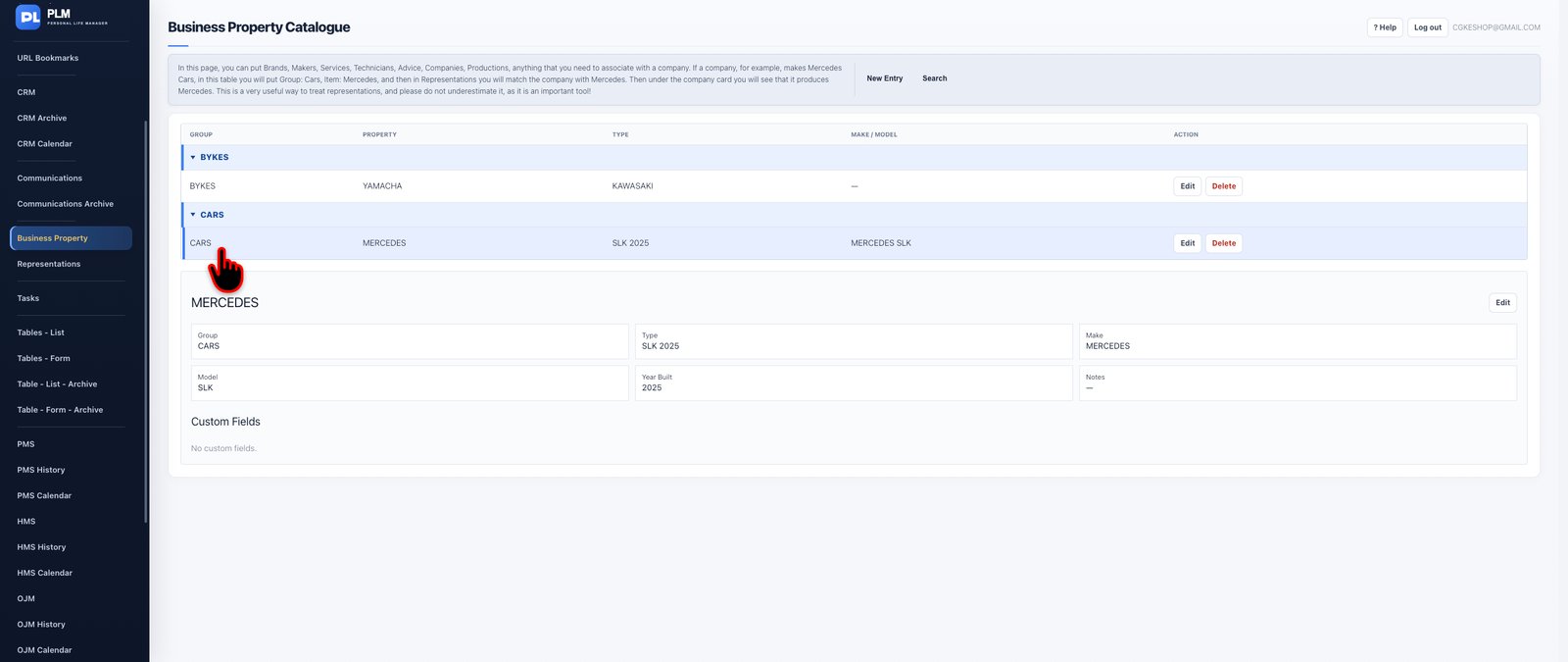
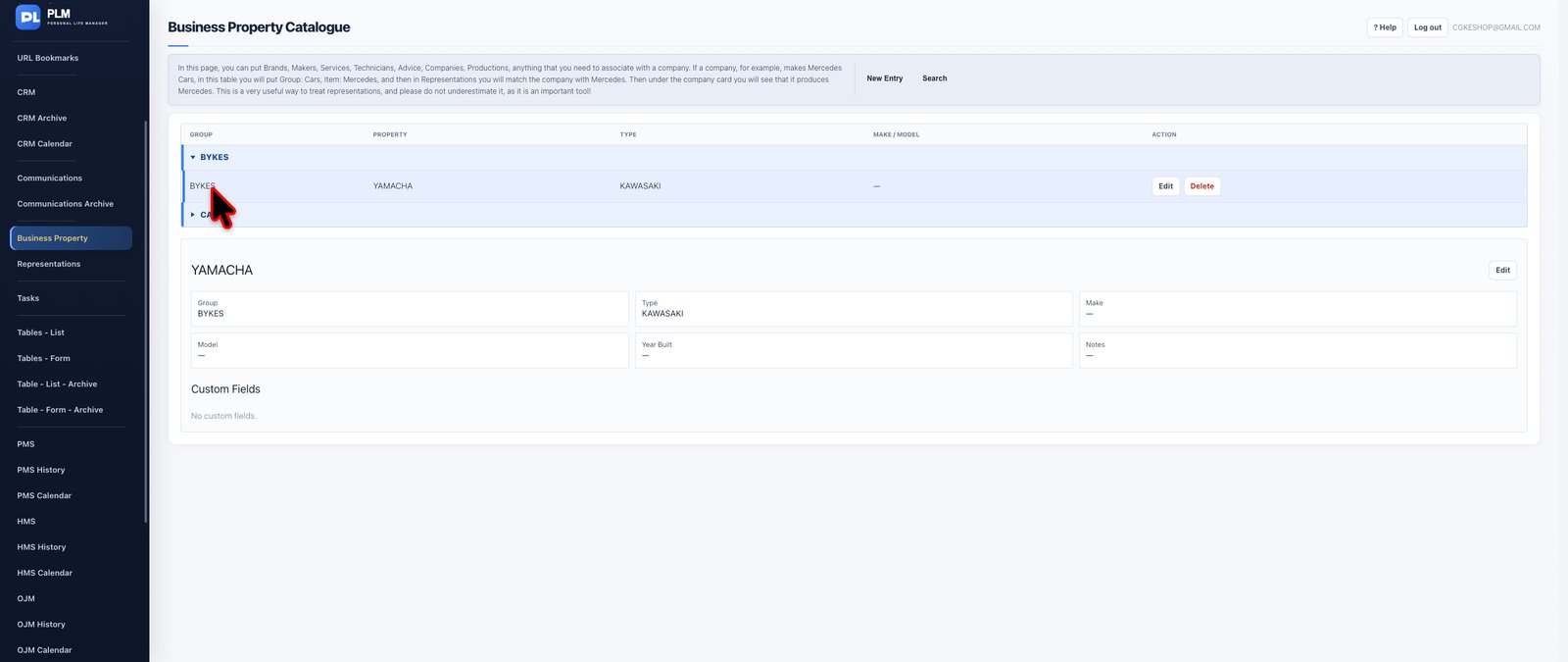
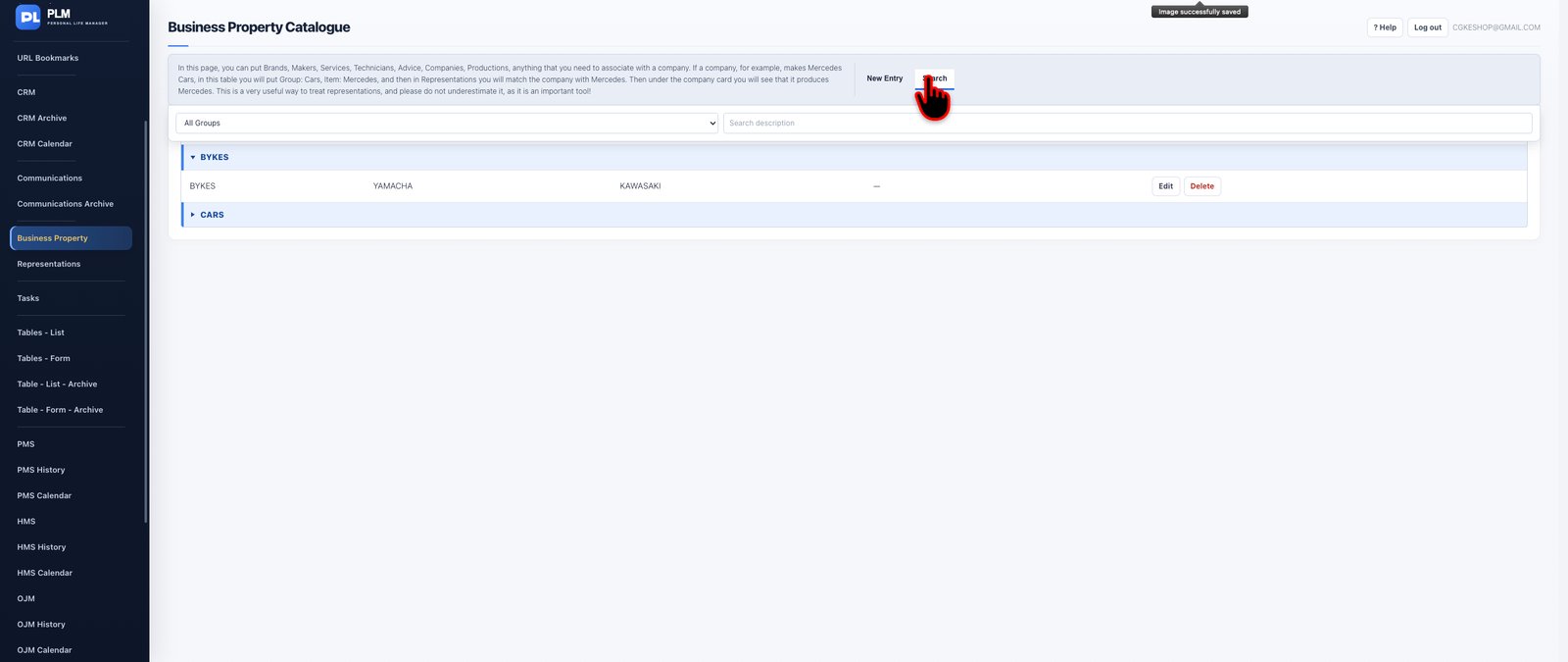


Organise the products, equipment categories, technical interests and business activities that define your professional environment.
Business Property provides a structured way to classify commercial and technical information, enabling PLM to connect organisational relationships with the business areas to which they relate.
Instead of maintaining an unstructured collection of product names or business interests, establish reusable property classifications that can be associated with companies and used throughout relevant business workflows.
This is particularly valuable for organisations working with multiple product lines, technical disciplines, manufacturers, suppliers or service categories.
By creating a consistent property structure, PLM helps make relationship information more precise and useful.
**Special features and capabilities:**
- Reusable business-property classifications.
- Organisation of properties into meaningful groups.
- Connections between business properties and company records.
- Reuse of common property definitions across business relationships.
- Integration with the Companies, Representations and relevant CRM workflows.
**The benefit:** Understand not only which companies you work with, but also the particular business areas, products or technical categories connecting you to them.
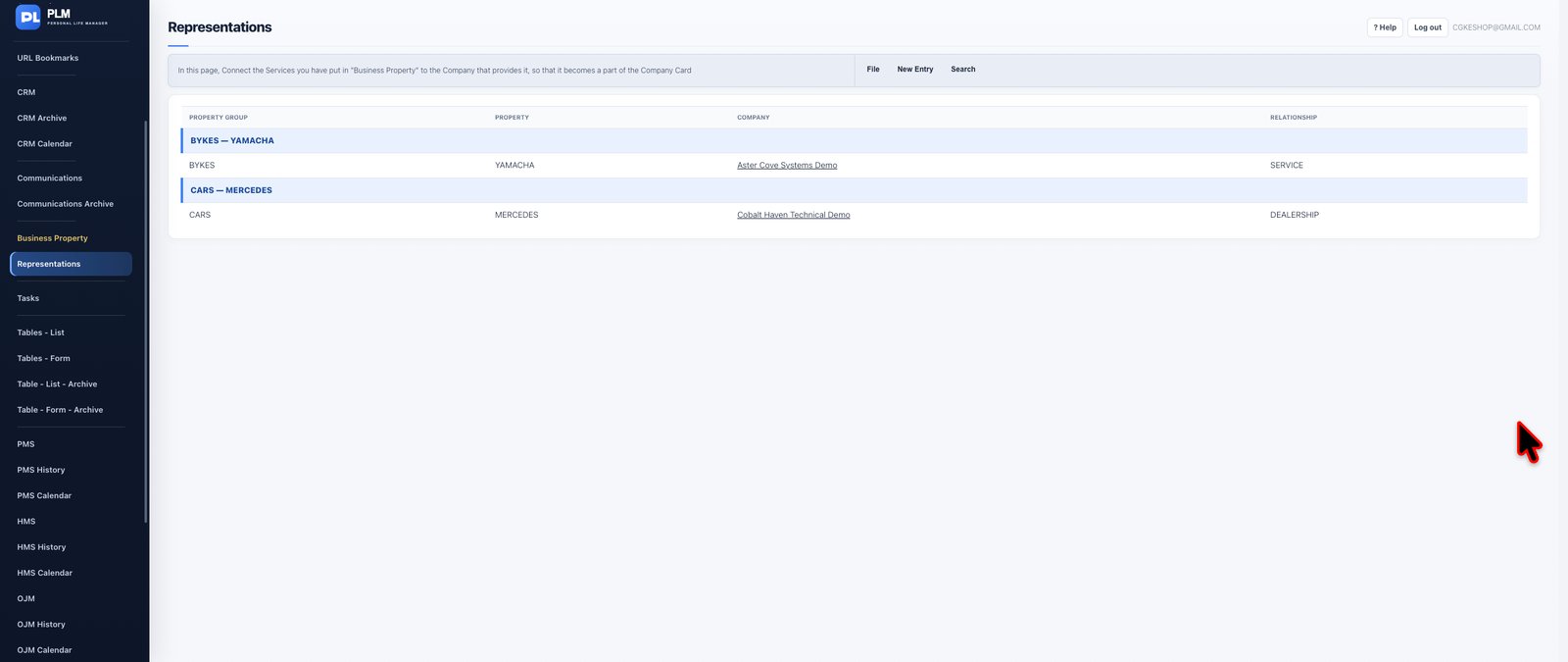



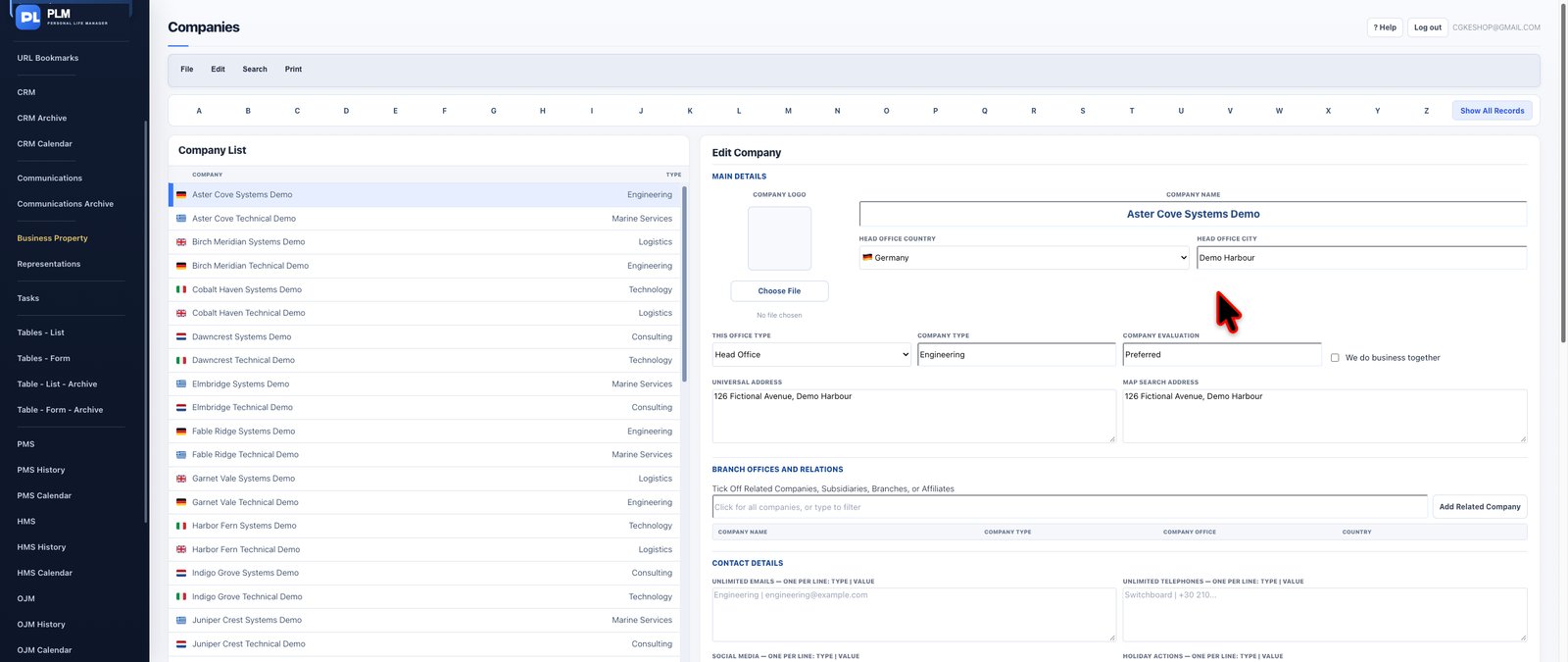


Bring clarity and structure to your commercial representations and professional partnerships.
Representations provides a dedicated environment for linking companies with the business properties and product areas relevant to your activities.
Whether your organisation operates as a commercial representative, works with several manufacturers or maintains relationships with suppliers across different product categories, PLM helps document those connections in an organised way.
The module uses reusable business properties and company relationships to provide a consistent representation structure. These connections can also be reviewed through the relevant company records, helping you keep organisational details and commercial relationships aligned.
Instead of maintaining disconnected spreadsheets containing company names, product groups and representation arrangements, bring the relationships together into a structured information system.
**Special features and capabilities:**
- Linked company and business-property records.
- Reusable property groups and individual properties.
- Representation relationships visible from company records.
- Structured business-relationship classifications.
- Integration with the wider company information system.
**The benefit:** Gain a clearer understanding of your business portfolio, the companies connected to it and the property categories represented within those relationships.
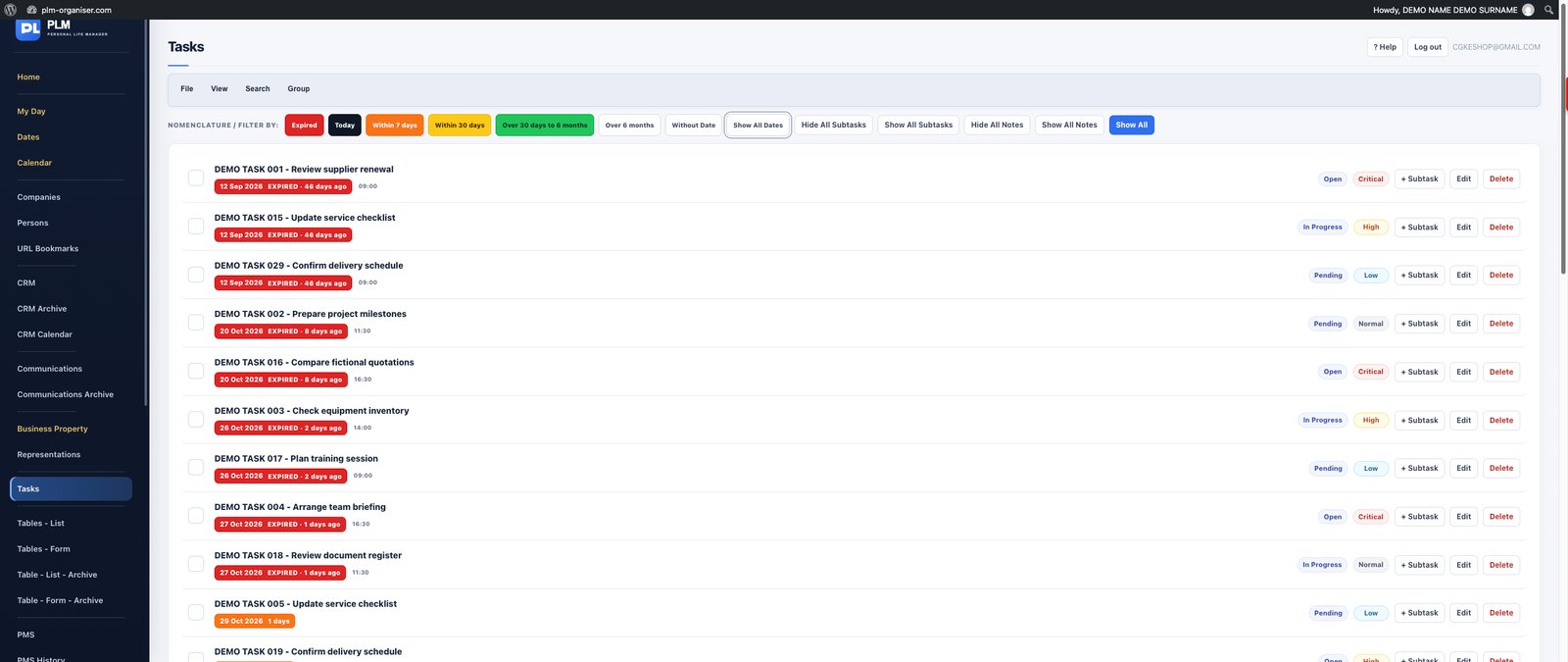


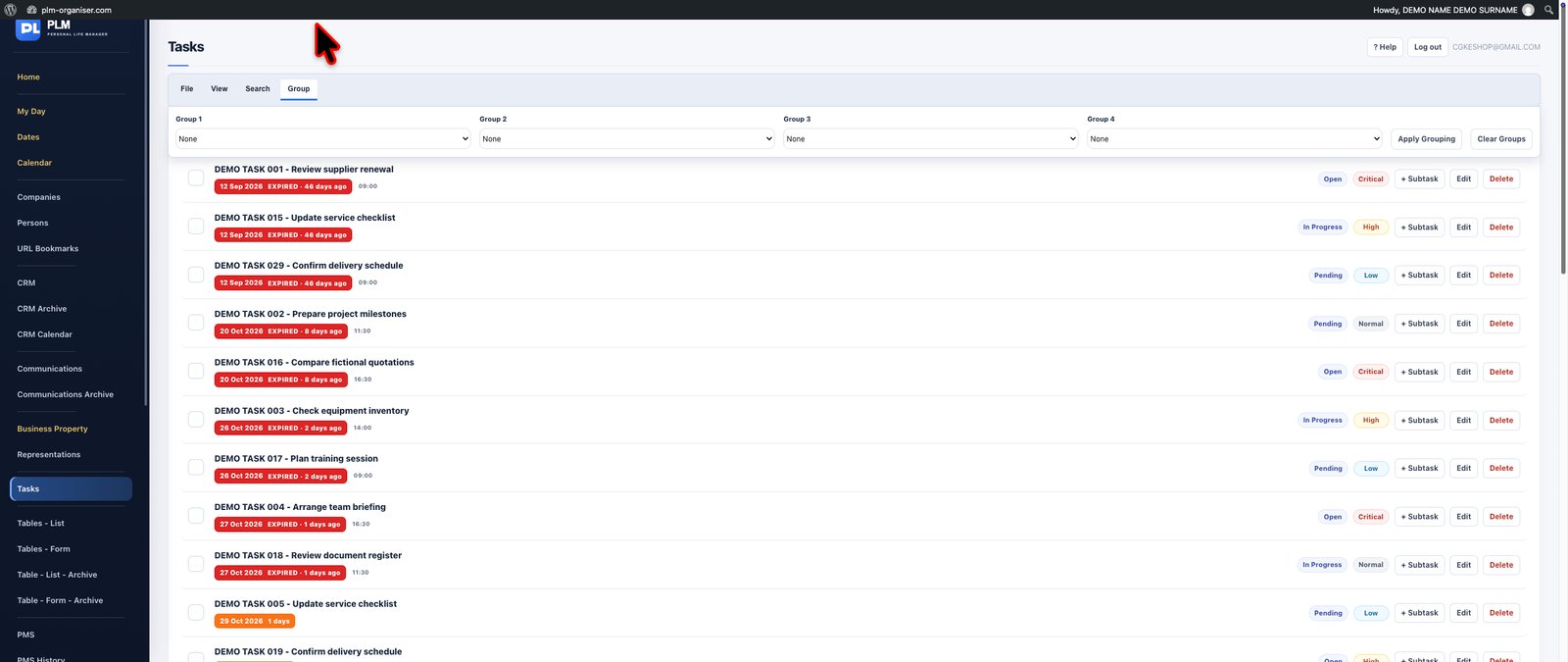
Manage your responsibilities with a task system designed for both everyday activities and complex, ongoing work.
PLM Tasks allows you to create, organise and monitor activities while keeping priorities, deadlines and supporting information together.
Break larger responsibilities into manageable subtasks, establish recurring actions for regularly repeated work and organise responsibilities using folders, contexts and tags.
With scheduling and priority information, you can distinguish urgent obligations from longer-term activities and organise your workload accordingly.
Saved task views allow you to return quickly to useful arrangements instead of rebuilding the same filters every time. Tasks with relevant dates can also appear in the wider PLM daily planning and calendar environments, connecting individual actions with your overall schedule.
The result is a flexible productivity workspace that accommodates everything from a quick reminder to a multi-stage professional responsibility.
**Special features and capabilities:**
- Task creation, editing and management.
- Subtasks for breaking down larger responsibilities.
- Scheduled and recurring tasks.
- Priority settings and due dates.
- Custom folders, contexts and tags.
- Saved task views and focused task filtering.
- Integration with My Day, Dates and Calendar.
- Consistent date-based urgency indicators.
**The benefit:** Keep your responsibilities organised, reduce overlooked commitments and maintain control of both immediate and recurring work.
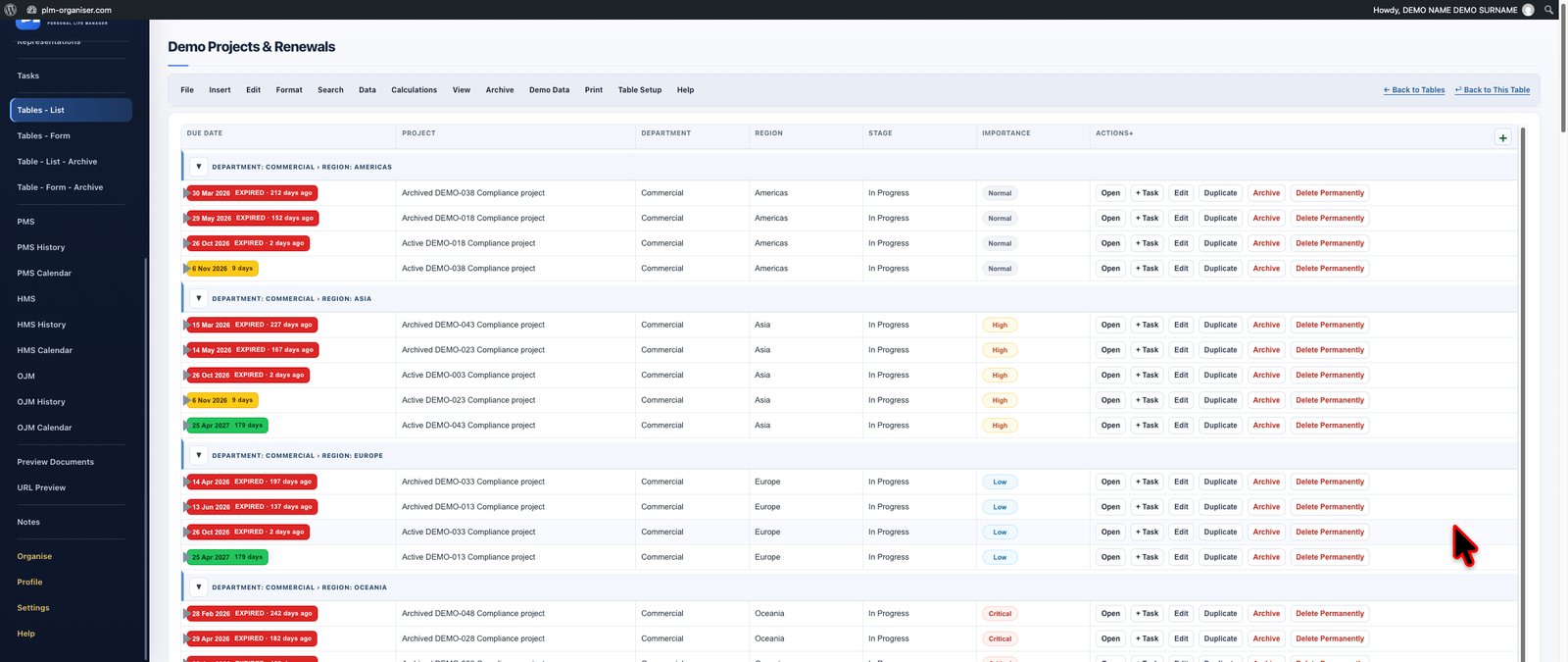
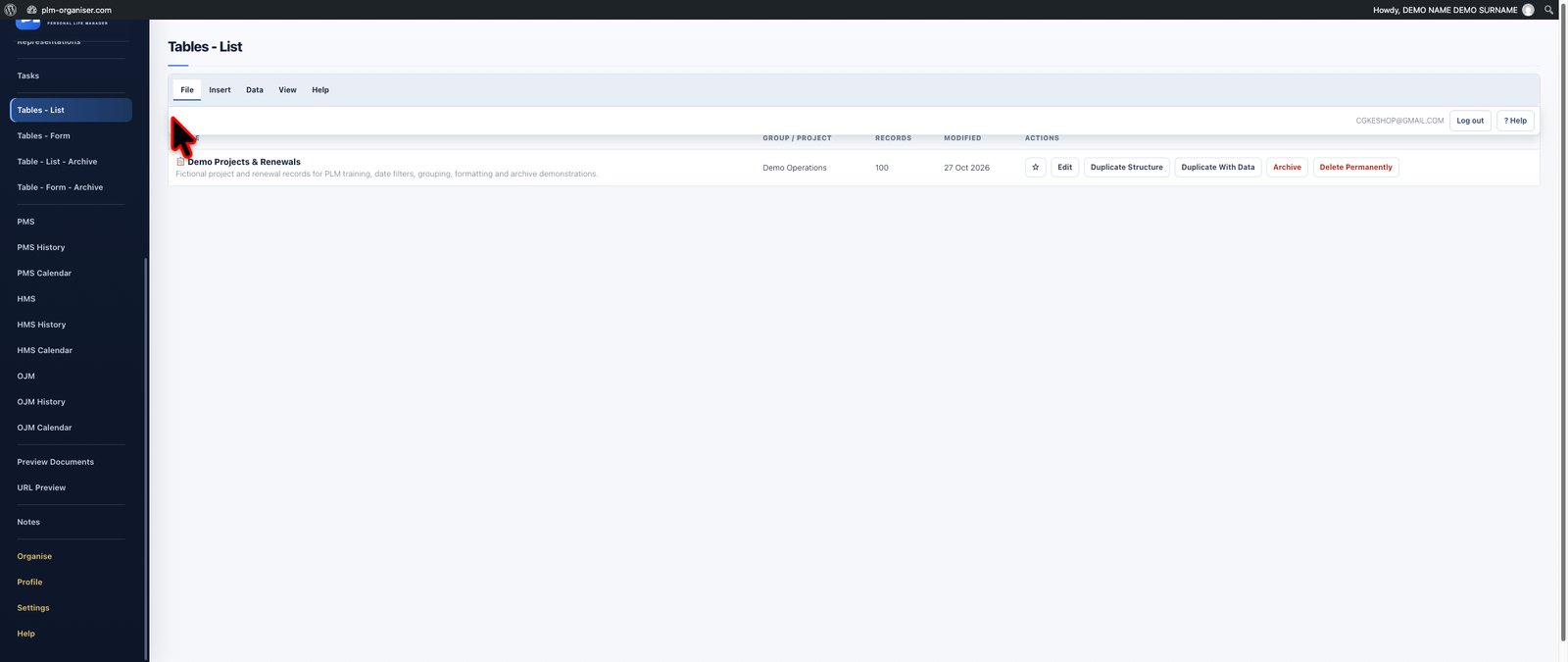
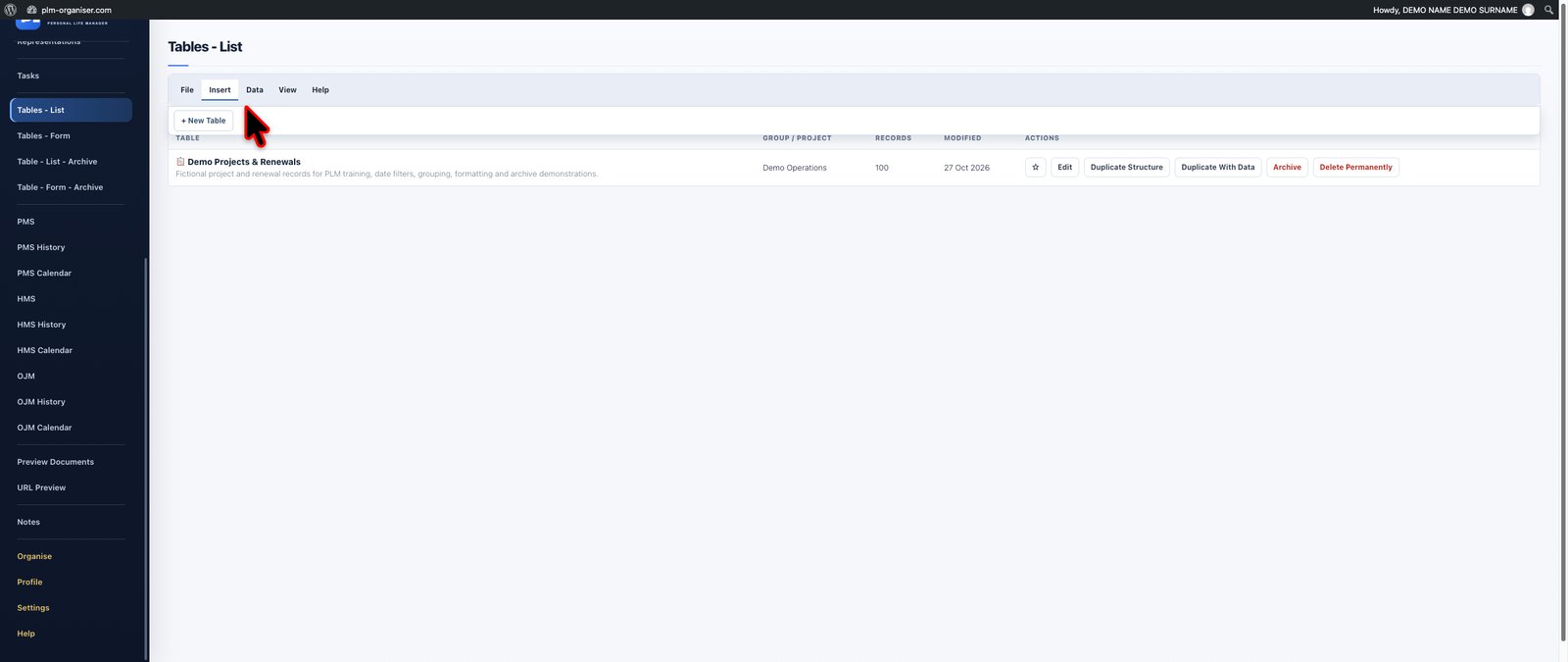
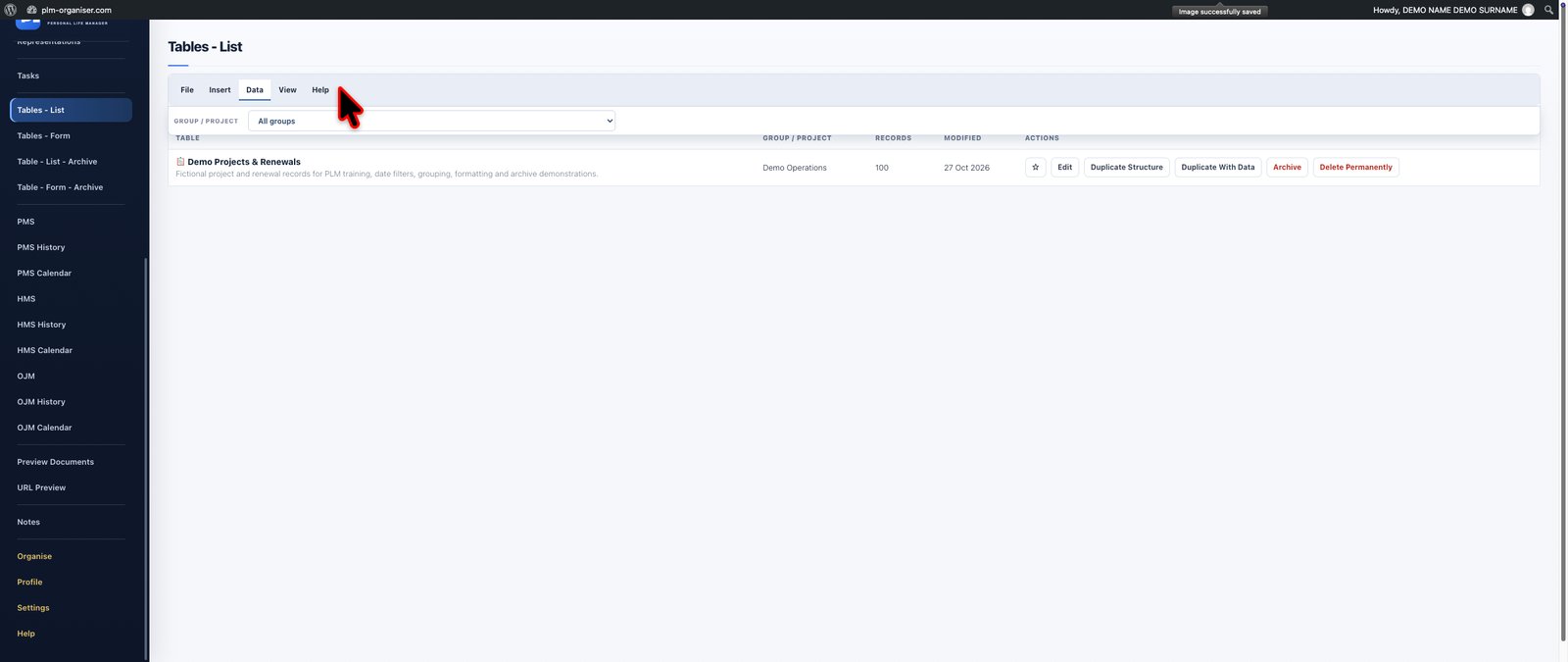

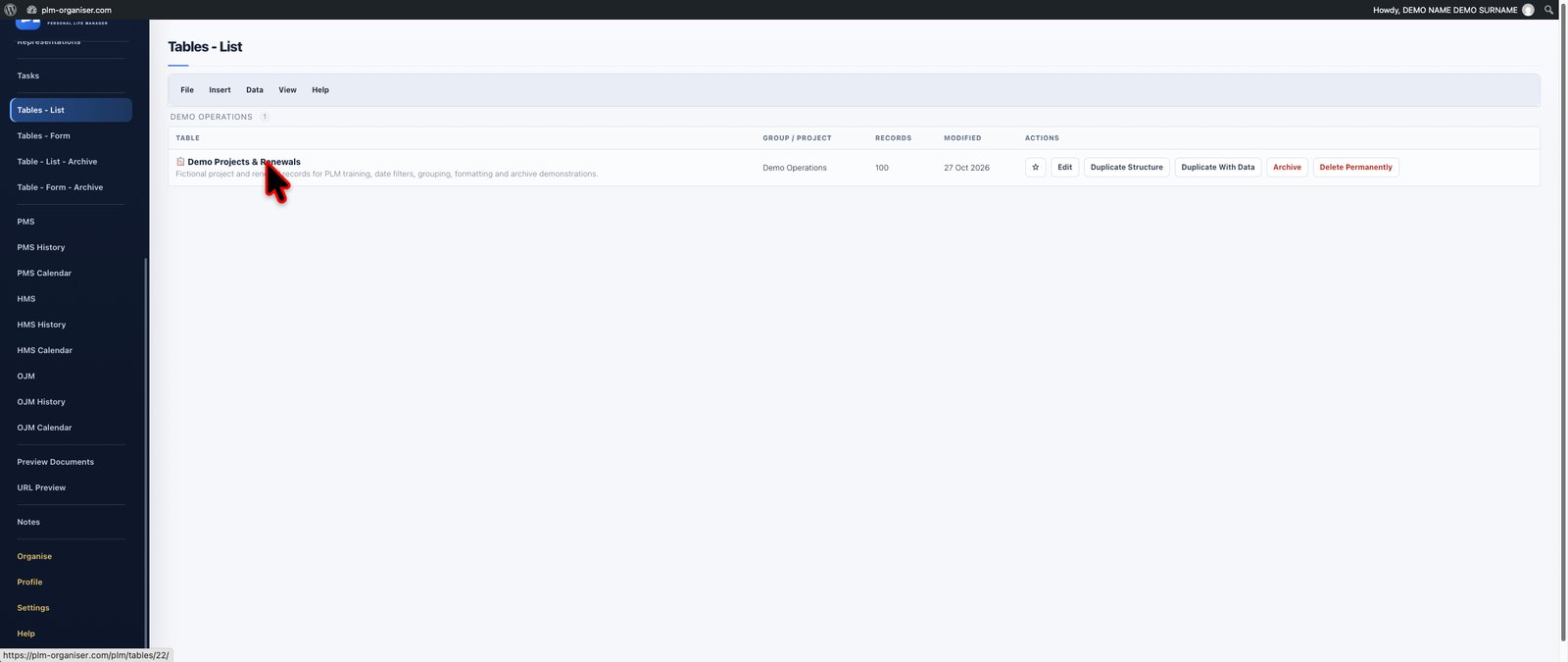
Create your own sophisticated information management systems without being restricted to predefined business templates.
PLM Tables combines familiar spreadsheet-style interaction with structured database capabilities, allowing you to design custom tables for virtually any kind of information.
Build equipment registers, customer information lists, project trackers, asset databases, inspection registers, product inventories, compliance records, technical information collections or specialised operational systems.
Choose the fields that matter, organise how they appear and customise the presentation of information according to your working needs.
**Advanced table organisation**
PLM gives you extensive control over how records are displayed and organised.
Arrange columns in your preferred order, adjust their widths, modify row heights, hide unnecessary information and position important identifying fields together.
Use multi-level sorting and grouping to build meaningful information hierarchies. Group records by several criteria, review the resulting categories and create focused presentations that make large collections of information easier to understand.
Where supported by the table configuration, group related columns into logical sections and use collapsible column groups to simplify complex layouts.
Custom Freeze Panes keep selected parts of the table visible while you navigate through wider or longer datasets. This is especially useful when working with tables containing many fields.
**Spreadsheet-style editing and formatting**
Work directly with records through spreadsheet-style cell interaction.
Use Edit Mode and View Mode, copy and paste information, fill cells upward or downward, generate number sequences and use Undo and Redo tools.
Customise fonts, text sizes, alignment, colours, borders and cell presentation. Apply conditional formatting rules to highlight meaningful values or conditions.
Add comments to individual cells, use dropdown selections to standardise information and configure field validation rules to help maintain consistent data.
**Calculations and intelligent data**
PLM supports arithmetic operations, conditional logic, date calculations and calculated fields.
Create calculations using IF conditions, combine logic with AND and OR, reference data through cross-table lookups and display calculated results without manually updating every record.
Use column totals, group subtotals and grand totals to summarise numerical information.
**Connected records and relationships**
A PLM table does not have to operate independently.
Create relationships between records from different tables, use linked reference information and connect records with relevant companies and persons.
Permanent fields for Due Date, Relevant Company and Relevant Person help integrate custom tables with the wider PLM environment.
**Personalised working views**
Save useful table views containing your chosen filters, column visibility, sorting and grouping arrangements, allowing you to return to a familiar information layout whenever needed.
**Special features and capabilities:**
- User-defined tables and custom fields.
- Multi-level row grouping and sorting.
- Column grouping and collapsible column sections.
- Custom Freeze Panes.
- Draggable columns and adjustable column widths.
- Adjustable row heights and text wrapping.
- Main Fields and column visibility controls.
- Spreadsheet-style inline editing.
- Copy, paste, Fill Up, Fill Down and number sequences.
- Undo and Redo editing tools.
- Dropdown fields and column validation.
- Conditional formatting and monitoring rules.
- Font, alignment, colour and border customisation.
- Cell comments and emoji insertion.
- Arithmetic, IF, AND, OR and date calculations.
- Cross-table lookups and linked records.
- Column totals, subtotals and grand totals.
- Find and Replace.
- Saved table views.
- CSV importing and exporting, printing and archiving.
- Record duplication and direct blank-row creation.
- Protection rules for selected fields.
- Full-screen table working options.
**The benefit:** Replace fragmented spreadsheets and rigid database applications with a highly customisable information environment designed around your own requirements.


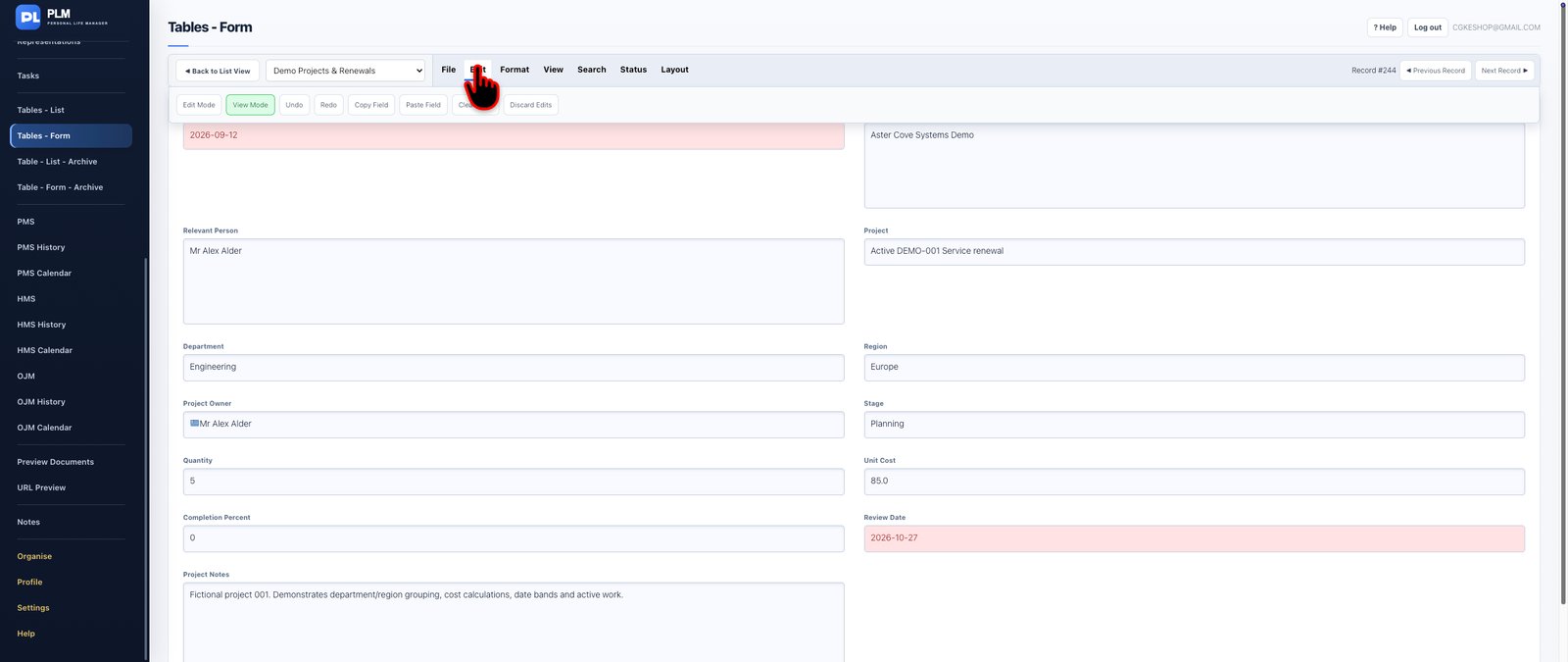
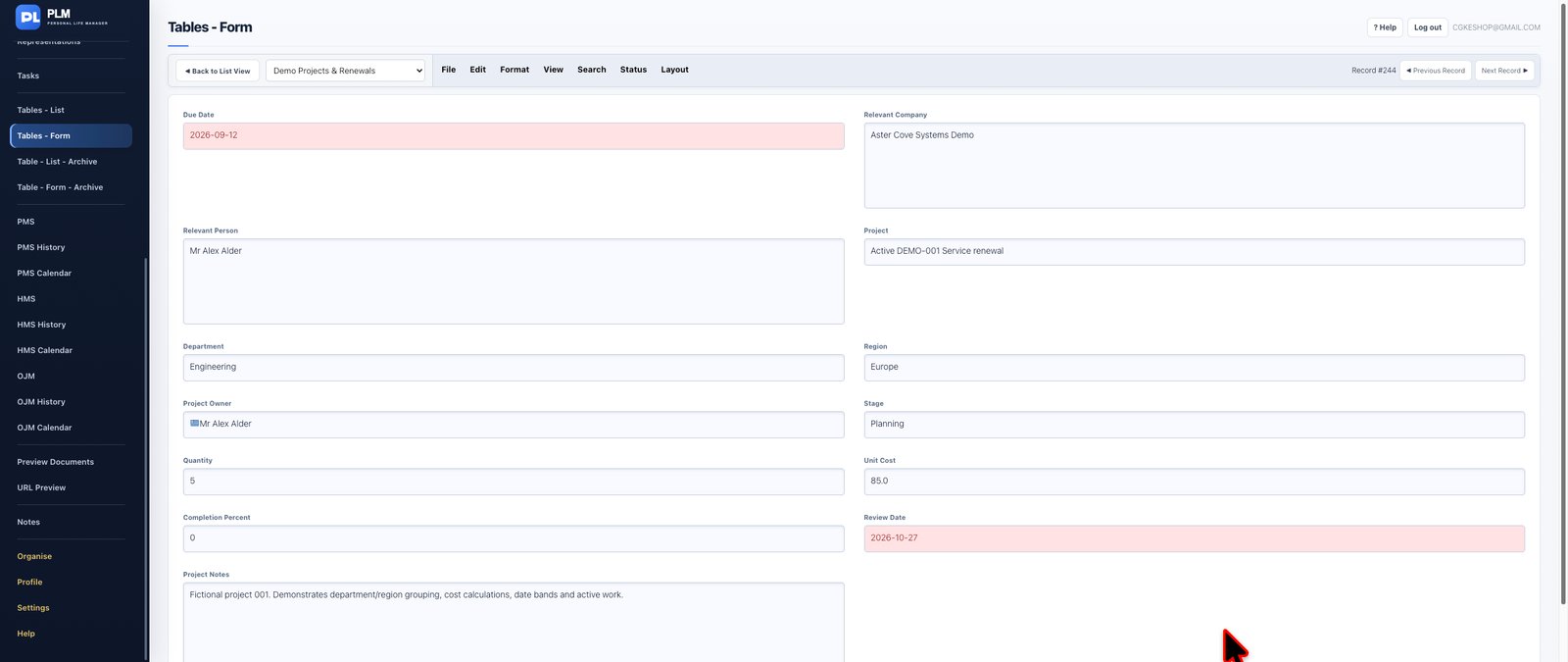
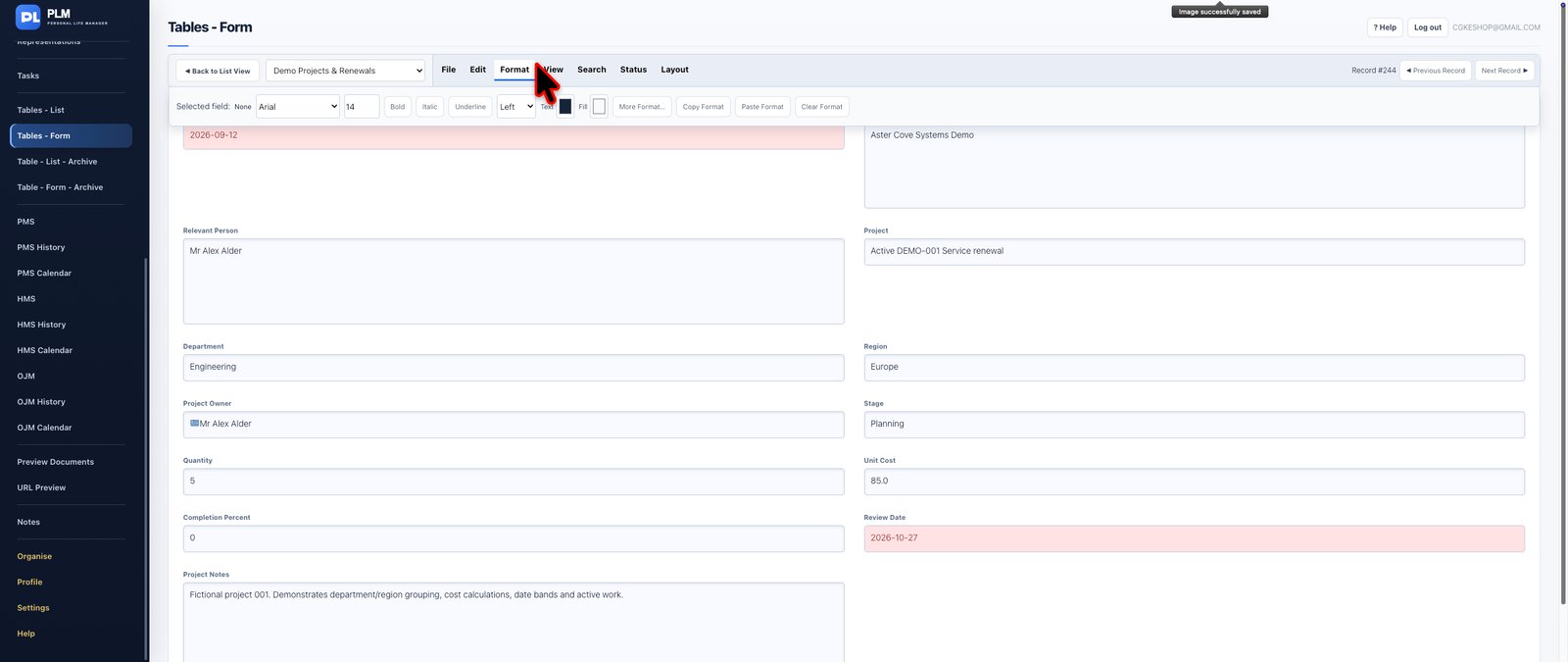
Work with your custom database records through a structured, form-based interface.
Tables - Form offers an alternative way to manage information stored in PLM custom tables. Rather than concentrating on a grid of rows and columns, work with individual records through their defined fields.
This approach is particularly useful when records contain numerous details, different field types, notes or relationships that benefit from a dedicated editing environment.
The form-based workspace uses the field definitions of the corresponding custom table, maintaining a consistent underlying database while providing a different way to interact with it.
Use the table's existing data structure and record relationships without maintaining a separate collection of information.
**Special features and capabilities:**
- Form-based creation and editing of table records.
- Use of existing custom field definitions.
- Detailed record-level information management.
- Support for appropriate configured field types.
- Connections to the underlying custom table.
- A complementary working interface to the spreadsheet-style list.
**The benefit:** Choose the most convenient way to work with your information: an overview of many records or a detailed focus on one record.

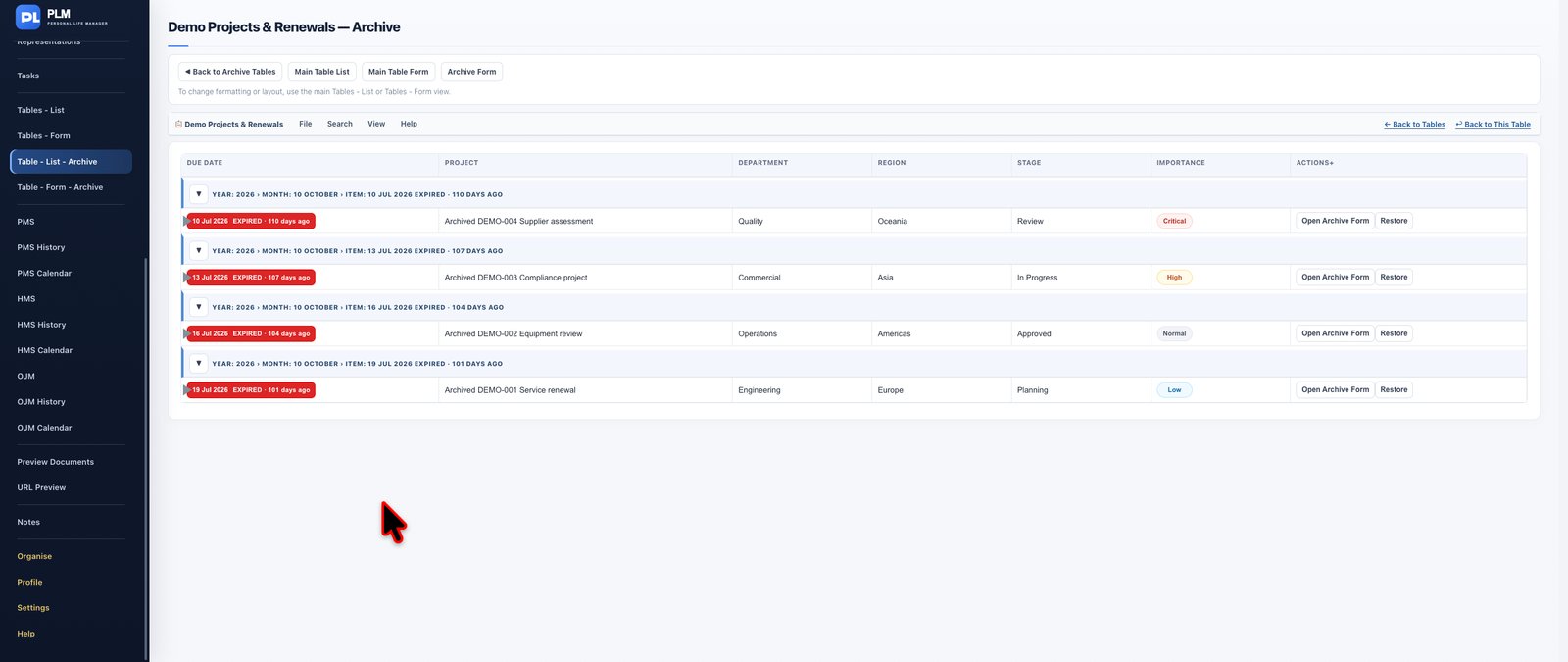
Maintain a clear distinction between current information and records that no longer require everyday attention.
Table - List - Archive provides an archive-oriented environment for your custom table records.
Move eligible records out of active working views while keeping their stored information available for historical reference.
Archived records can be examined separately, supporting cleaner current datasets without requiring permanent deletion of older information.
Where restoration is available, records can be returned to active use through the relevant archive controls.
**Special features and capabilities:** Archived table records, separation of active and historical information, archived record review and available restoration actions.
**The benefit:** Keep operational tables manageable while retaining important historical information.


Access historical custom table information through a record-oriented archive workspace.
Table - Form - Archive complements the table list archive by providing an interface focused on individual archived records and their stored information.
This is particularly valuable when reviewing older records that contain multiple fields, descriptions or connected reference information.
Whether examining a previous equipment record, a completed business entry or a historical operational item, PLM keeps archived information separate from current activity.
**Special features and capabilities:** Historical custom records, detailed archive access, separation from active data and integration with the PLM table archive system.
**The benefit:** Retain access to earlier information without allowing outdated records to overwhelm everyday operations.

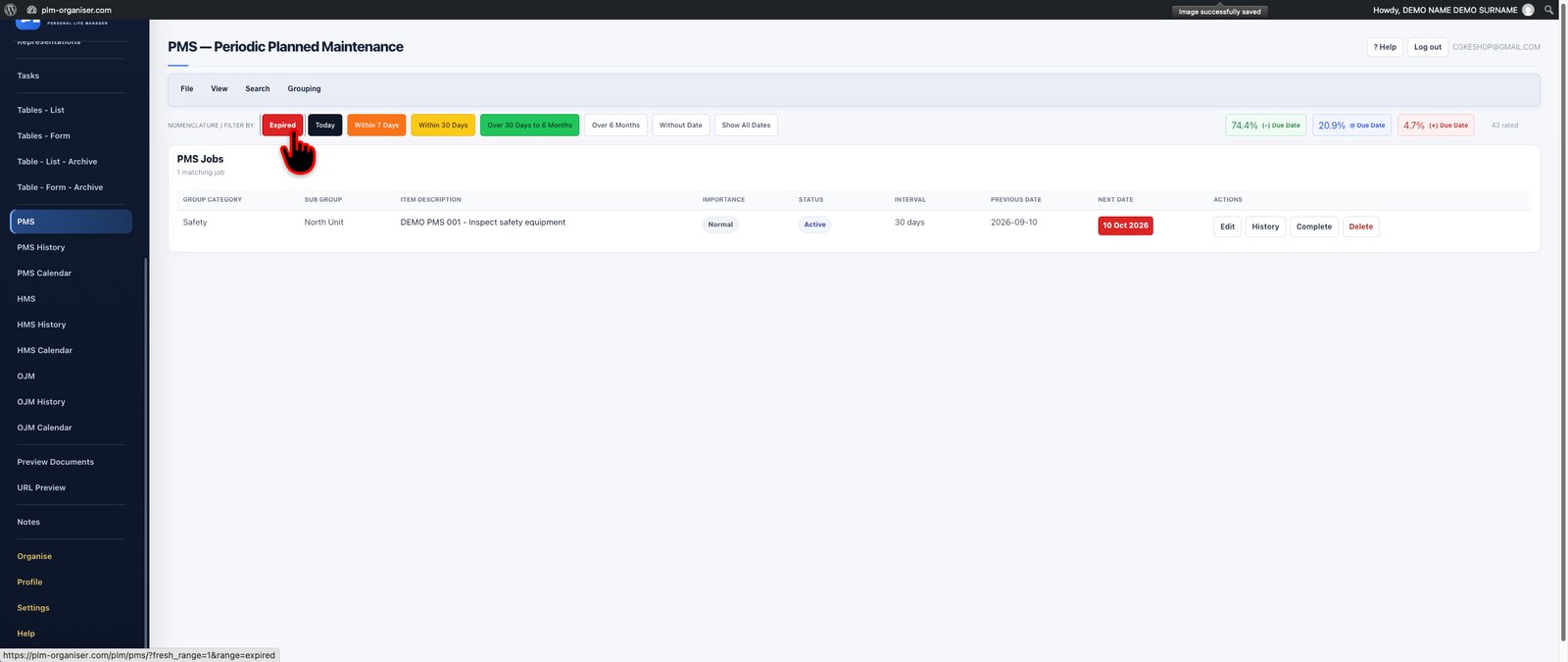
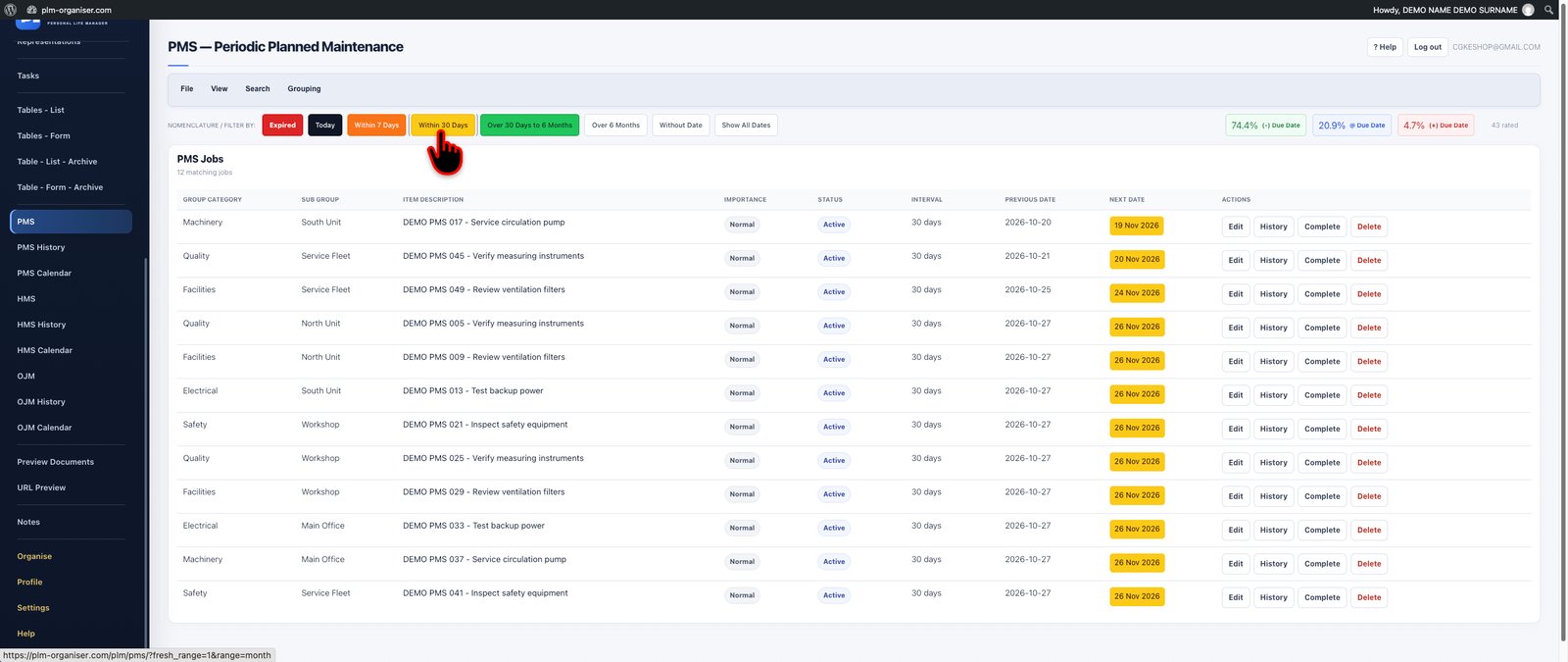

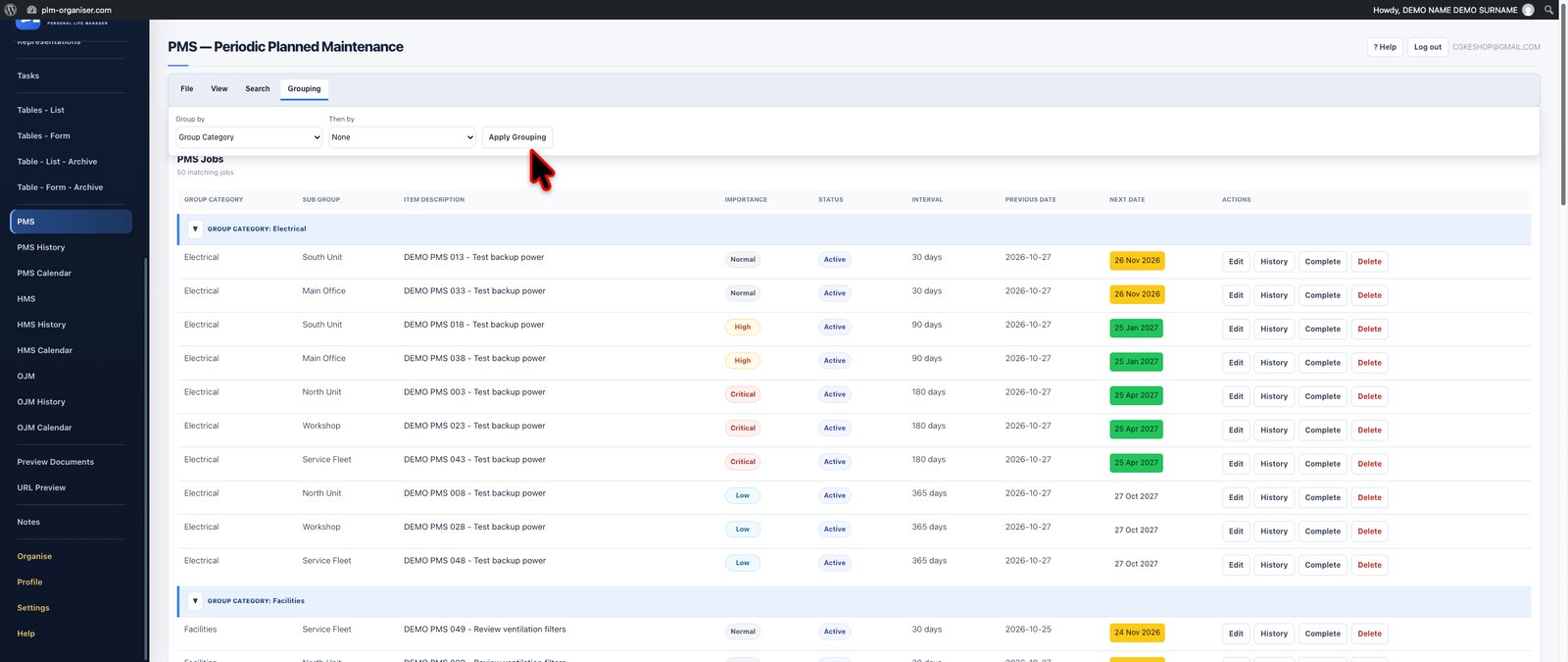

Plan recurring maintenance activities with a structured system designed around calendar-based service intervals.
The Planned Maintenance System (PMS) is designed for equipment, machinery, installations and other assets that require maintenance at regular intervals.
Create maintenance jobs, define their scheduling information and organise the responsibilities necessary to keep equipment and operational systems in good condition.
PMS provides a dedicated workspace for reviewing upcoming maintenance requirements, identifying approaching service dates and keeping planned work visible.
Whether maintenance is required monthly, quarterly, annually or at another configured calendar interval, PLM provides a consistent framework for organising the work.
Date-based urgency indicators make approaching and overdue obligations easier to recognise.
The module also supports importing and exporting maintenance records, as well as preparing printable maintenance schedules.
**Special features and capabilities:**
- Calendar-interval maintenance planning.
- Recurring maintenance jobs.
- Dedicated maintenance record management.
- Upcoming and overdue maintenance reviews.
- Date-based urgency indicators.
- Importing and exporting maintenance jobs.
- Printable maintenance schedules.
- Dedicated PMS Calendar.
- Historical maintenance records through PMS History.
**The benefit:** Maintain a clearer overview of recurring service responsibilities and reduce the risk of overlooking scheduled maintenance.
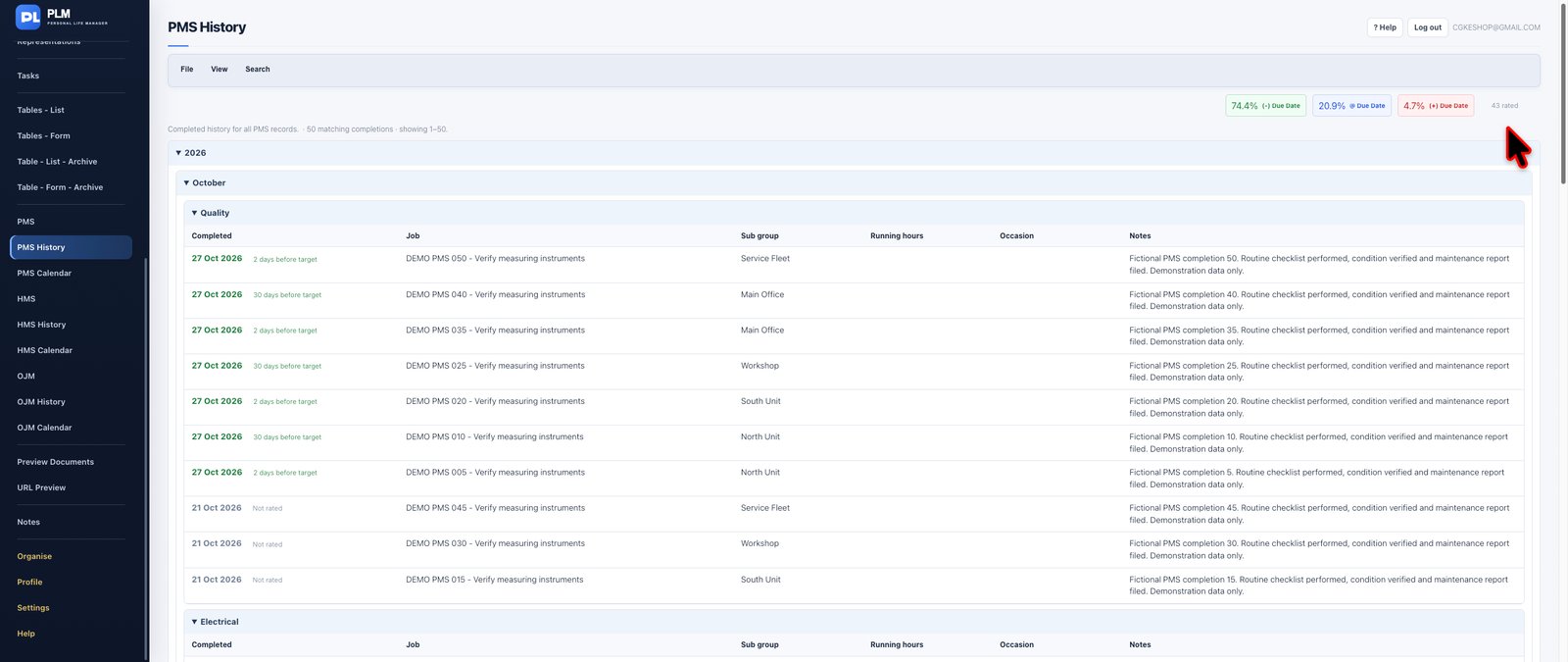
Maintain visibility over past planned-maintenance activities through a dedicated history workspace.
PMS History separates historical maintenance information from the active maintenance schedule, helping you review past activities without interfering with upcoming planning.
Historical records can provide valuable context when examining maintenance patterns, preparing future schedules or investigating the background of an equipment service requirement.
**Special features and capabilities:** Dedicated planned-maintenance history, historical maintenance records and separation of past activities from current schedules.
**The benefit:** Preserve maintenance continuity and keep operational knowledge available for future reference.
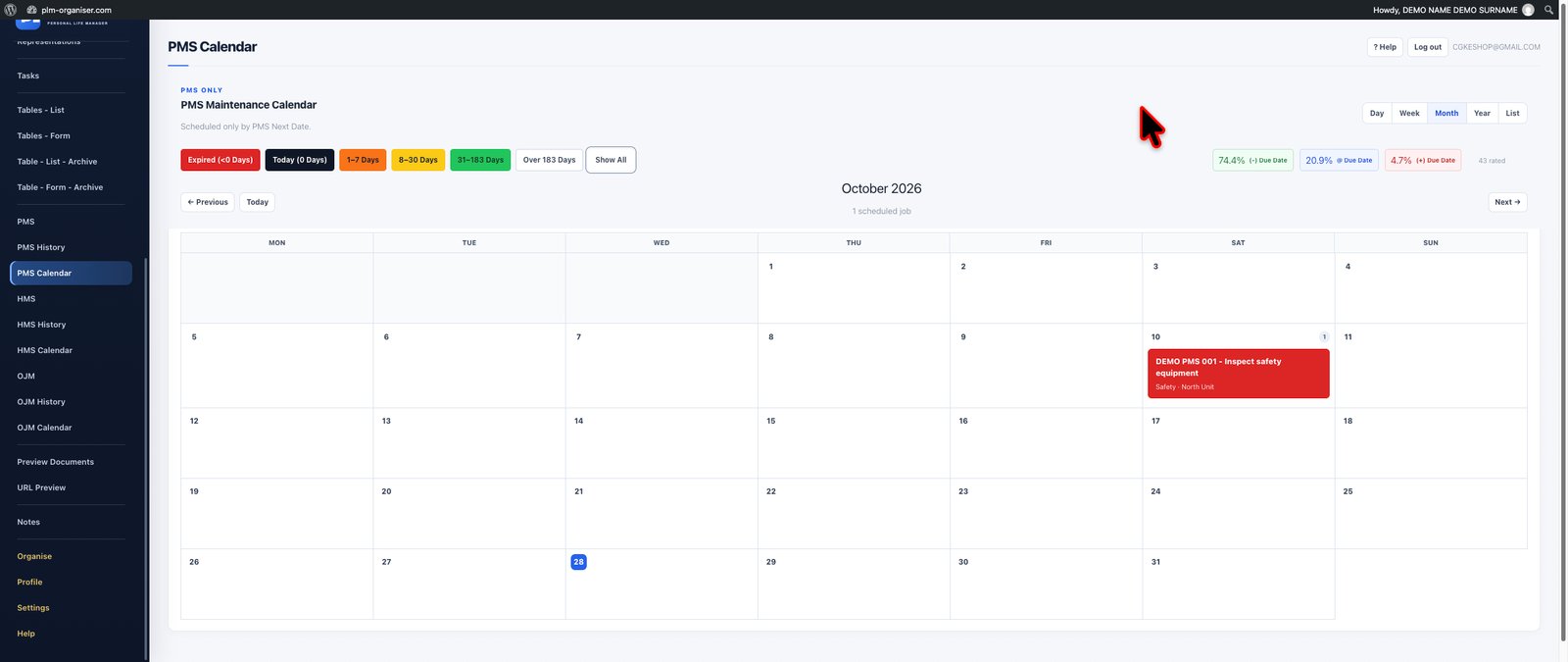

See your calendar-based maintenance activities in a dedicated scheduling environment.
PMS Calendar transforms planned maintenance dates into a visual schedule, making it easier to understand when different maintenance jobs are due.
Review approaching service responsibilities, identify periods with several planned jobs and use the calendar alongside the PMS records to organise future work.
Keeping maintenance scheduling separate from ordinary appointments helps provide a clearer operational picture.
**Special features and capabilities:** Dedicated PMS calendar, date-based maintenance visualisation, recurring service scheduling and connections to maintenance records.
**The benefit:** Better awareness of maintenance workload and a clearer understanding of upcoming service commitments.
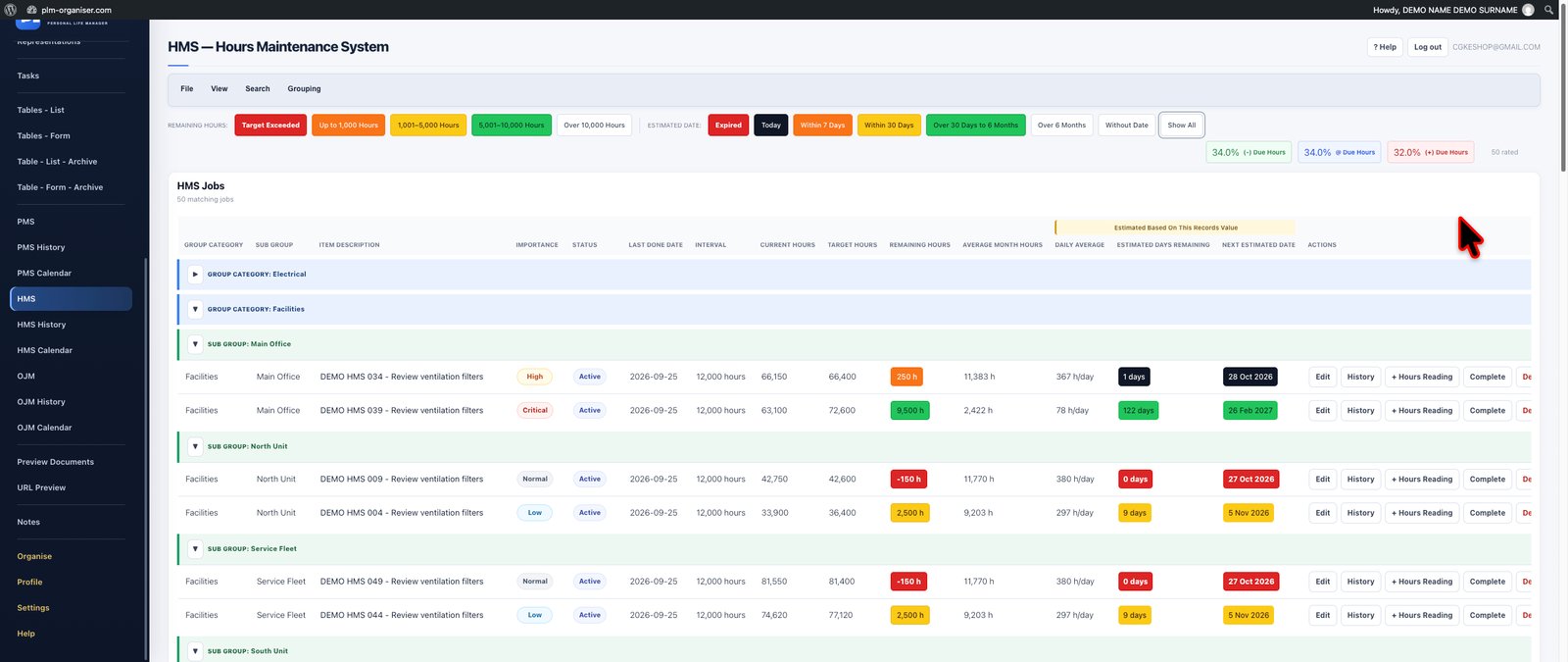
Take maintenance planning beyond fixed calendar intervals with a system designed for equipment operating hours.
The Hours-Based Maintenance System (HMS) supports machinery and equipment that require servicing according to accumulated running hours rather than simply the passage of time.
Define hours-based maintenance requirements and record equipment running-hour readings as operations progress.
PLM uses available readings to assess consumption patterns and estimate when future maintenance thresholds may be reached.
Where sufficient reading history exists, HMS calculates an average operating rate and produces an estimated maintenance due date. This helps translate equipment usage into a practical forward-looking maintenance schedule.
The forecast is based on recorded operating-hour information, making it particularly relevant for machinery whose actual usage varies over time.
**Special features and capabilities:**
- Maintenance intervals based on running hours.
- Equipment operating-hour readings.
- Historical reading information.
- Average usage-rate calculations.
- Estimated future service dates based on recorded usage.
- Identification of maintenance thresholds already reached.
- Maintenance record reviews and exporting.
- Dedicated HMS History and HMS Calendar.
**The benefit:** Plan equipment maintenance according to actual usage patterns instead of relying exclusively on fixed calendar assumptions.
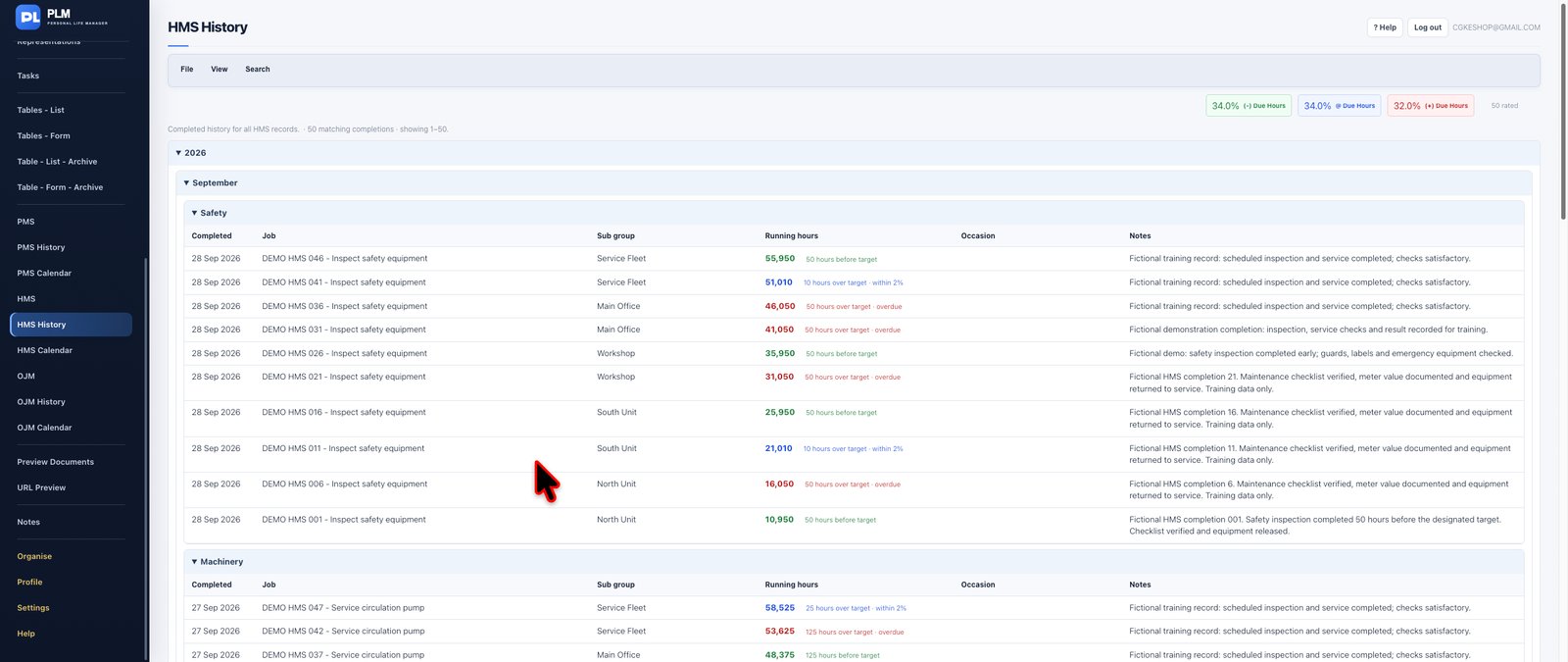
Preserve historical information relating to hours-based maintenance and equipment usage.
HMS History provides a dedicated reference for previous hours-based maintenance records, complementing the active HMS scheduling workspace.
Historical operating information is especially valuable when reviewing maintenance behaviour, understanding equipment utilisation and examining the background of previous service requirements.
**Special features and capabilities:** Historical hours-based maintenance records, separation from active HMS work and reference information supporting equipment-maintenance analysis.
**The benefit:** Build a more informed understanding of equipment maintenance over its operating life.
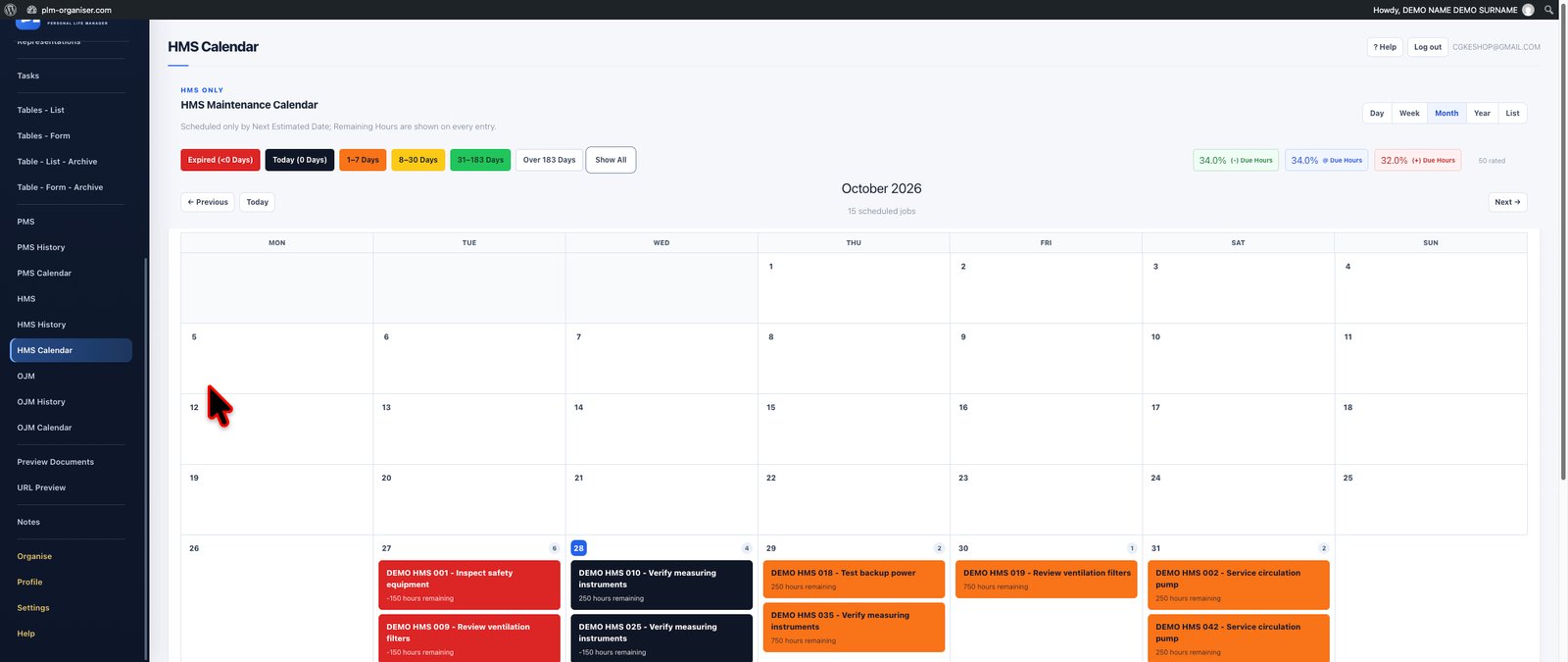
Connect equipment operating-hour information with calendar-based planning.
HMS Calendar displays estimated maintenance dates derived from hours-based maintenance information, helping you understand when equipment may require attention.
Unlike a fixed periodic schedule, the estimated timing can reflect the available operating-hour readings and calculated usage rate.
This creates an important connection between actual equipment utilisation and future maintenance planning.
**Special features and capabilities:** Estimated maintenance dates, hours-based scheduling information, visual maintenance planning and integration with HMS maintenance records.
**The benefit:** Anticipate future service requirements using equipment-usage information and prepare maintenance activities more effectively.
*Estimated dates depend on the availability and quality of recorded operating-hour readings.*
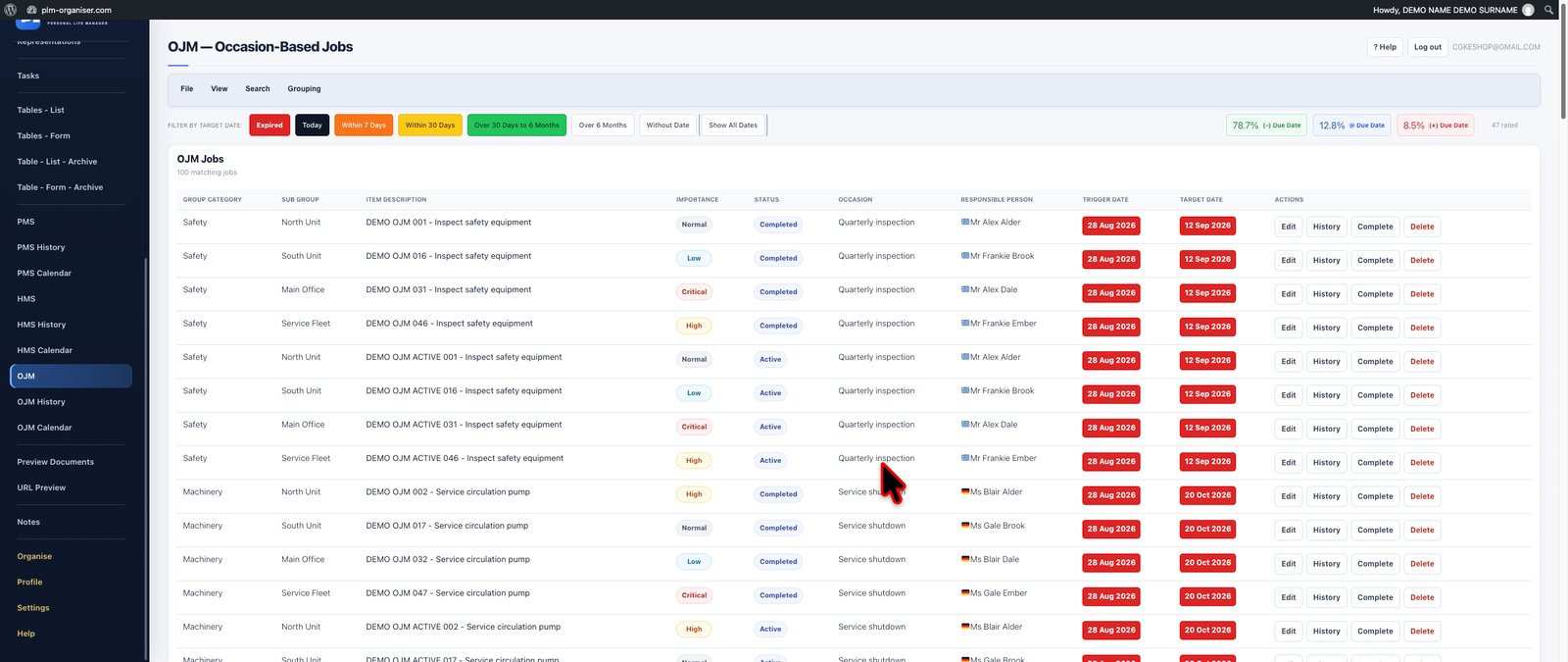

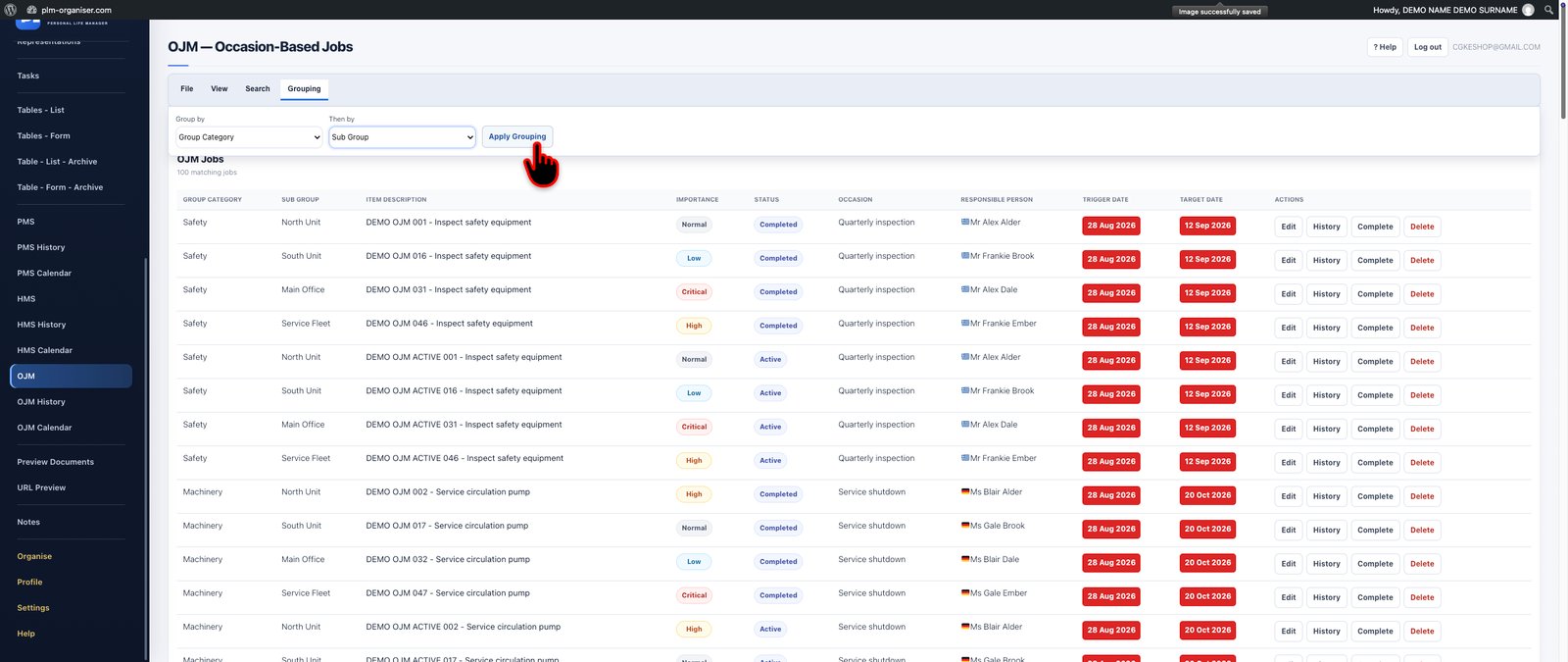
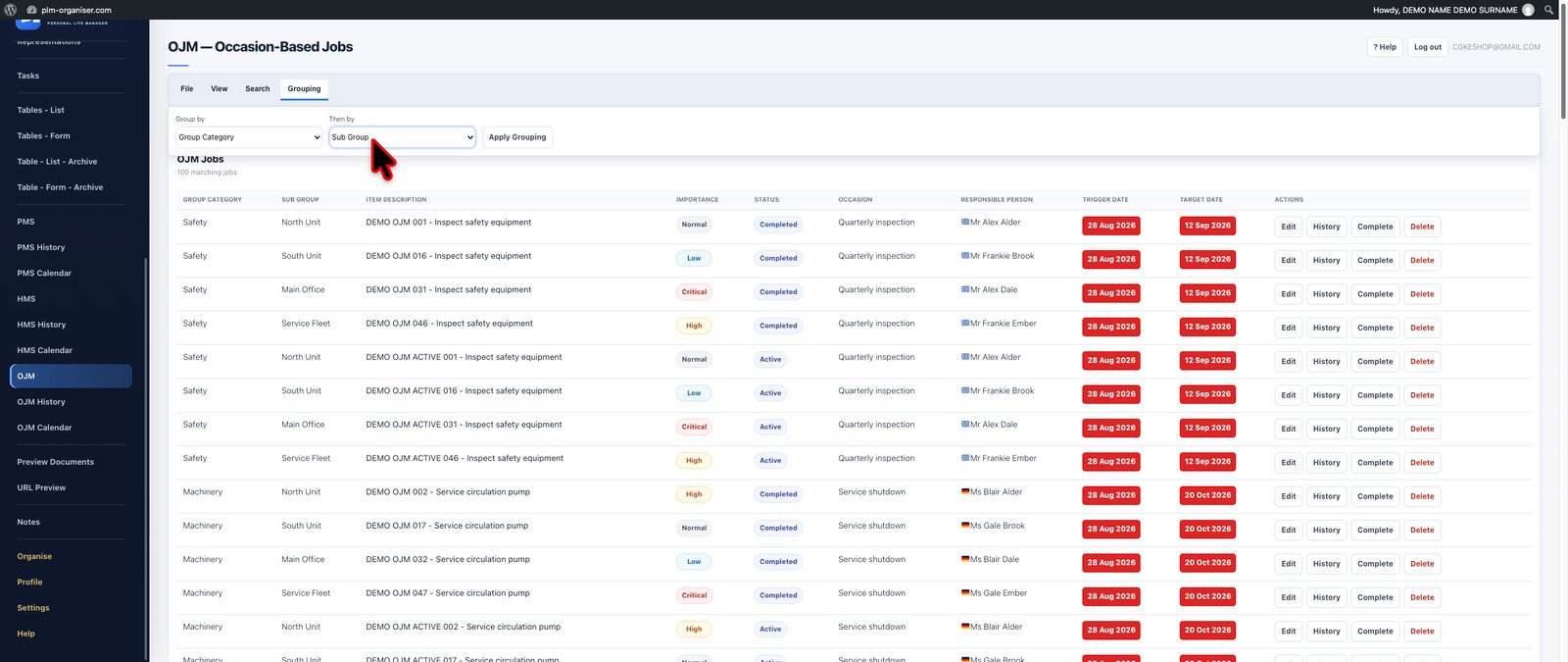
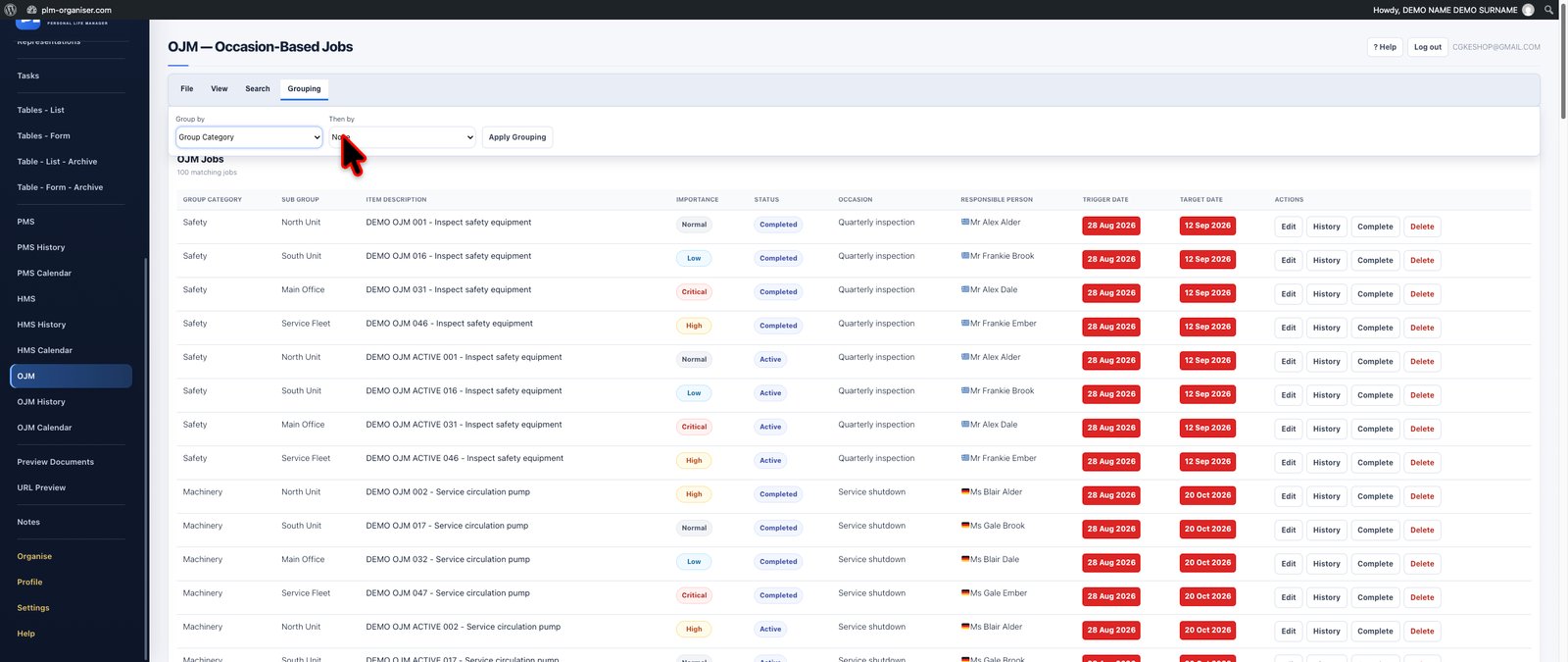

Not every important maintenance or operational activity occurs at a regular interval.
Occasional Job Management (OJM) provides a dedicated workspace for jobs triggered by particular events, conditions or one-off operational requirements.
Use OJM for non-recurring activities that still require structured planning and date control.
Record the event or requirement that initiated a job, establish a target date and keep the activity visible until it has been addressed.
By distinguishing trigger dates from target completion dates, OJM provides a useful framework for managing work that does not belong in a traditional calendar-based or hours-based maintenance programme.
Date filters allow you to concentrate on activities requiring attention within a chosen period.
**Special features and capabilities:**
- Event-triggered and occasional job records.
- Separate trigger and target dates.
- Date-based filtering of occasional jobs.
- Dedicated operational job management.
- Importing occasional job records.
- Printable job information.
- Dedicated OJM History and OJM Calendar.
**The benefit:** Keep irregular but important operational responsibilities under control without forcing them into an unsuitable recurring-maintenance schedule.
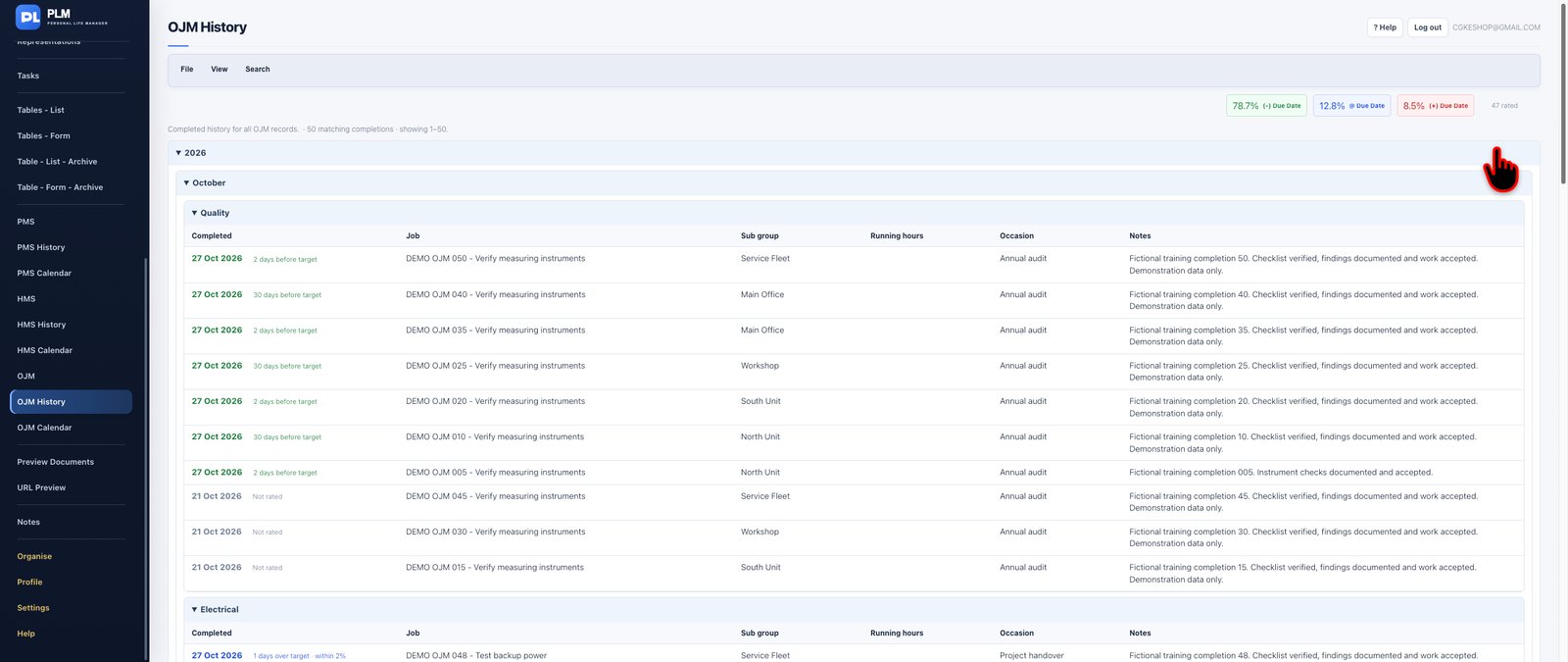
Maintain a separate historical workspace for occasional jobs and their associated records.
OJM History helps preserve information about previous non-recurring activities while keeping the active job-management environment focused on current responsibilities.
This is particularly useful when an unusual operational requirement reappears and you need to consult information relating to an earlier occurrence.
**Special features and capabilities:** Historical occasional-job records, separation of previous activities from current work and dedicated OJM history access.
**The benefit:** Preserve valuable operational experience and use previous job records as a reference for future work.
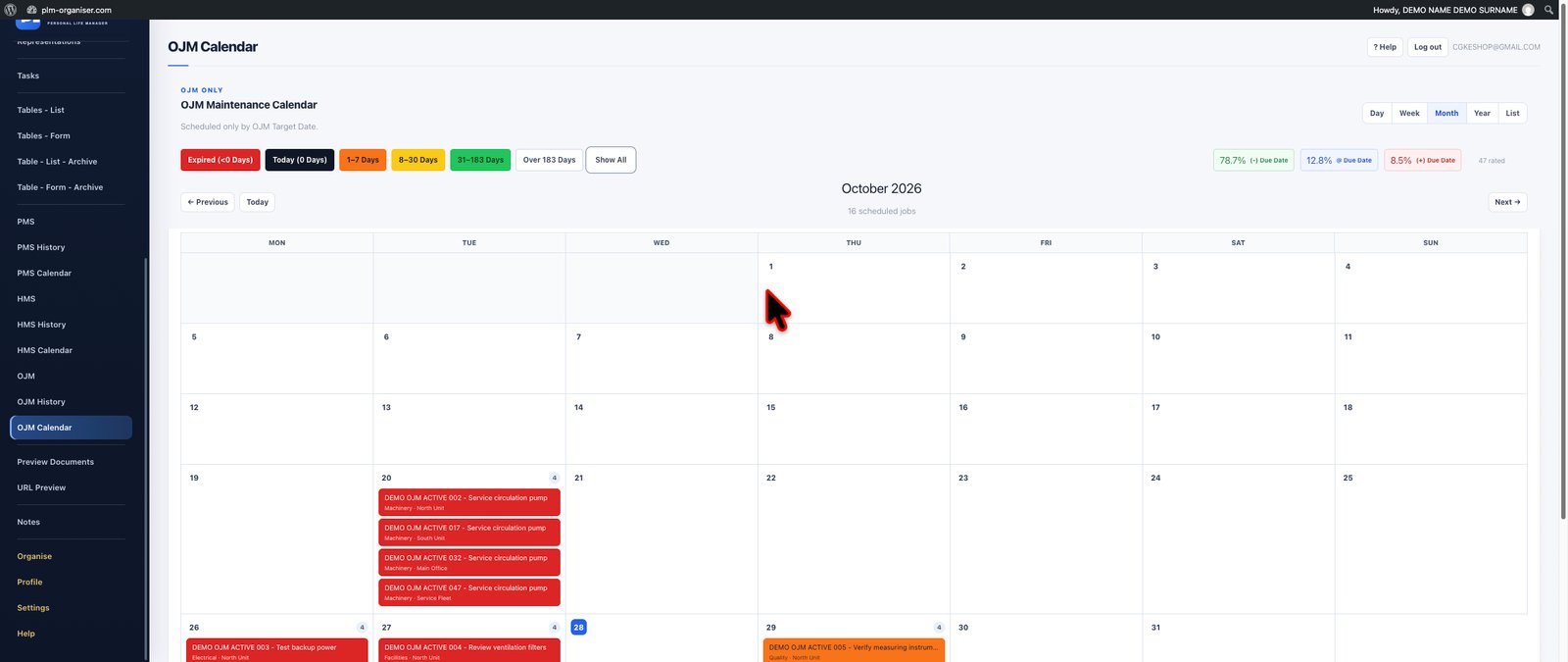
Organise occasional operational jobs around their target dates with a dedicated visual calendar.
OJM Calendar provides a date-oriented perspective on activities that do not follow a standard repeating schedule.
Review approaching target dates, understand when occasional jobs require attention and coordinate them alongside your other operational responsibilities.
The calendar complements the main OJM workspace by making scheduled occasional work easier to assess visually.
**Special features and capabilities:** Dedicated occasional-job calendar, target-date visualisation, calendar-based job reviews and integration with OJM records.
**The benefit:** Avoid losing track of important one-off jobs simply because they do not form part of a recurring maintenance programme.

Bring your frequently used online documents together into an organised reference environment.
Preview Documents allows you to maintain links to Word, Excel and PDF documents, providing a central place to organise resources without having to search repeatedly through folders, emails or browser bookmarks.
Categorise document links, provide meaningful descriptions and add notes explaining their relevance.
Where the document provider supports compatible embedded viewing, PLM can display the document within the preview environment. When embedded viewing is unavailable, the original document link remains accessible.
The module includes support for authorised Microsoft SharePoint preview workflows through a connected Microsoft account, subject to the relevant account permissions and provider configuration.
This makes the system particularly useful for teams or professionals who work regularly with shared online documentation.
**Special features and capabilities:**
- Word document links and previews.
- Excel spreadsheet links and previews.
- PDF document links and previews.
- Categorised document collections.
- Descriptions and reference notes.
- Compatible provider-based embedded viewing.
- Optional official document embed URLs.
- Microsoft SharePoint account connection for authorised previews.
- Direct access to original document sources.
**The benefit:** Keep important document references organised and access supported online content through one convenient working environment.
*Document preview availability depends on the source provider, sharing permissions and supported embedding methods.*

Create a structured collection of websites and online resources that form part of your daily work.
URL Preview lets you save website links with descriptions, categories and notes, making it easier to identify and retrieve resources when they are needed.
For sites that permit embedded display, compatible pages can be previewed through PLM. Websites that prevent embedding can still be accessed through their original URLs.
Where useful, associate login usernames and encrypted password information with individual URL entries, allowing relevant access details to remain connected with the corresponding website.
This offers a practical way to manage online business portals, reference websites, external services and frequently accessed resources.
**Special features and capabilities:**
- Organised website URL collection.
- Categories and descriptive labels.
- Notes for each resource.
- Compatible website previews.
- Direct navigation to external websites.
- Optional login usernames.
- Encrypted storage of saved login passwords.
- Password reveal and copy controls.
**The benefit:** Create a more organised working environment for the external websites and digital resources you rely on every day.
*Website previews depend on the security and embedding policies of each external website.*
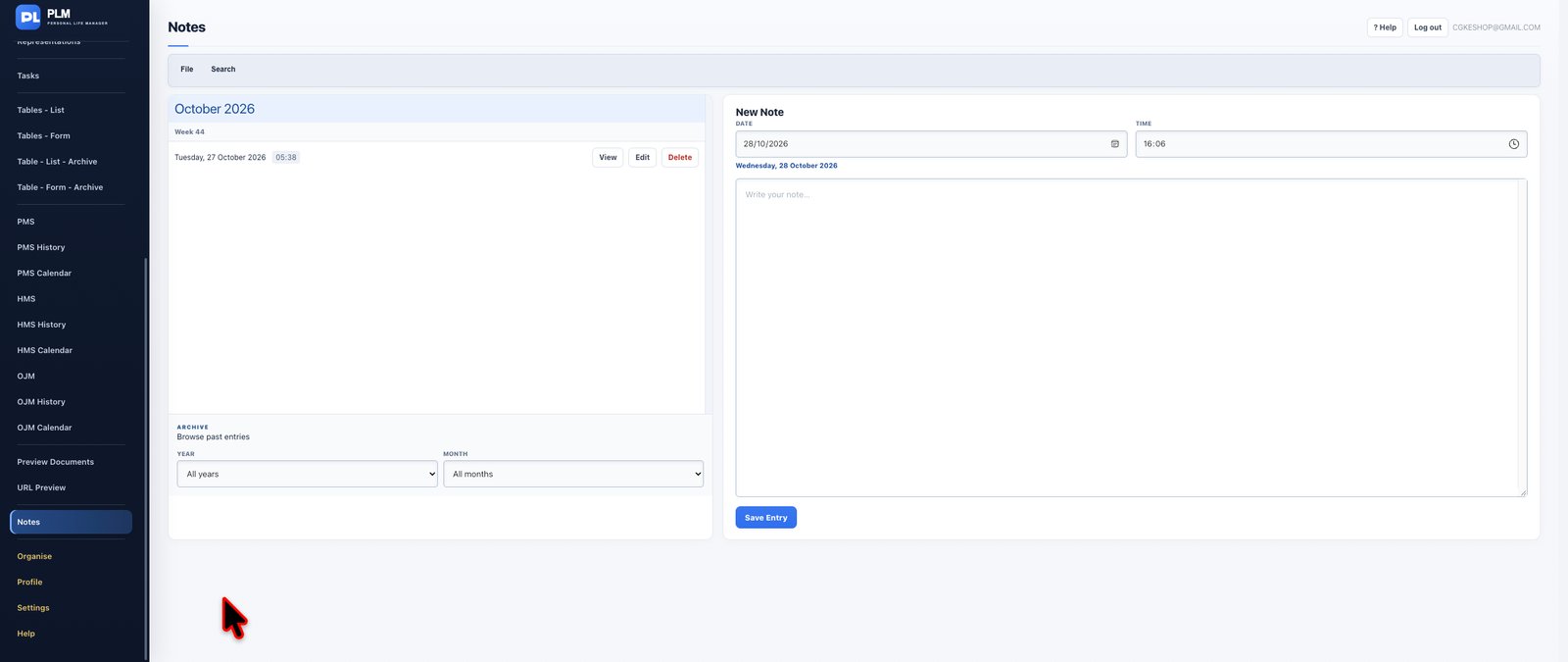
Give your thoughts, observations, decisions and important information a permanent, organised home.
PLM Notes provides a practical environment for recording the information that does not necessarily belong in a formal database, task or customer record.
Write dated notes about meetings, ideas, experiences, professional observations, decisions, lessons learned or matters requiring future reference.
Rather than maintaining scattered text files, paper notebooks or unstructured documents, PLM helps you preserve information within a chronological notes collection.
The month-and-week archive structure makes it easier to navigate earlier entries and revisit information from a particular period.
Existing notes can be found, reviewed and edited as necessary, while printing provides a convenient way to produce a physical reference when required.
**Special features and capabilities:**
- Dated notes and journal entries.
- Chronological note organisation.
- Month-and-week historical navigation.
- Note searching and retrieval.
- Editing existing notes.
- Printable notes.
- Note deletion when information is no longer required.
**The benefit:** Create a dependable personal and professional knowledge record where useful information remains organised and accessible.

Create an organisational structure that reflects how you think, work and manage information.
PLM Organise provides a central place to manage the reusable categories and classifications used throughout relevant parts of the application.
Create and maintain folders, contexts, tags and groups that help classify information in meaningful ways.
Folders provide an intuitive method of separating different subjects or areas of responsibility. Contexts can describe the circumstances, environments or working situations relevant to activities. Tags add flexible descriptive labels that make it easier to identify related information across different classifications.
For custom databases, table groups help maintain a more manageable structure as the number of tables increases.
PLM also supports saved views, allowing useful working arrangements to be revisited without repeatedly configuring the same display preferences.
Organisation chips provide convenient navigation into relevant records or collections, making the organisational structure an active part of the working experience rather than a collection of labels.
**Special features and capabilities:**
- Reusable folders.
- Contexts for activity classification.
- Flexible tags.
- Table groups.
- Saved views.
- Organisation chips that open relevant work.
- Central management of reusable classifications.
- Integration with relevant tasks and table workflows.
**The benefit:** Create a consistent information structure that makes even a large and varied PLM workspace easier to navigate and maintain.

Keep your PLM account information organised and accessible through a dedicated personal profile.
The Profile module provides a central place to review and maintain your account details, including personal information and relevant subscription information.
Review the account information associated with your PLM access and keep your profile details current.
The module also provides access to relevant account-management controls and information about the account's subscription status.
For users who need to manage sensitive account actions, the Profile area includes a separately identified danger zone for operations requiring additional care.
**Special features and capabilities:**
- Personal profile information.
- Account details and maintenance.
- Subscription-status information.
- Account access information.
- Dedicated controls for sensitive account actions.
**The benefit:** Maintain visibility and control over your PLM account information from one dedicated location.

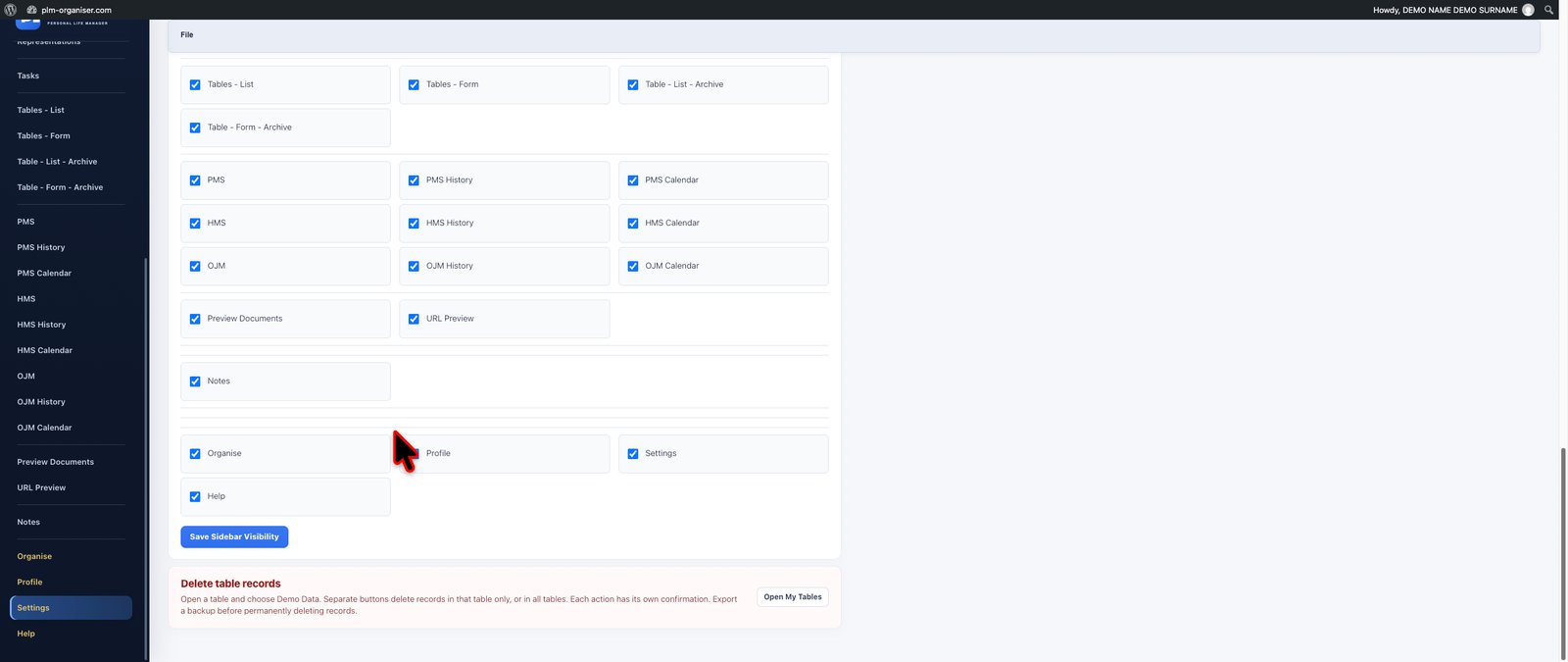

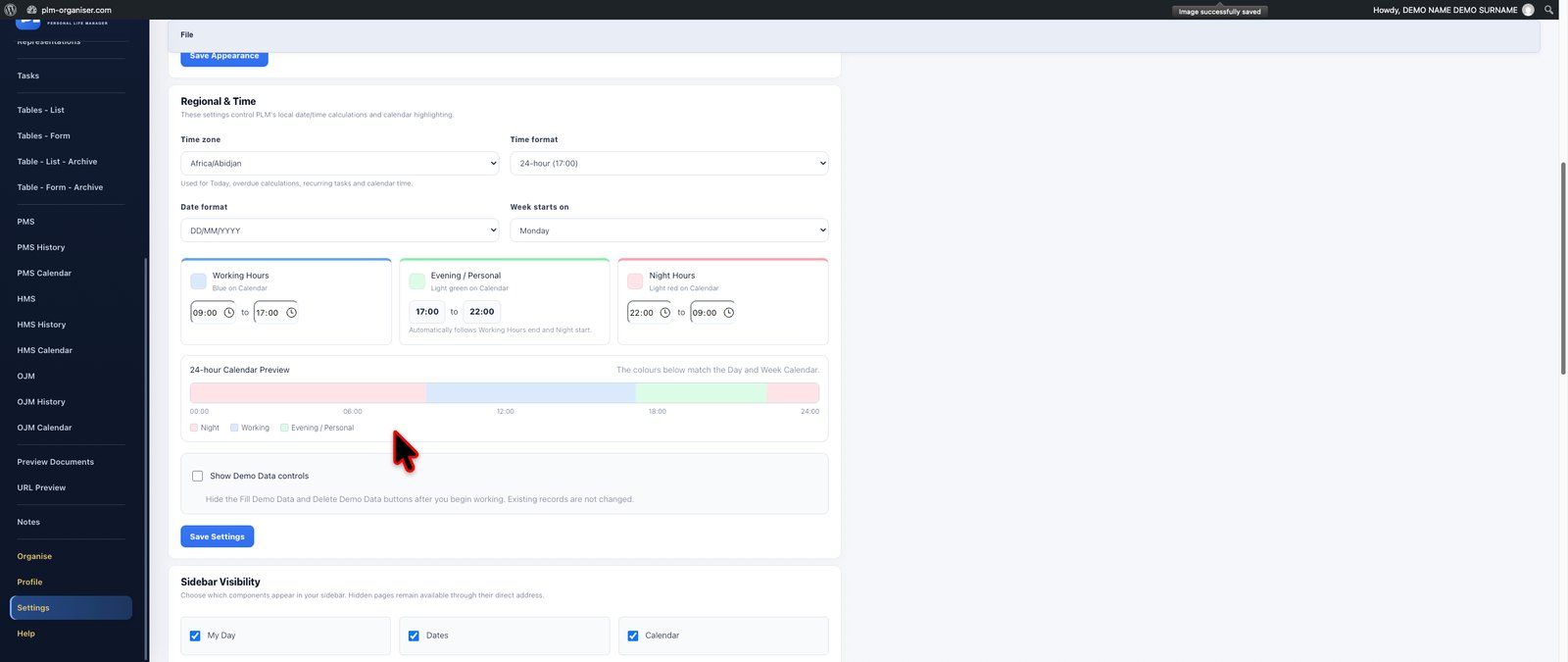
Personalise your PLM working environment to suit your preferences, location and daily working habits.
The Settings module provides a dedicated environment for configuring important aspects of the application.
Choose appearance preferences that make the interface comfortable to use and adjust regional settings according to your location and working conventions.
Calendar-related preferences help align PLM's date-based features with the way you plan and review information.
Sidebar visibility controls allow you to simplify the navigation by hiding modules that are not relevant to your work. This makes it easier to concentrate on the features you use most frequently while retaining a structured application environment.
Where available, demonstration controls support exploration of example information and application features, with dedicated management of demonstration content.
**Special features and capabilities:**
- Application appearance preferences.
- Regional configuration.
- Calendar preferences.
- Sidebar module visibility.
- Personalised navigation.
- Demonstration content controls.
- User-specific working preferences.
**The benefit:** Adapt the PLM experience to your individual working style instead of forcing yourself to operate within a rigid, one-size-fits-all interface.


Discover the capabilities of PLM Organiser through an integrated help and guidance system.
The Help module provides structured explanations and practical instructions covering the application's main features and workflows.
Whether you are creating your first company record, setting up a custom table, building calculations, defining relationships between records or organising a maintenance programme, the guidance material helps explain how the relevant tools are intended to be used.
The extensive Tables documentation includes detailed instructions for spreadsheet-style editing, formatting, calculations, multi-level grouping and sorting, linked records, conditional formatting, validation, custom freezing and other advanced features.
Module-specific guides help explain important working procedures, while the PLM Blog provides an additional source of workflow-oriented reference information.
The Help environment also includes guidance for reporting reproducible issues and understanding the application's reference information.
**Special features and capabilities:**
- Integrated application Help.
- Dedicated module guides.
- Step-by-step workflow instructions.
- Advanced Tables and Calculations documentation.
- Examples of record relationships and custom database configuration.
- Maintenance planning guidance.
- CRM, communications and personal productivity instructions.
- PLM Blog reference material.
- Troubleshooting and issue-reporting guidance.
- Application reference information.
**The benefit:** Learn the application progressively, discover capabilities you may not yet be using and become more confident in managing complex information and workflows.
PLM modules share one account and an isolated workspace. Due-date planning uses the PLM urgency colours; tables and records keep their chosen formatting.
Planned mobile apps for iPhone and Android, fully synchronised with your main PLM account. Keep your information together across your computer and phone.
The same PLM subscription — €9.99 per month.
Mobile access is planned to be included, with no separate mobile subscription.

Step-by-step instructions and worked examples for tasks, databases, CRM, maintenance and personal tracking.
Explore PLM GuidesPLM helps you remember the personal details that make communication more thoughtful and preparation more effective.
Mark the people who should receive holiday messages or gifts, then build focused lists without searching through every contact.
Record each person’s negotiation approach, inherent characteristics and the interaction details you want to remember before the next conversation.
See general traditional zodiac character attributes as optional conversation and preparation prompts—not as fixed judgments about an individual.
Customers can request future modules and improvements that would make PLM more useful for their own life or work.
Start with the trial and build the workspace that fits you.
May we use Google Analytics to understand visits to PLM? You can decline and continue using the site. Cookie policy
May we use Google Analytics to understand visits to PLM? You can decline and continue using the site. Cookie policy