Write a dated journal entry
Keep dated writing and review mood patterns.
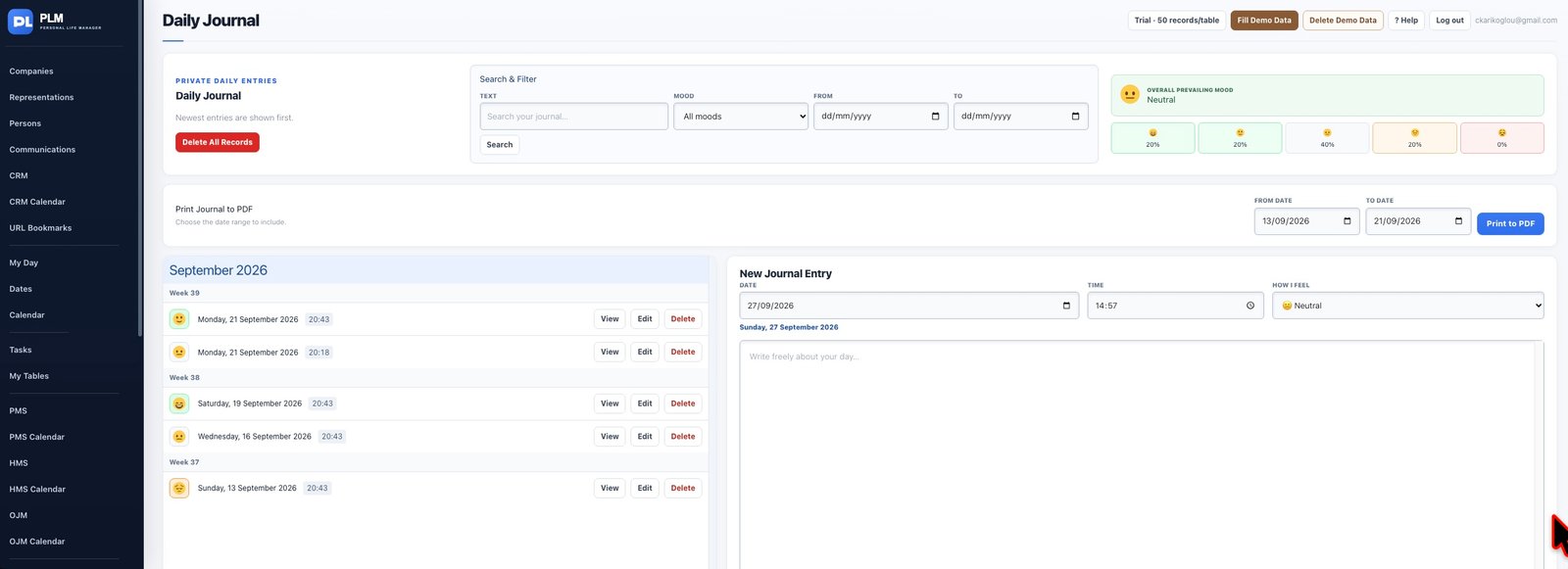
- Set the date and time for the entry.
- Choose a mood and write the text.
- Save and select the entry in the dated list to review it.
Example
Record a short evening reflection with its date, time and mood. The dated list should let you return to that reflection later.
Check the result: Save and select the entry in the dated list to review it.