Read the PLM date colours
Review dated tasks and table records through urgency filters.
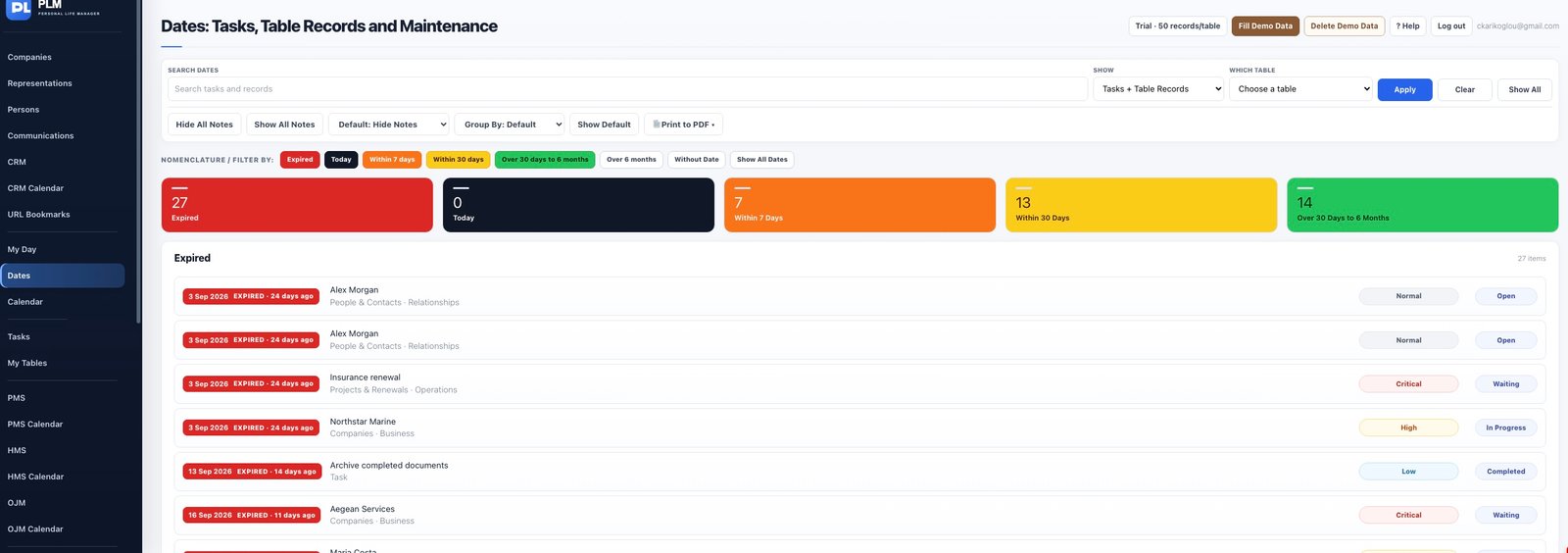
- Red identifies expired dates and black identifies today.
- Orange covers 1–7 days and yellow covers 8–30 days.
- Green covers 31–183 days while dates beyond that range have no urgency background.
Example
A date three days away is orange; a date twenty days away is yellow. A date yesterday is expired even if the task’s priority is Low.
Check the result: Green covers 31–183 days while dates beyond that range have no urgency background.