Separate tasks from database follow-ups
Review active tasks and dated table records in one place.
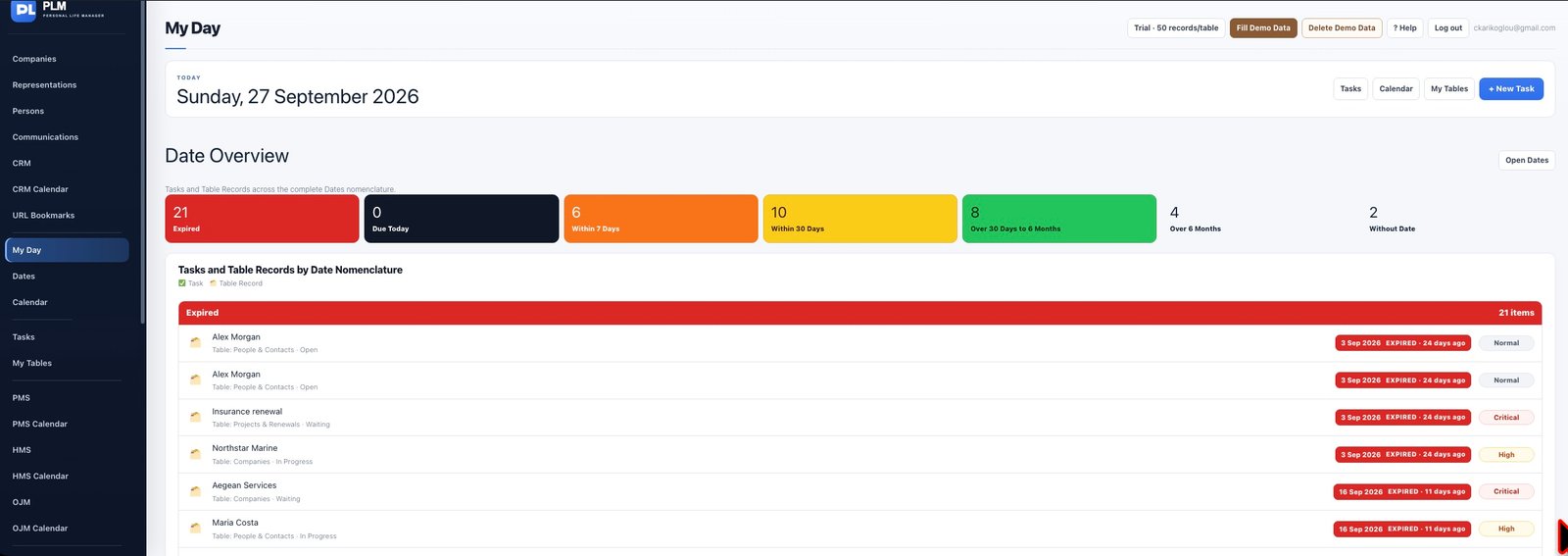
- Read the task and table indicators next to each entry.
- Use a task for an action and a table record for the information it concerns.
- Follow the source link to avoid creating a second copy during a review.
Example
Keep the supplier’s contact details in a company record and the action Call supplier in Tasks. The review should lead you to the correct source for each change.
Check the result: Follow the source link to avoid creating a second copy during a review.