Understand schedule colours
Organise user-entered medicine schedules and taken follow-up information.
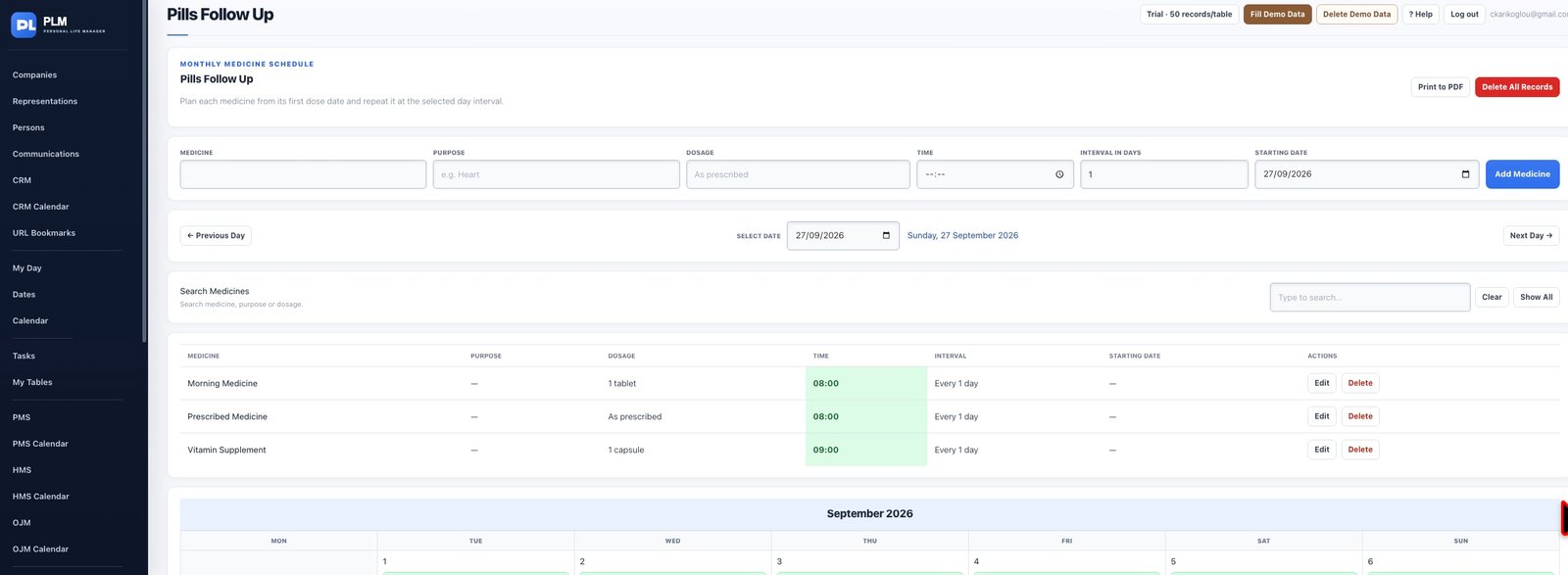
- Read the displayed time as well as its colour.
- Night and daytime time colours describe scheduling periods.
- Use the written medicine details to distinguish entries with similar times.
Example
Two medicines at the same time may share the same time colour. Their names and written schedule details remain essential to distinguish them.
Check the result: Use the written medicine details to distinguish entries with similar times.